
Spinkeronie - Minecraft Skins & Skin History
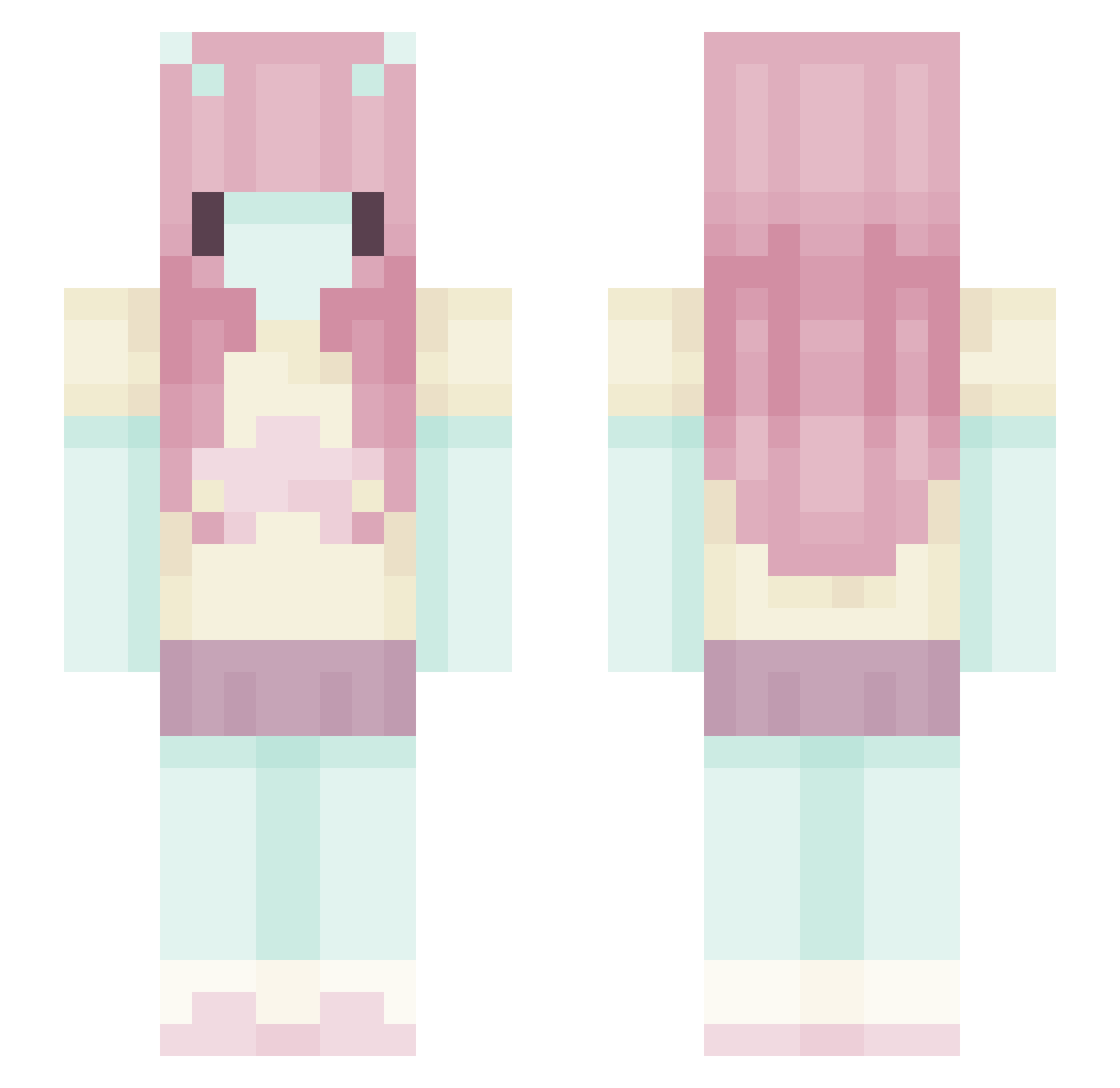
Current Minecraft skin of the player Spinkeronie, loaded from the official Mojang API. Rotate the 3D model with your mouse or finger, then download the skin as a PNG file and use it in Minecraft: Bedrock Edition or Java Edition for free. When Spinkeronie changes their skin, this page updates automatically and the old skin stays in the history below.
Other players with this skin (582)
Spinkeronie was the 142nd player we have seen with this skin, first spotted on 20.08.2026. The same skin was seen on these players. Open a nickname to see their current skin and skin history.
 Kyoosa amirrorball smellyyhouse Av_Thirsty Irisfrost db_1123 Microb325 daintycats zoszekgroszek StrawberryBarf Capflufy gedankenkot PickingAName psychiatristnow wiljet_jell Donka59400 JusteAmis chiemii1 pugpo morix2 OtrekONE _Eramira_ Kasumistic
 Ilya805 sirit0 edenxy MargosMangoz721 _kaiii777 LunarrMooon kxssandra linneaalexh Akira_wool Little_princess 3hatidd MqtchaxBearr
 Divine_bye JeffTheSheep33 Venus52 sweetsuela17 isfi pinpek12 alexsgeg katzejk Trignical d3rLordd forestiee mcelisabeth Hulia969696 ViKairi Maramameow
 MuffinCat1625
 MrDixieNormous
 cenchuri liliiwn
 WonderPearlz jknjkn123 Zarsamora Nika0415 sabonnnnn herejesu
More Zero Two Minecraft skins
How to install the Spinkeronie skin
- Press the Download button above to save the skin as a PNG file.
- Minecraft: Bedrock Edition (PE): open the Dressing Room from the main menu (or tap your character → Edit Character), go to Classic Skins → Owned, press the + (new skin) button, choose the downloaded PNG and pick the Slim (Alex) model. Works on PC and mobile; consoles cannot import custom skins.
- Minecraft: Java Edition: open the Minecraft Launcher, go to the Skins tab, click New Skin, load the PNG, pick the Slim (Alex) model and press Save & Use. You can also upload it at minecraft.net → Profile → Change Skin.
The skin does not show up after import - what should I do?
Restart Minecraft and open the Dressing Room again - imported skins sometimes appear only after a restart. Also make sure you selected the imported skin and picked the Slim (Alex) model.
Which model should I choose, Classic or Slim?
This skin is designed for the Slim (Alex) model. If you pick the wrong model, the arms of the skin will look stretched or squeezed.
Is the skin of Spinkeronie free to download?
Yes. Press Download, save the PNG file and use it in Minecraft: Bedrock Edition or Java Edition - no payment or registration needed. The skin also works on multiplayer servers and Realms.
More skins
Looking for more? Go back to all Minecraft skins and check the top skins of the week, month and all time, or find any player's skin by nickname.