
Souzika - Minecraft Skins & Skin History
Current Minecraft skin of the player Souzika, loaded from the official Mojang API. Rotate the 3D model with your mouse or finger, then download the skin as a PNG file and use it in Minecraft: Bedrock Edition or Java Edition for free. When Souzika changes their skin, this page updates automatically and the old skin stays in the history below.
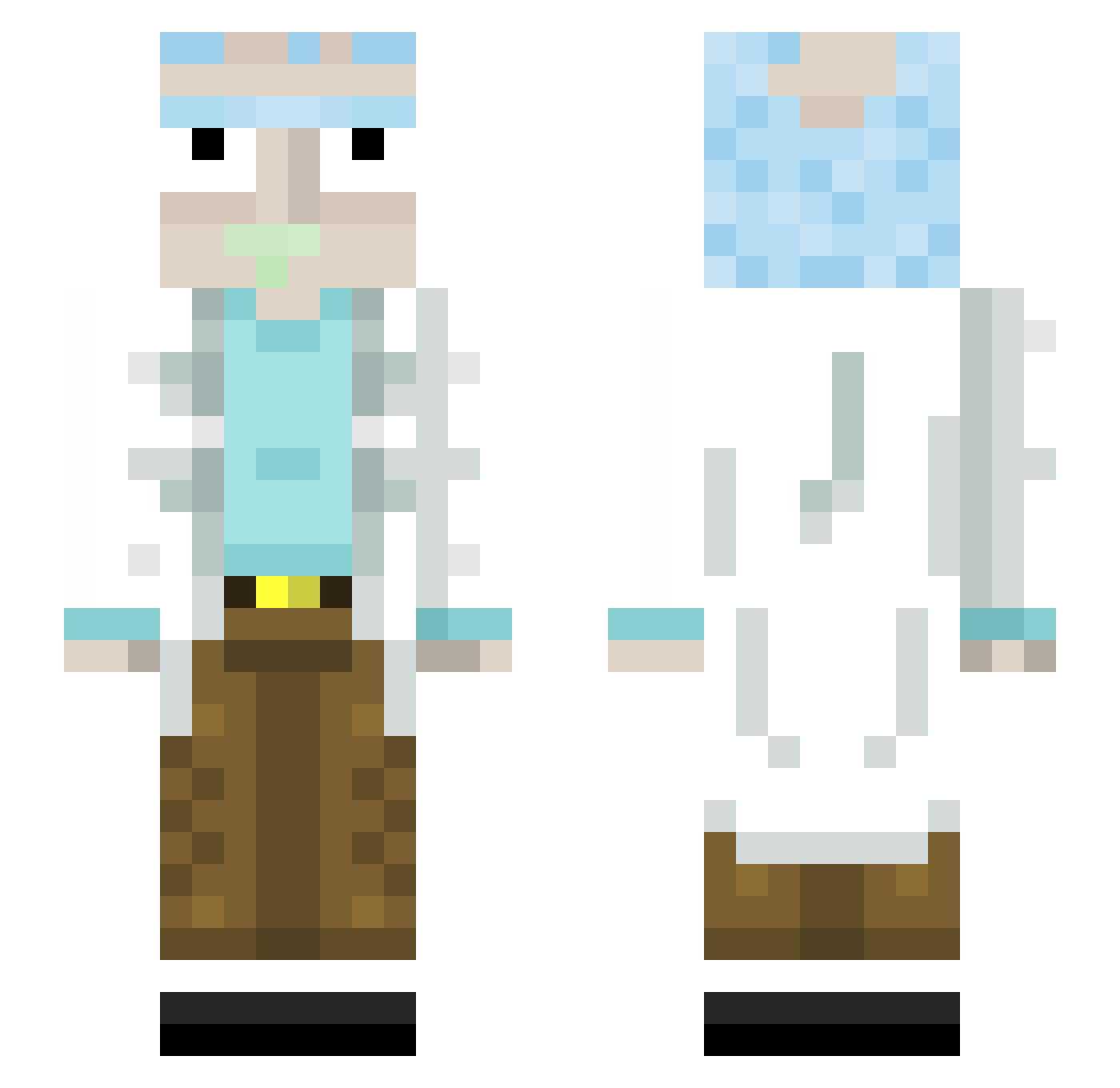
Other players with this skin (445)
Souzika was the 61st player we have seen with this skin, first spotted on 10.08.2026. The same skin was seen on these players. Open a nickname to see their current skin and skin history.
 k_o_s_h_a_k ExcellentMove ToxicElmo GSG9_Jager thomayy Kappatschu LMnash Saibot30 ezbobby1 Kaiser_Elias IICantPlayII Colemannx Connorzxl Lil_zbub LukeWarmcarl Ty_Xel Infinit3AJ Setekhz mat5580 Lunka55b BiologieWerkboek TitiDeLaMalice MiniMeatMage ZadCore Shakehispear MendozaIsTaken 1Sandler lexasak SpaceBacS MrAnanas69 Boof_Boy Worlyn Tuphphy VESP_12 JuanseeN Pickleric137 ED18 El_Docu alekhaan LeQeto J0NTEX_ seveun777 kodama117 Amiced steevo_94 matyas96 sjj816 fedevelasco __Smoke__ simple_sauce Onslaught63 LeonderASYLANT Nagetto_24 polorolo12 daveesin Hawsmaster fullyloadedmag Zehef_au_Max ELIEmineur MaximumLynerd
More Rick Sanchez Minecraft skins
See all 218 Rick Sanchez skins
How to install the Souzika skin
- Press the Download button above to save the skin as a PNG file.
- Minecraft: Bedrock Edition (PE): open the Dressing Room from the main menu (or tap your character → Edit Character), go to Classic Skins → Owned, press the + (new skin) button, choose the downloaded PNG and pick the Slim (Alex) model. Works on PC and mobile; consoles cannot import custom skins.
- Minecraft: Java Edition: open the Minecraft Launcher, go to the Skins tab, click New Skin, load the PNG, pick the Slim (Alex) model and press Save & Use. You can also upload it at minecraft.net → Profile → Change Skin.
The skin does not show up after import - what should I do?
Restart Minecraft and open the Dressing Room again - imported skins sometimes appear only after a restart. Also make sure you selected the imported skin and picked the Slim (Alex) model.
Which model should I choose, Classic or Slim?
This skin is designed for the Slim (Alex) model. If you pick the wrong model, the arms of the skin will look stretched or squeezed.
Is the skin of Souzika free to download?
Yes. Press Download, save the PNG file and use it in Minecraft: Bedrock Edition or Java Edition - no payment or registration needed. The skin also works on multiplayer servers and Realms.
More skins
Looking for more? Go back to all Minecraft skins and check the top skins of the week, month and all time, or find any player's skin by nickname.