
Soulozor - Minecraft Skins & Skin History
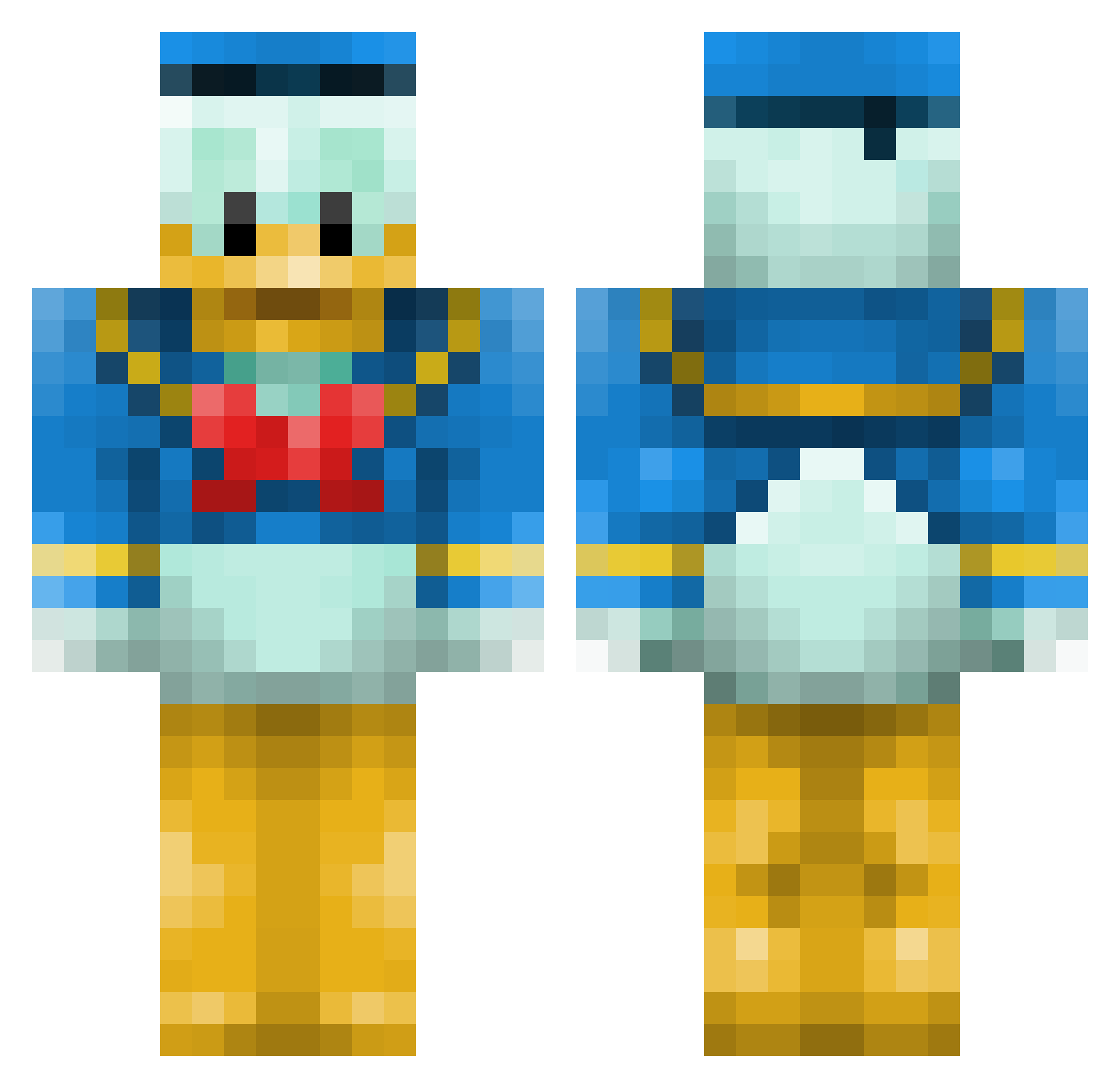
Current Minecraft skin of the player Soulozor, loaded from the official Mojang API. Rotate the 3D model with your mouse or finger, then download the skin as a PNG file and use it in Minecraft: Bedrock Edition or Java Edition for free. When Soulozor changes their skin, this page updates automatically and the old skin stays in the history below.
Other players with this skin (56)
Soulozor was the 39th player we have seen with this skin, first spotted on 25.09.2026. The same skin was seen on these players. Open a nickname to see their current skin and skin history.
 GooFisch Azgoo_ DazmanD Vanka2100 Mimbuck Vo7_ Matafata Seidish Yosshi_q Pilarna JOsua_05 tSoat Quaxwell lizwyn signerasmussen punishedb CHENXY11 1Mashik raigan62 torrente16 mortz1 Azraels71 guyzesty pepijn014 JoseTiki ininal Seltade37 tio_air LoCoRaM_ tipoc23f Nanouk64 TchaaaChou Icecream5277 Joeymvk Hegemonium Hyyteli Maykiru switchcloud ZombieThaNerd JoeDubs1228 Esqueletonn Zpro_Pro_ Derudad notpg8 dondevis Rafarnaque DerRudy_05 BeepBoopImRobot speulchre MonstersGamer Millo2006 Gooey_Brownie Suctioning Stephhers hankc1999 DestinyKhey
More Donald Duck Minecraft skins
How to install the Soulozor skin
- Press the Download button above to save the skin as a PNG file.
- Minecraft: Bedrock Edition (PE): open the Dressing Room from the main menu (or tap your character → Edit Character), go to Classic Skins → Owned, press the + (new skin) button, choose the downloaded PNG and pick the Classic (Steve) model. Works on PC and mobile; consoles cannot import custom skins.
- Minecraft: Java Edition: open the Minecraft Launcher, go to the Skins tab, click New Skin, load the PNG, pick the Classic (Steve) model and press Save & Use. You can also upload it at minecraft.net → Profile → Change Skin.
The skin does not show up after import - what should I do?
Restart Minecraft and open the Dressing Room again - imported skins sometimes appear only after a restart. Also make sure you selected the imported skin and picked the Classic (Steve) model.
Which model should I choose, Classic or Slim?
This skin is designed for the Classic (Steve) model. If you pick the wrong model, the arms of the skin will look stretched or squeezed.
Is the skin of Soulozor free to download?
Yes. Press Download, save the PNG file and use it in Minecraft: Bedrock Edition or Java Edition - no payment or registration needed. The skin also works on multiplayer servers and Realms.
More skins
Looking for more? Go back to all Minecraft skins and check the top skins of the week, month and all time, or find any player's skin by nickname.