
Sorce111 - Minecraft Skins & Skin History
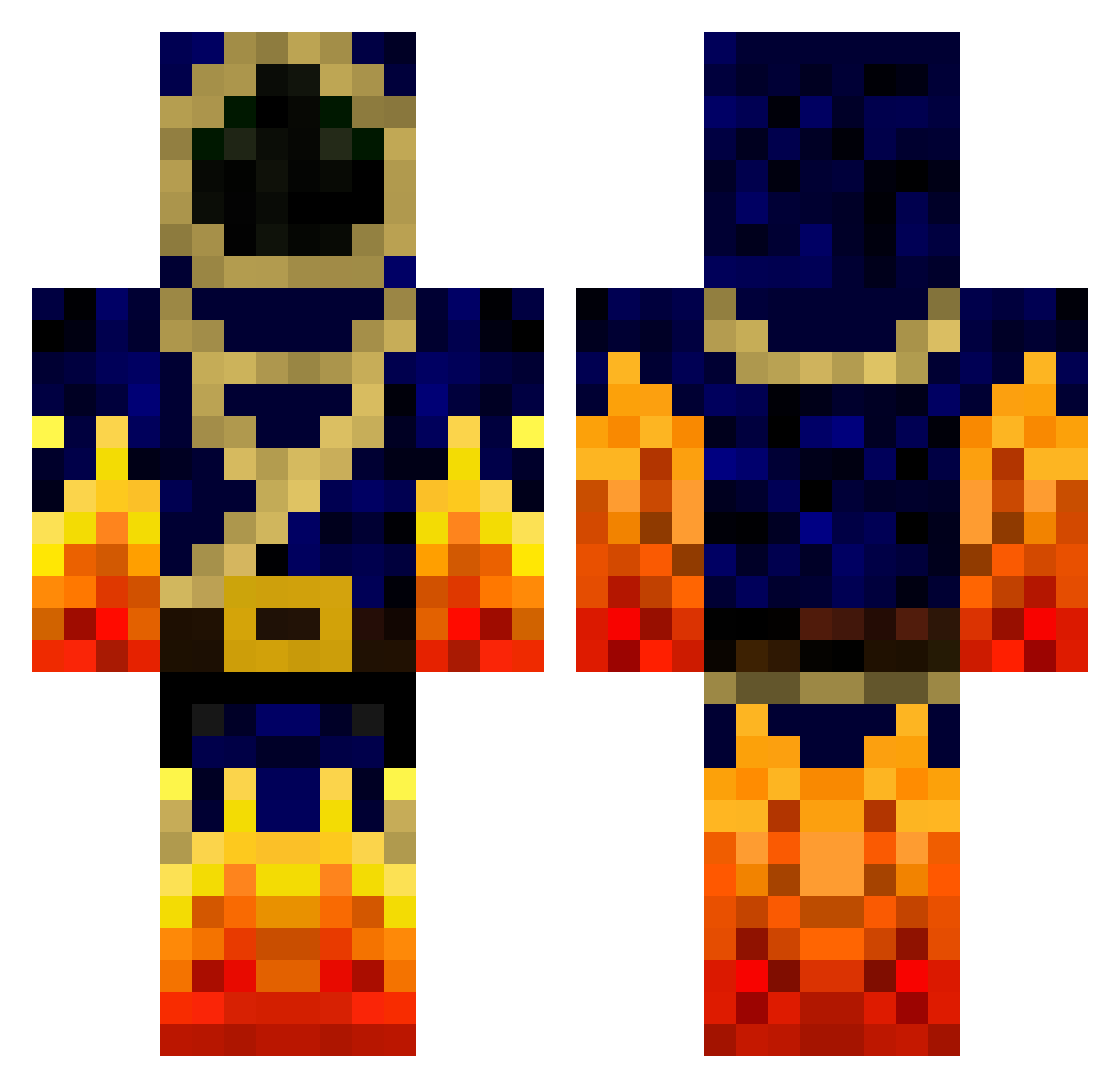
Current Minecraft skin of the player Sorce111, loaded from the official Mojang API. Rotate the 3D model with your mouse or finger, then download the skin as a PNG file and use it in Minecraft: Bedrock Edition or Java Edition for free. When Sorce111 changes their skin, this page updates automatically and the old skin stays in the history below.
Other players with this skin (777)
Sorce111 was the 22nd player we have seen with this skin, first spotted on 26.07.2026. The same skin was seen on these players. Open a nickname to see their current skin and skin history.
 Kytkinmestari wizedplaze vovler3 Cherubium BingBangBarney SplashDamage85 mastermind2002 AR92 NinjaLouis KnightOfDenmark RedHeadDanMan cousindeci Mohamed_bossman NavySealBanker true_N0MN0M TropicalTotti DigitalViperz sillight TheEnglishMage especun icookbacon FlaminHotCheetos Kumxr Twistabister ball_chinian Savitatti Fireewielder FireBreathinWiz bener63713 king_leonidas01 oliverriis TheNeoseer Humm1 Showmik_12 mkdood ConnorP24 epic_hl Stahrii rupking Faranx Sk_gaspa Naroxxx dani4510 Terif toad5Mo Babbeldabbel weinelson madiwill Laurens_16 Dkorie John1of3 conax grimtwinftw xFyrios natureboy5 enchantaka23 p0wned94 Rush_Mods Leamoned Stephono97
More Mage Minecraft skins
How to install the Sorce111 skin
- Press the Download button above to save the skin as a PNG file.
- Minecraft: Bedrock Edition (PE): open the Dressing Room from the main menu (or tap your character → Edit Character), go to Classic Skins → Owned, press the + (new skin) button, choose the downloaded PNG and pick the Classic (Steve) model. Works on PC and mobile; consoles cannot import custom skins.
- Minecraft: Java Edition: open the Minecraft Launcher, go to the Skins tab, click New Skin, load the PNG, pick the Classic (Steve) model and press Save & Use. You can also upload it at minecraft.net → Profile → Change Skin.
The skin does not show up after import - what should I do?
Restart Minecraft and open the Dressing Room again - imported skins sometimes appear only after a restart. Also make sure you selected the imported skin and picked the Classic (Steve) model.
Which model should I choose, Classic or Slim?
This skin is designed for the Classic (Steve) model. If you pick the wrong model, the arms of the skin will look stretched or squeezed.
Is the skin of Sorce111 free to download?
Yes. Press Download, save the PNG file and use it in Minecraft: Bedrock Edition or Java Edition - no payment or registration needed. The skin also works on multiplayer servers and Realms.
More skins
Looking for more? Go back to all Minecraft skins and check the top skins of the week, month and all time, or find any player's skin by nickname.