
Solid_S - Minecraft Skins & Skin History
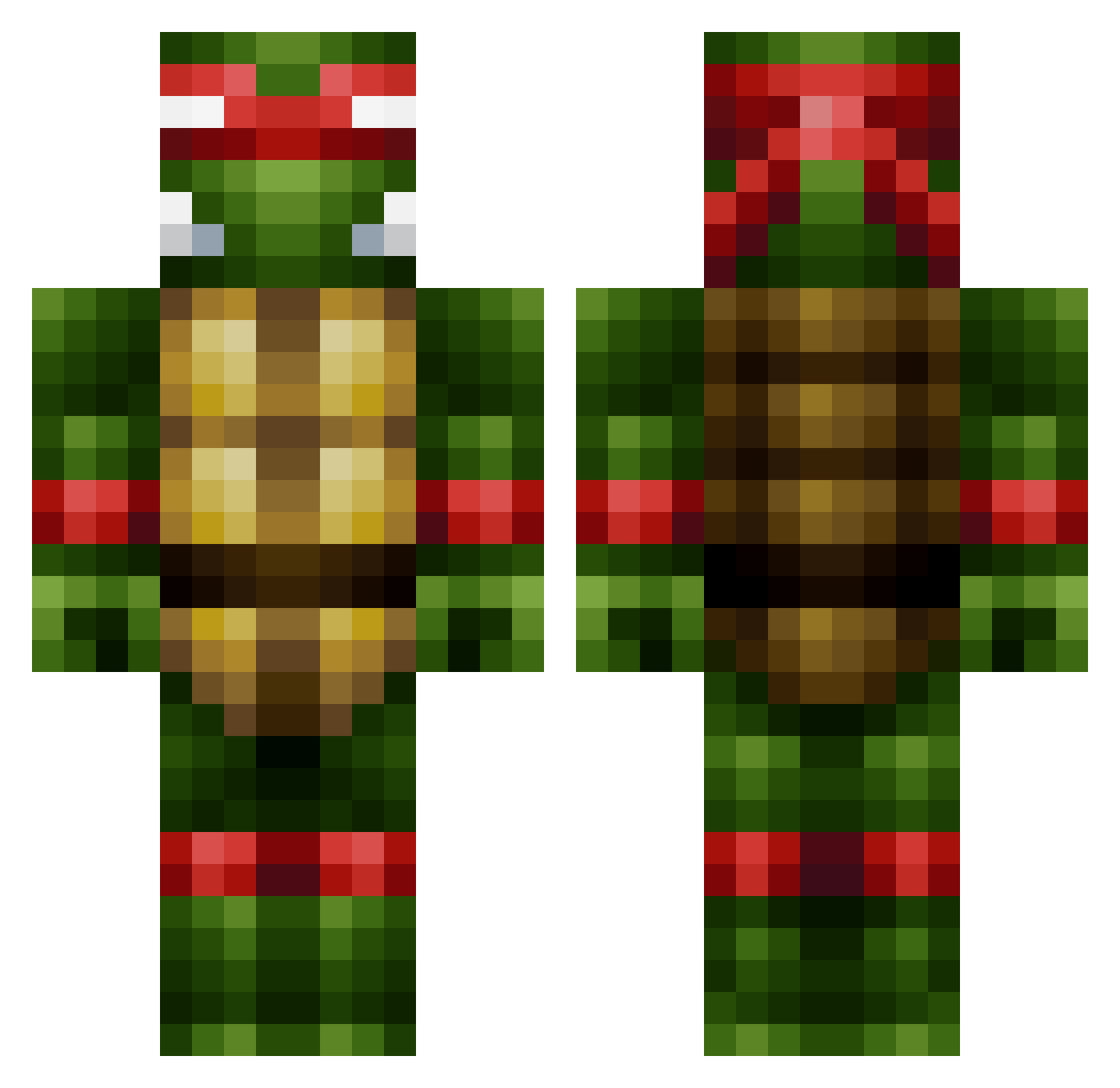
Current Minecraft skin of the player Solid_S, loaded from the official Mojang API. Rotate the 3D model with your mouse or finger, then download the skin as a PNG file and use it in Minecraft: Bedrock Edition or Java Edition for free. When Solid_S changes their skin, this page updates automatically and the old skin stays in the history below.
Other players with this skin (86)
Solid_S was the 24th player we have seen with this skin, first spotted on 01.09.2026. The same skin was seen on these players. Open a nickname to see their current skin and skin history.
 NeyK0z MrEiersland ABVillepoikaOY sample061 BruceyJucey DWalk88 worldestroyr Frais222 Qucane WaRraCK10 rorogames19 rongothejuice Estacko Ryddan1887 BattingImp ZeskeR17 MassiveTempah Pedz6515 simum Nyte_Fury Tomca12cz Killah_Bee ThuCgrFlcBrd Phix45 want2betracer Wallden03 Roleb Yompin CRAETIVE Amigo1983 NOTD YXMEthan Zeezrum Frisonite narinou Timo_841 Weeklyshark18 Mumgaard2003 BARCITA thephantom007 hamsandwich616 AZJoe39 KingSimp KODakCyrus CalumNM4 Papiersneetje1 ElementalZero byeZ4 ZZarine Senses__ GeorgeAbitbol83 Myndig_Duckling pelolivier SirBlinky Owenition Brimstoney NeffNinja yonaa0220 Thisaac zGChris
More Raphael Minecraft skins
How to install the Solid_S skin
- Press the Download button above to save the skin as a PNG file.
- Minecraft: Bedrock Edition (PE): open the Dressing Room from the main menu (or tap your character → Edit Character), go to Classic Skins → Owned, press the + (new skin) button, choose the downloaded PNG and pick the Classic (Steve) model. Works on PC and mobile; consoles cannot import custom skins.
- Minecraft: Java Edition: open the Minecraft Launcher, go to the Skins tab, click New Skin, load the PNG, pick the Classic (Steve) model and press Save & Use. You can also upload it at minecraft.net → Profile → Change Skin.
The skin does not show up after import - what should I do?
Restart Minecraft and open the Dressing Room again - imported skins sometimes appear only after a restart. Also make sure you selected the imported skin and picked the Classic (Steve) model.
Which model should I choose, Classic or Slim?
This skin is designed for the Classic (Steve) model. If you pick the wrong model, the arms of the skin will look stretched or squeezed.
Is the skin of Solid_S free to download?
Yes. Press Download, save the PNG file and use it in Minecraft: Bedrock Edition or Java Edition - no payment or registration needed. The skin also works on multiplayer servers and Realms.
More skins
Looking for more? Go back to all Minecraft skins and check the top skins of the week, month and all time, or find any player's skin by nickname.