
Sofa_2010 - Minecraft Skins & Skin History
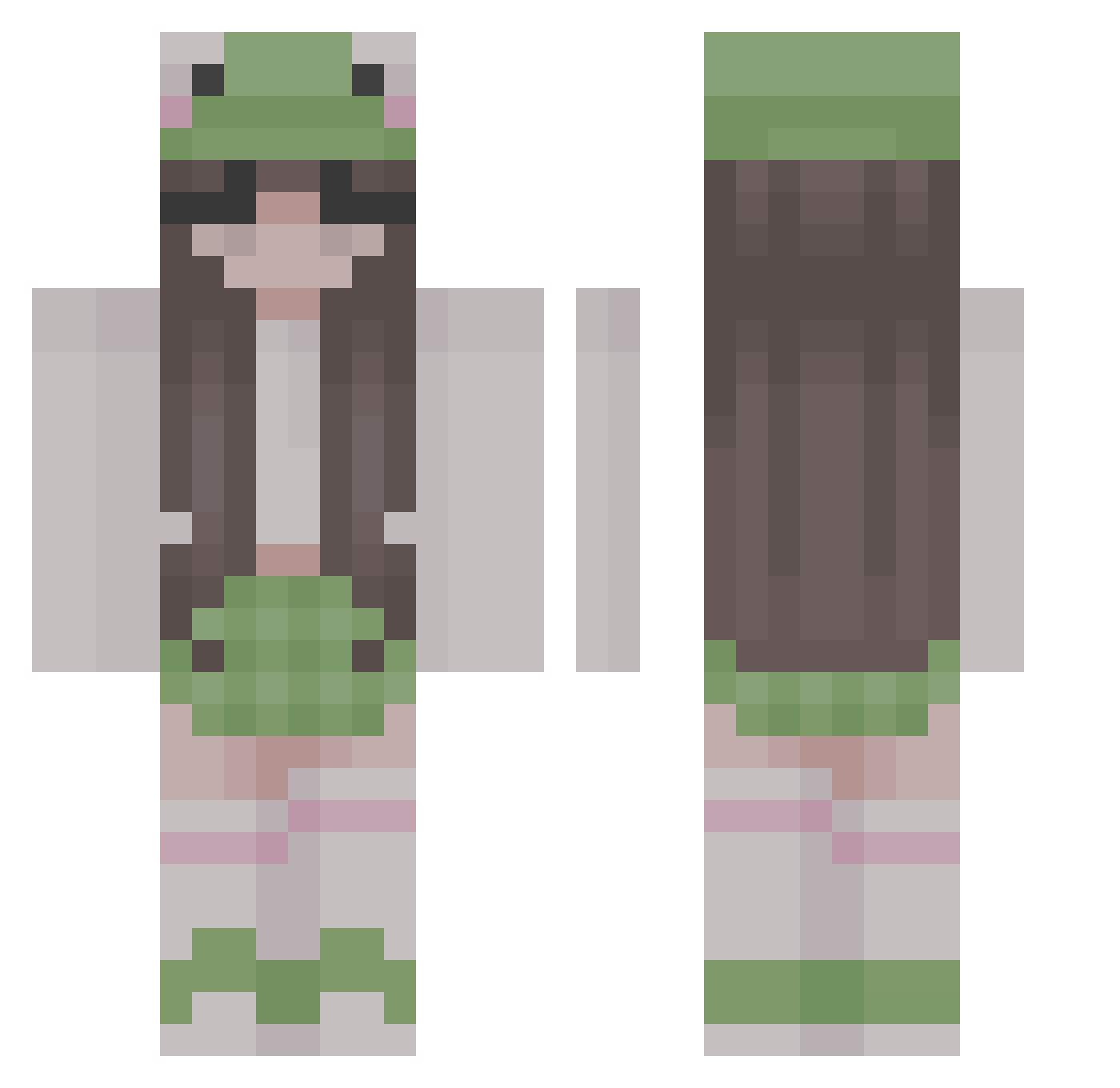
Current Minecraft skin of the player Sofa_2010, loaded from the official Mojang API. Rotate the 3D model with your mouse or finger, then download the skin as a PNG file and use it in Minecraft: Bedrock Edition or Java Edition for free. When Sofa_2010 changes their skin, this page updates automatically and the old skin stays in the history below.
Other players with this skin (313)
Sofa_2010 was the 81st player we have seen with this skin, first spotted on 28.08.2026. The same skin was seen on these players. Open a nickname to see their current skin and skin history.
 audstrawb Voiddealer teenagefreakshow clxirz stinkygirll TangentRexy36815 NsHira5 strafeq12 zhwhhh Camiconn32 6S0L0 Kytsushi tinydestruction Dizzy2011 souronigiri Contssa winonitarosa Mossy_C RudaLeosia aglaoutch Iguskoks swaggiebug haimmmm Zmywara_waifu _xXsenpaiXx_ Pelasel Jinny__ Lucy_2311 iixixia FunElephant7833 TataGimpera JoeyStar100 chmurka Der___Echte nzkoo DearDouglas EonNagima Owcajda bagettei _Abbyv_ bbbov_v kaykay5 BademeisterJan lapaci MeyuPixel tattine Jxera unggoy951 Extrin0 caander_ Pombo_Albino lollipop2806 AlyssaaMariee pheraas Kucyk124 Nrns savannahrei Kattiee__ MyNameIsSpoon Liv1377
More Frog Hat Minecraft skins
How to install the Sofa_2010 skin
- Press the Download button above to save the skin as a PNG file.
- Minecraft: Bedrock Edition (PE): open the Dressing Room from the main menu (or tap your character → Edit Character), go to Classic Skins → Owned, press the + (new skin) button, choose the downloaded PNG and pick the Classic (Steve) model. Works on PC and mobile; consoles cannot import custom skins.
- Minecraft: Java Edition: open the Minecraft Launcher, go to the Skins tab, click New Skin, load the PNG, pick the Classic (Steve) model and press Save & Use. You can also upload it at minecraft.net → Profile → Change Skin.
The skin does not show up after import - what should I do?
Restart Minecraft and open the Dressing Room again - imported skins sometimes appear only after a restart. Also make sure you selected the imported skin and picked the Classic (Steve) model.
Which model should I choose, Classic or Slim?
This skin is designed for the Classic (Steve) model. If you pick the wrong model, the arms of the skin will look stretched or squeezed.
Is the skin of Sofa_2010 free to download?
Yes. Press Download, save the PNG file and use it in Minecraft: Bedrock Edition or Java Edition - no payment or registration needed. The skin also works on multiplayer servers and Realms.
More skins
Looking for more? Go back to all Minecraft skins and check the top skins of the week, month and all time, or find any player's skin by nickname.