
SoYeRz - Minecraft Skins & Skin History
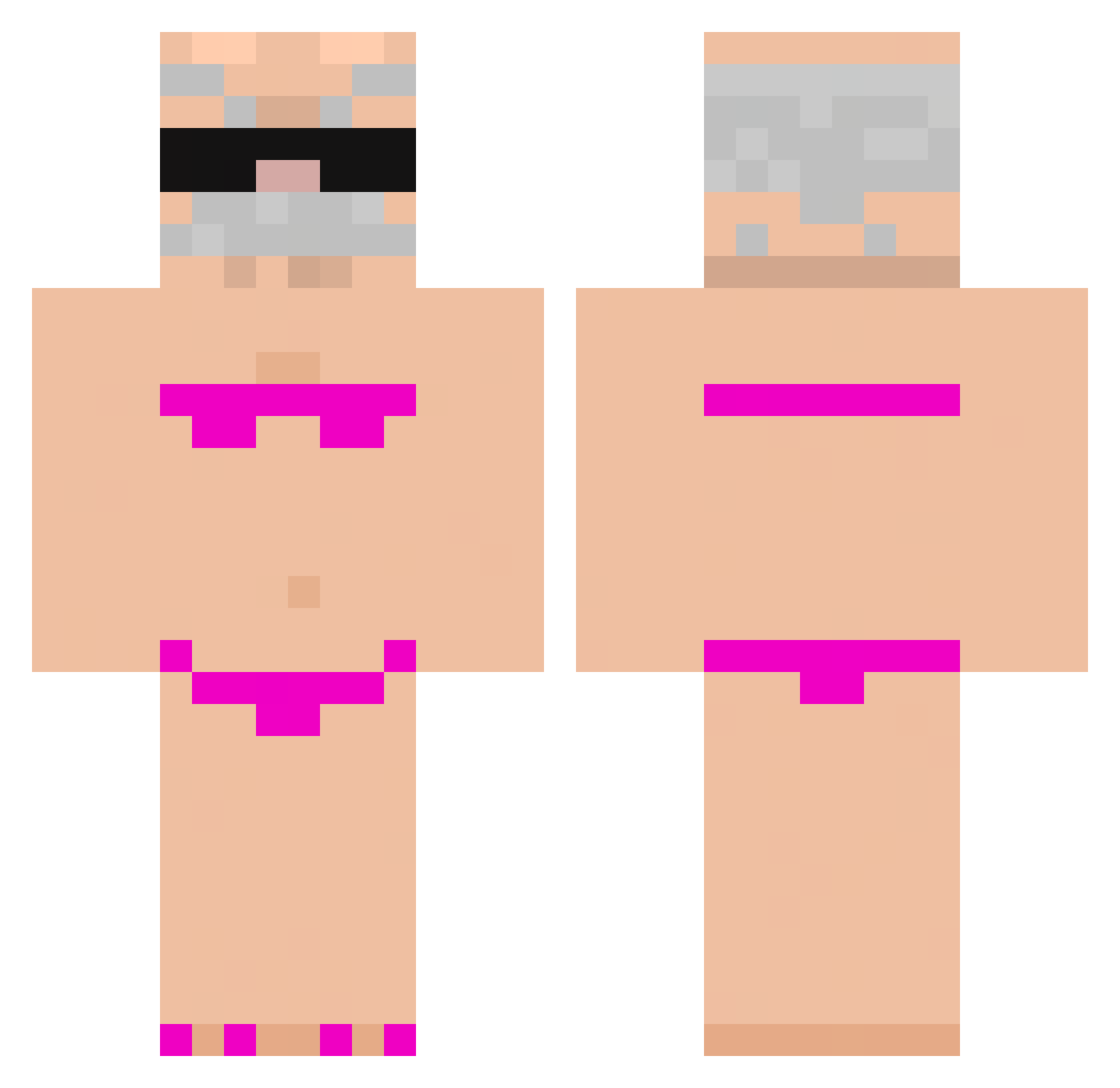
Current Minecraft skin of the player SoYeRz, loaded from the official Mojang API. Rotate the 3D model with your mouse or finger, then download the skin as a PNG file and use it in Minecraft: Bedrock Edition or Java Edition for free. When SoYeRz changes their skin, this page updates automatically and the old skin stays in the history below.
Other players with this skin (919)
SoYeRz was the 418th player we have seen with this skin, first spotted on 17.09.2026. The same skin was seen on these players. Open a nickname to see their current skin and skin history.
 kaualindao CostaMecTref Pythra Cyber012 spoconaSTOPA Glox1n1a 216541
 ogeidx Sam_I_am_27 LeM3rle MLBosskBW ByAssists peony___ tuanaaaa Srmario244 MihaiBoss1 krecik18 iZayrox789 Pachi252 FrostyhuladaBesT GhostFoxy234 Kornman10 W4rTrAhiiX LOUBARD_ Yeye_CC lilgab8073 insect_ms karololo3090 colxjuanzi Bruce090 Geckojim elhama KevJP_1 Ani1210 Blackdog4512 Narumomo SoCanelas AppleManIII Bemfeitor Szczur69 cssrt suriisawesome philbohgw Cawaina crazyyoliwciaa Thomas_Sco 76ft PP_Nemo GiovanniApollo Gokul20412 Emmeny StRange_wArRior carlinnnnnnn V_e_e_S rzslbo Taher1 N0TV1N999 cat325 leewsru shiyan28
More Karl Marx Minecraft skins
How to install the SoYeRz skin
- Press the Download button above to save the skin as a PNG file.
- Minecraft: Bedrock Edition (PE): open the Dressing Room from the main menu (or tap your character → Edit Character), go to Classic Skins → Owned, press the + (new skin) button, choose the downloaded PNG and pick the Classic (Steve) model. Works on PC and mobile; consoles cannot import custom skins.
- Minecraft: Java Edition: open the Minecraft Launcher, go to the Skins tab, click New Skin, load the PNG, pick the Classic (Steve) model and press Save & Use. You can also upload it at minecraft.net → Profile → Change Skin.
The skin does not show up after import - what should I do?
Restart Minecraft and open the Dressing Room again - imported skins sometimes appear only after a restart. Also make sure you selected the imported skin and picked the Classic (Steve) model.
Which model should I choose, Classic or Slim?
This skin is designed for the Classic (Steve) model. If you pick the wrong model, the arms of the skin will look stretched or squeezed.
Is the skin of SoYeRz free to download?
Yes. Press Download, save the PNG file and use it in Minecraft: Bedrock Edition or Java Edition - no payment or registration needed. The skin also works on multiplayer servers and Realms.
More skins
Looking for more? Go back to all Minecraft skins and check the top skins of the week, month and all time, or find any player's skin by nickname.