
SoGrimzy - Minecraft Skins & Skin History
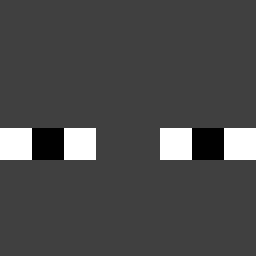
Current Minecraft skin of the player SoGrimzy, loaded from the official Mojang API. Rotate the 3D model with your mouse or finger, then download the skin as a PNG file and use it in Minecraft: Bedrock Edition or Java Edition for free. When SoGrimzy changes their skin, this page updates automatically and the old skin stays in the history below.

Other players with this skin (578)
SoGrimzy was the 151st player we have seen with this skin, first spotted on 22.08.2026. The same skin was seen on these players. Open a nickname to see their current skin and skin history.
 Rannamees MarksUp RishavEXE_1888 Piceous Babuus meximutt_83 fbfxv DownhillSpore13 Steff2103
 H3ra_ N_62M KAnL_ WalfFenrir Chiandan1 Fairyoak Mr_cookie_1 Jem_HasSkill Sandeul_ Hirold McqueenMC Tobaskiii ThndrStr_k 0rangeeee Daniel7316 nifwa Vrexi122 Gravytrain4730 kizinkun 2Breezy_ spachoman PerroMotociclon LudFoenem XxSpiderUwUxX ZomebodyPlays M0IN kangsan_1222 22_Christoffer Quumsy MadPush Napoleon912 zeyonthetop _SwedenC418 FaberXiXi666 WhooPlays bettingsnow ZhaineJr Piyiyan TheRealGooby Silxs09 meoni2171 Kiwikonek0 cyrussssssss ricky_0725
 trashNatZ Liam_0 Mayk31 BasicallyLost third_worlds Knirx Ink_quest
How to install the SoGrimzy skin
- Press the Download button above to save the skin as a PNG file.
- Minecraft: Bedrock Edition (PE): open the Dressing Room from the main menu (or tap your character → Edit Character), go to Classic Skins → Owned, press the + (new skin) button, choose the downloaded PNG and pick the Classic (Steve) model. Works on PC and mobile; consoles cannot import custom skins.
- Minecraft: Java Edition: open the Minecraft Launcher, go to the Skins tab, click New Skin, load the PNG, pick the Classic (Steve) model and press Save & Use. You can also upload it at minecraft.net → Profile → Change Skin.
The skin does not show up after import - what should I do?
Restart Minecraft and open the Dressing Room again - imported skins sometimes appear only after a restart. Also make sure you selected the imported skin and picked the Classic (Steve) model.
Which model should I choose, Classic or Slim?
This skin is designed for the Classic (Steve) model. If you pick the wrong model, the arms of the skin will look stretched or squeezed.
Is the skin of SoGrimzy free to download?
Yes. Press Download, save the PNG file and use it in Minecraft: Bedrock Edition or Java Edition - no payment or registration needed. The skin also works on multiplayer servers and Realms.
More skins
Looking for more? Go back to all Minecraft skins and check the top skins of the week, month and all time, or find any player's skin by nickname.