
 06Ciocca xd2Whq oSwirl nachat22 gethlegionsz hopbae FroZSteR Crqshkurs Creator7345 Shadowcraft1621 leonkingzzz1 bihu Lands_1 bookjaii dth_of_a_mdrnist LiMN07 GooberTheSigma alligator ArtBJ Mafula__ H27_OF MinecrafterPM KatKid555 Nuca0 tropicl PHANT0MB_ PossumTheRaccoon LovoT2 neverparty FQZ19 Aleq90xd ZM609 P0PP0ff Babbzito Olcayto661 DantusNite IamCarmel Sdamn _Warrior_ HamsiJoe Kuroban KataZona raward10 nanchi26 Sojika Maiming_Wisp cass_eatsfood Melvin666 FutureRiceFarmer DutzDaKid2121 Pipohylje TheRitzKid InnbC NaSiAyam11 banana88888888 Ketchup_bottle_ Powbao xtondan Bennadon Skinnybro666
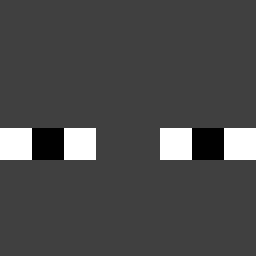
Minecraft skin of 130l_. Rotate the 3D model with your mouse or finger to view the skin from every angle, then download it as a PNG file and use it in Minecraft: Bedrock Edition or Java Edition for free. Rate the skin with stars to help other players find the best skins in our collection.

How to install the 130l_ skin
- Press the Download button above to save the skin as a PNG file.
- Minecraft: Bedrock Edition (PE): open the Dressing Room from the main menu (or tap your character → Edit Character), go to Classic Skins → Owned, press the + (new skin) button, choose the downloaded PNG and pick the Classic (Steve) model. Works on PC and mobile; consoles cannot import custom skins.
- Minecraft: Java Edition: open the Minecraft Launcher, go to the Skins tab, click New Skin, load the PNG, pick the Classic (Steve) model and press Save & Use. You can also upload it at minecraft.net → Profile → Change Skin.
The skin does not show up after import - what should I do?
Restart Minecraft and open the Dressing Room again - imported skins sometimes appear only after a restart. Also make sure you selected the imported skin and picked the Classic (Steve) model.
Which model should I choose, Classic or Slim?
This skin is designed for the Classic (Steve) model. If you pick the wrong model, the arms of the skin will look stretched or squeezed.
Is this skin free to use?
Yes. Press Download, save the PNG file and use it in Minecraft: Bedrock Edition or Java Edition - no payment or registration needed. The skin also works on multiplayer servers and Realms.
More skins
Looking for more? Go back to all Minecraft skins and check the top skins of the week, month and all time, or find any player's skin by nickname.