
Snoopsie - Minecraft Skins & Skin History
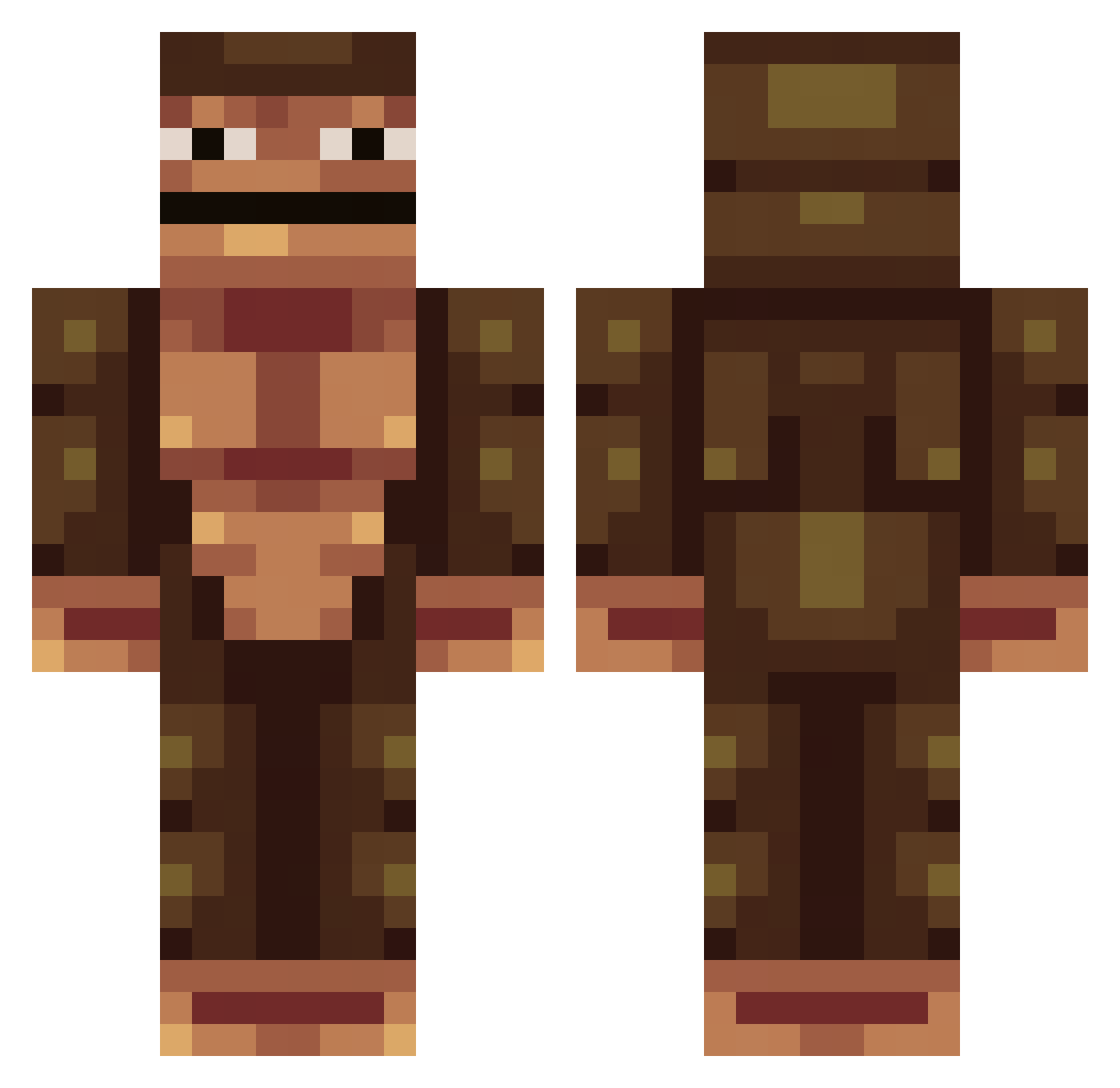
Current Minecraft skin of the player Snoopsie, loaded from the official Mojang API. Rotate the 3D model with your mouse or finger, then download the skin as a PNG file and use it in Minecraft: Bedrock Edition or Java Edition for free. When Snoopsie changes their skin, this page updates automatically and the old skin stays in the history below.
Other players with this skin (389)
Snoopsie was the 125th player we have seen with this skin, first spotted on 02.09.2026. The same skin was seen on these players. Open a nickname to see their current skin and skin history.
 AlakazamGaming Joaquinis LivingIdot syharik2011 ELENA1163356 WinnyEternity Palm_Sniffer Luckyglitch IWillEatYourSoul Wilkinston NilarChik Trucmuc bigtim123456789 EdiinVevo J1497 Irish_Leprechuan BustyMonkey liam_is_young Elitesoup Seanzboy2014 Motherbeech lf_yjSy6_05_24 _OUTLAWS TheBallerUnicorn maritoalbito FlacoFlaco bobtail1234 calvators AYY1N x_Rokei_x FlorideShield Nemo_98 JoeTheBean oFabs _F1R_ Gery24 C_Flynn2022 ripturkish FryThemTaters SaucyDino dy_daniel Fat_Monkey02 daniellorne ImBastion Vallvex 34ea Brgrs okj606
 DaObliteratron1 Jeannette1783 AYMER252 sarm0 _SkEnG_ A7MADOKA jmeswhte 1OOOOOOO Kabeb417 itachizinnnn NaturalBreeze aviel2008
How to install the Snoopsie skin
- Press the Download button above to save the skin as a PNG file.
- Minecraft: Bedrock Edition (PE): open the Dressing Room from the main menu (or tap your character → Edit Character), go to Classic Skins → Owned, press the + (new skin) button, choose the downloaded PNG and pick the Classic (Steve) model. Works on PC and mobile; consoles cannot import custom skins.
- Minecraft: Java Edition: open the Minecraft Launcher, go to the Skins tab, click New Skin, load the PNG, pick the Classic (Steve) model and press Save & Use. You can also upload it at minecraft.net → Profile → Change Skin.
The skin does not show up after import - what should I do?
Restart Minecraft and open the Dressing Room again - imported skins sometimes appear only after a restart. Also make sure you selected the imported skin and picked the Classic (Steve) model.
Which model should I choose, Classic or Slim?
This skin is designed for the Classic (Steve) model. If you pick the wrong model, the arms of the skin will look stretched or squeezed.
Is the skin of Snoopsie free to download?
Yes. Press Download, save the PNG file and use it in Minecraft: Bedrock Edition or Java Edition - no payment or registration needed. The skin also works on multiplayer servers and Realms.
More skins
Looking for more? Go back to all Minecraft skins and check the top skins of the week, month and all time, or find any player's skin by nickname.