
Snoo_Zz - Minecraft Skins & Skin History
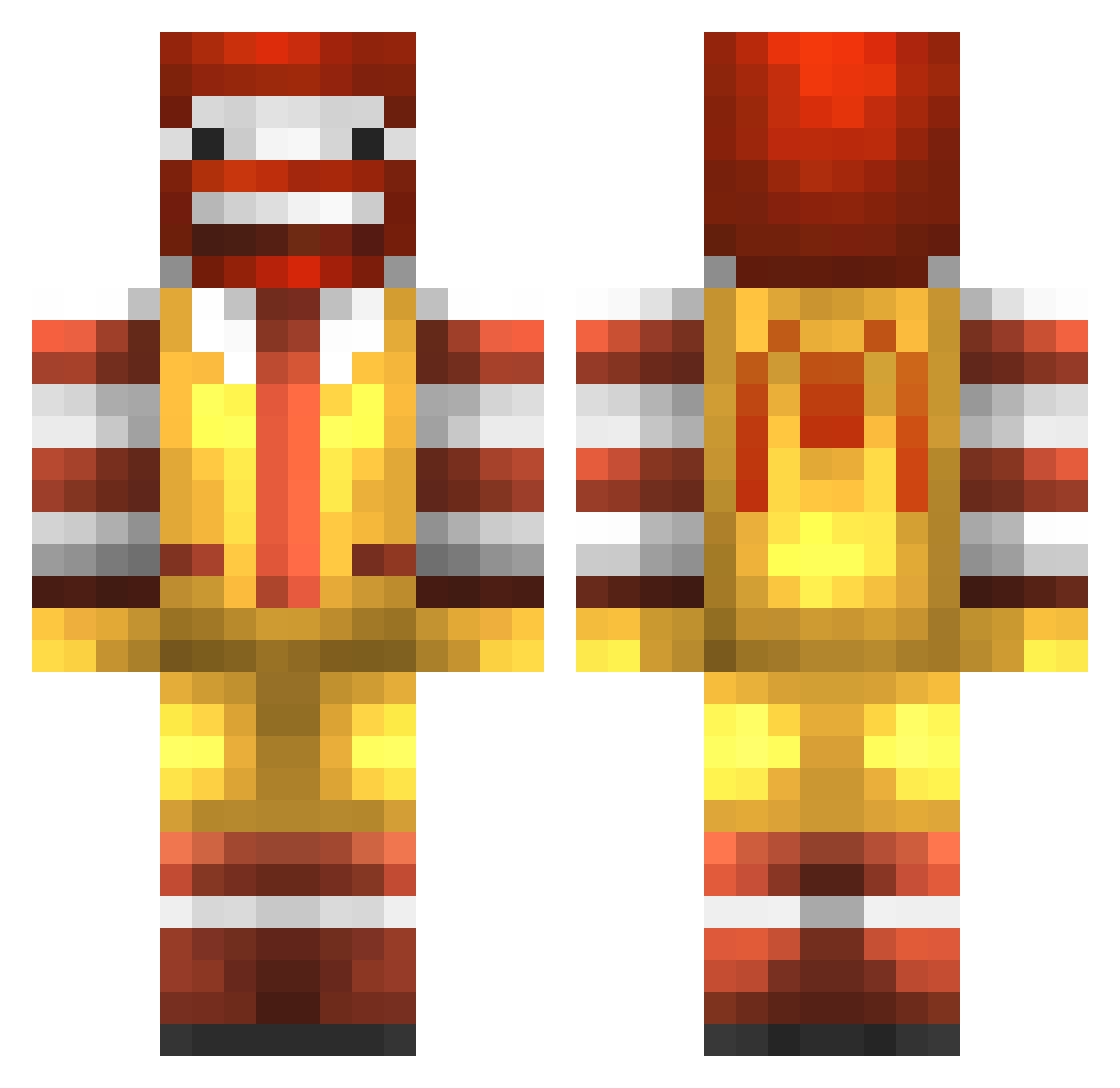
Current Minecraft skin of the player Snoo_Zz, loaded from the official Mojang API. Rotate the 3D model with your mouse or finger, then download the skin as a PNG file and use it in Minecraft: Bedrock Edition or Java Edition for free. When Snoo_Zz changes their skin, this page updates automatically and the old skin stays in the history below.
Other players with this skin (774)
Snoo_Zz was the 734th player we have seen with this skin, first spotted on 18.10.2026. The same skin was seen on these players. Open a nickname to see their current skin and skin history.
 Cosserna iivClassiCz mathflash1 Drewpyyy TigerCraft719 Xx_Splash_ In_Da_Face_20 aire_A ballofdiamonds Conefraiz JackMunro jamjar199 holycow12 Chukka45 ProModz NapaCraft ryguys101 uxf iYuLLz Spongebob54326 SkittlezDude TrevorX18 jonnybrewerjpl Mookfook Steve_Baggins rollinst0ned18 Smart_Tiny OllyBaggott roxordu78 godlikewilson alexlebous konurr Nilswanby dhop2252 teguise000 McNutters sharrdawg iNinjaNick morrt1992 CookixFou DBTeam bleakblake skullkid_115 SpeedyRodriguez Apokavirus Mitchy250 optimus_ninja313 z0mbiie13 Fearless2011 HaGayyyyyyyyyyy ExtraLarge patrickmoo123 KucukEmad epicgloves27 super_frogman 7645jp tizza99 Djebril57 noobypoopy MasterFlexxx
More Ronald Mcdonald Minecraft skins
See all 125 Ronald Mcdonald skins
How to install the Snoo_Zz skin
- Press the Download button above to save the skin as a PNG file.
- Minecraft: Bedrock Edition (PE): open the Dressing Room from the main menu (or tap your character → Edit Character), go to Classic Skins → Owned, press the + (new skin) button, choose the downloaded PNG and pick the Classic (Steve) model. Works on PC and mobile; consoles cannot import custom skins.
- Minecraft: Java Edition: open the Minecraft Launcher, go to the Skins tab, click New Skin, load the PNG, pick the Classic (Steve) model and press Save & Use. You can also upload it at minecraft.net → Profile → Change Skin.
The skin does not show up after import - what should I do?
Restart Minecraft and open the Dressing Room again - imported skins sometimes appear only after a restart. Also make sure you selected the imported skin and picked the Classic (Steve) model.
Which model should I choose, Classic or Slim?
This skin is designed for the Classic (Steve) model. If you pick the wrong model, the arms of the skin will look stretched or squeezed.
Is the skin of Snoo_Zz free to download?
Yes. Press Download, save the PNG file and use it in Minecraft: Bedrock Edition or Java Edition - no payment or registration needed. The skin also works on multiplayer servers and Realms.
More skins
Looking for more? Go back to all Minecraft skins and check the top skins of the week, month and all time, or find any player's skin by nickname.