
Snakeyboy35 - Minecraft Skins & Skin History
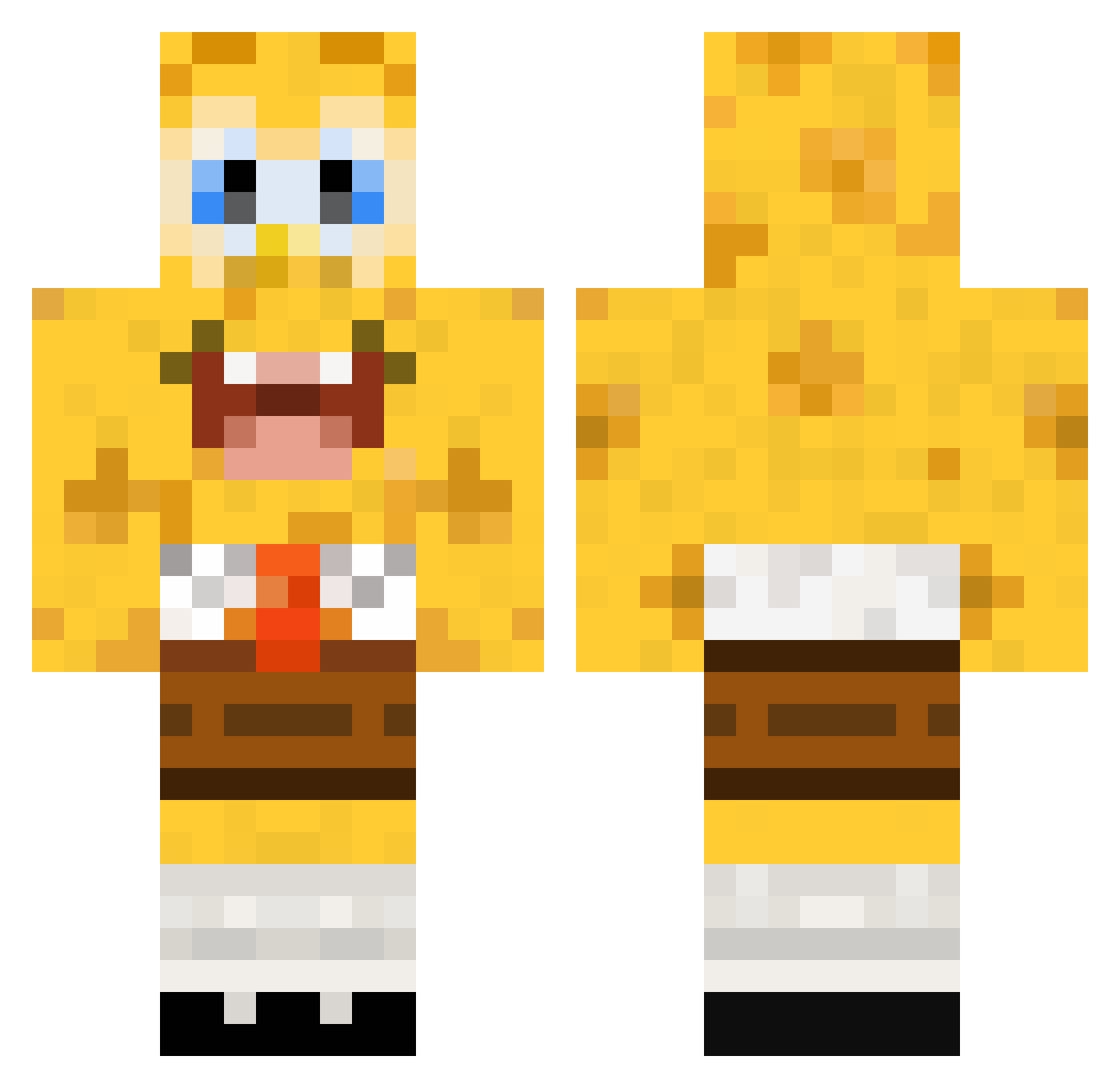
Current Minecraft skin of the player Snakeyboy35, loaded from the official Mojang API. Rotate the 3D model with your mouse or finger, then download the skin as a PNG file and use it in Minecraft: Bedrock Edition or Java Edition for free. When Snakeyboy35 changes their skin, this page updates automatically and the old skin stays in the history below.
Other players with this skin (136)
Snakeyboy35 was the 117th player we have seen with this skin, first spotted on 03.11.2026. The same skin was seen on these players. Open a nickname to see their current skin and skin history.
 zaka12341234 MEMJJ Akilim2 N404N octaneOCE AnesthesiaYu kmiibs JeanloDB Pazerkampfwagen_ ZOMBIEBOSS29213 sprell annaj1998 1cyMonkey Julestv Zickann ZelBeTonSOLO Treyrat AntiParazi Shlarft masteryeet08 Timzenos Jakethepro99 Eoin2010 ThngsCATScantEat brighthoon salalavage monster8023 weishang123 newichok sblyx LobsterSaur Louloudel06 Slvter Citruzzzz Alphagenetik_ SquarePantsBob Claire_Shao vvzero Ayden_Acebo reikmahballs Emiliabroberg obamadiddy Avocados02 manwithatutu 7motaaaa JJWv2 BaoZ1Xuan yokonuts Kubuii MinecraftVilmerz Codosyax Daisy_246 NongPrice MastahBuddha Nor_Ruuud Pukidy laursincy KdommTV Noah_DavidB Fransmannetjie
More Spongebob Minecraft skins
How to install the Snakeyboy35 skin
- Press the Download button above to save the skin as a PNG file.
- Minecraft: Bedrock Edition (PE): open the Dressing Room from the main menu (or tap your character → Edit Character), go to Classic Skins → Owned, press the + (new skin) button, choose the downloaded PNG and pick the Classic (Steve) model. Works on PC and mobile; consoles cannot import custom skins.
- Minecraft: Java Edition: open the Minecraft Launcher, go to the Skins tab, click New Skin, load the PNG, pick the Classic (Steve) model and press Save & Use. You can also upload it at minecraft.net → Profile → Change Skin.
The skin does not show up after import - what should I do?
Restart Minecraft and open the Dressing Room again - imported skins sometimes appear only after a restart. Also make sure you selected the imported skin and picked the Classic (Steve) model.
Which model should I choose, Classic or Slim?
This skin is designed for the Classic (Steve) model. If you pick the wrong model, the arms of the skin will look stretched or squeezed.
Is the skin of Snakeyboy35 free to download?
Yes. Press Download, save the PNG file and use it in Minecraft: Bedrock Edition or Java Edition - no payment or registration needed. The skin also works on multiplayer servers and Realms.
More skins
Looking for more? Go back to all Minecraft skins and check the top skins of the week, month and all time, or find any player's skin by nickname.