
SnakeCat117 - Minecraft Skins & Skin History
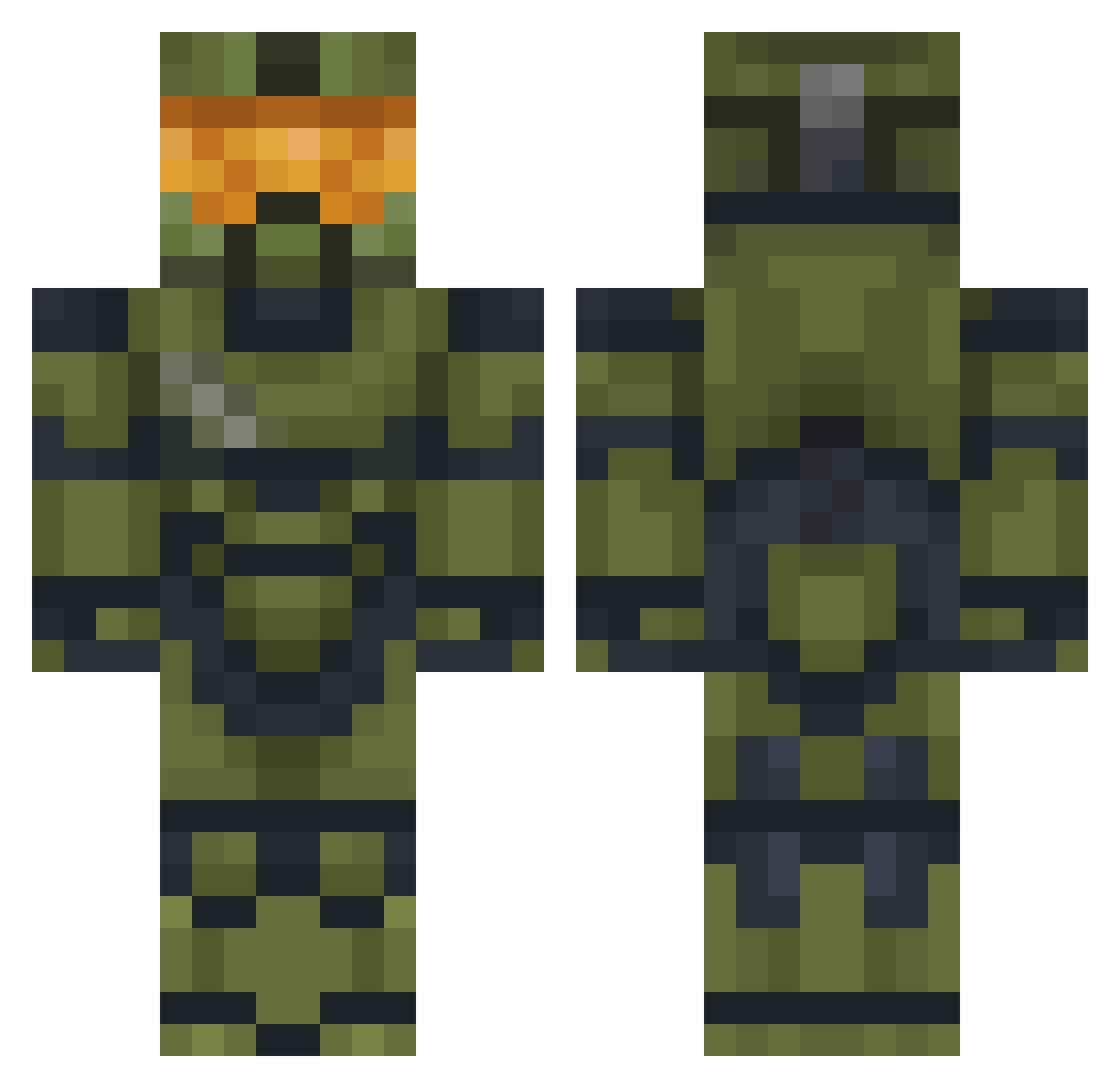
Current Minecraft skin of the player SnakeCat117, loaded from the official Mojang API. Rotate the 3D model with your mouse or finger, then download the skin as a PNG file and use it in Minecraft: Bedrock Edition or Java Edition for free. When SnakeCat117 changes their skin, this page updates automatically and the old skin stays in the history below.
Other players with this skin (477)
SnakeCat117 was the 183rd player we have seen with this skin, first spotted on 05.09.2026. The same skin was seen on these players. Open a nickname to see their current skin and skin history.
 Konflanz spoomples7 FRIYE06 RalphDaRaccoon MasterChief7221 TheBigColquhouna 6JZ9 Kisame123s fbangbang Ridereptil DylanR527 pyro4444 The_Cup48 yeetPhillobert Ayoub7905 Konradeczek56 Rogstrixx Prusss 0Crazy AxePegase14 Ninjajmoz itsGeneral metalhawk117 Ente_3000 Birne8000 marc_1b monkeyshit98 CaptainZod mSbEfORe Lukrzxz dark_dragon23 AdolfPainter Tman972 mugenstra Elias030719 PulledTea BMGHunt3r Dragnologia SamJM6193 LiquidAirr Exodia13 Egg2778 ImFlix_ d0n79 Sensenmann444 Sgtjaney Ryguy085 Bgummer p2_game Comr4dZ bkwok1 MigoBoss21 IRunOverCyclists TheArtofFart HakanTKN Screapertv PIGI006 bigbolas Tummyrubz Chthollye
More Master Chief Minecraft skins
See all 527 Master Chief skins
How to install the SnakeCat117 skin
- Press the Download button above to save the skin as a PNG file.
- Minecraft: Bedrock Edition (PE): open the Dressing Room from the main menu (or tap your character → Edit Character), go to Classic Skins → Owned, press the + (new skin) button, choose the downloaded PNG and pick the Classic (Steve) model. Works on PC and mobile; consoles cannot import custom skins.
- Minecraft: Java Edition: open the Minecraft Launcher, go to the Skins tab, click New Skin, load the PNG, pick the Classic (Steve) model and press Save & Use. You can also upload it at minecraft.net → Profile → Change Skin.
The skin does not show up after import - what should I do?
Restart Minecraft and open the Dressing Room again - imported skins sometimes appear only after a restart. Also make sure you selected the imported skin and picked the Classic (Steve) model.
Which model should I choose, Classic or Slim?
This skin is designed for the Classic (Steve) model. If you pick the wrong model, the arms of the skin will look stretched or squeezed.
Is the skin of SnakeCat117 free to download?
Yes. Press Download, save the PNG file and use it in Minecraft: Bedrock Edition or Java Edition - no payment or registration needed. The skin also works on multiplayer servers and Realms.
More skins
Looking for more? Go back to all Minecraft skins and check the top skins of the week, month and all time, or find any player's skin by nickname.