
Smoowie - Minecraft Skins & Skin History
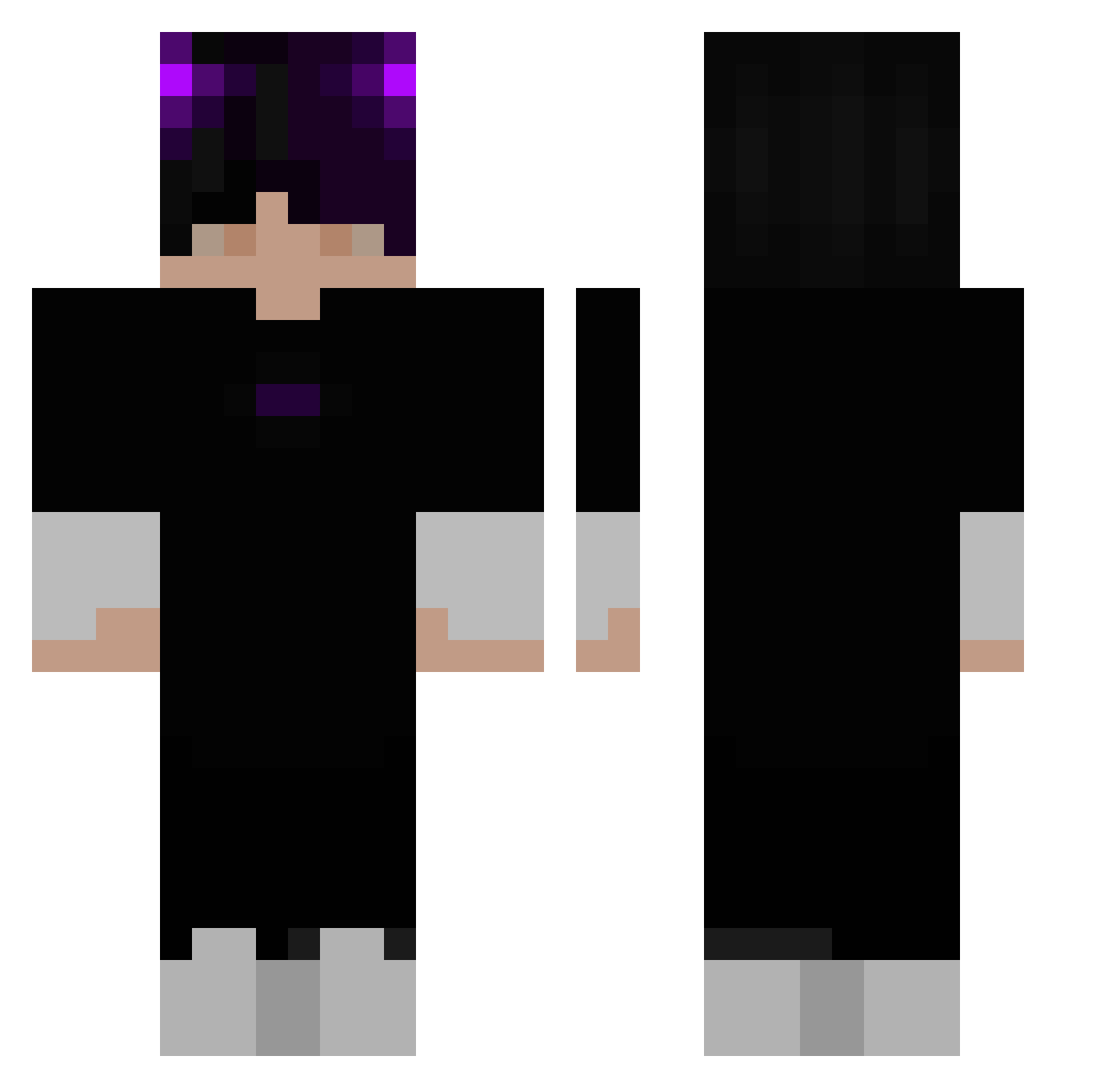
Current Minecraft skin of the player Smoowie, loaded from the official Mojang API. Rotate the 3D model with your mouse or finger, then download the skin as a PNG file and use it in Minecraft: Bedrock Edition or Java Edition for free. When Smoowie changes their skin, this page updates automatically and the old skin stays in the history below.
Other players with this skin (363)
Smoowie was the 330th player we have seen with this skin, first spotted on 07.11.2026. The same skin was seen on these players. Open a nickname to see their current skin and skin history.
 wilson7790 SPACEDUDZ StepbroKurai HABIBl_ Lar00 Aitoooooooo ReZyxC Rayan01 duolingo1234 MoonRocks4Life Coblecompres MuLiang C13s DonRamon777 Luv_Playboi yuheng66 Zevr SyCo_Mizfit Drachenlady1 xeny3x SWIMMER1317 silasella vAdree MielekMen_ nimab0126 Avatur123 Uddds spezzyvp AngriffsHeli iTz_hussain Natural_wasser luc013 PossZ 346_ haoren666 NeedyBlock16982 gggge Marcel170109 Ferreira_S244_ Znyden Pirren69 lienx565 ShinmonSan ghjkgy Luggge SeifenSpender_ Kvba1337 Lazeyy alcn_ TannerUwU5136 Pechencka007 f4zir Gabjin111 sameFLiKeR Ev1lwaffle rofil69123 MMMMOOO Melser seanliu520 RScode_
More Horns Minecraft skins
How to install the Smoowie skin
- Press the Download button above to save the skin as a PNG file.
- Minecraft: Bedrock Edition (PE): open the Dressing Room from the main menu (or tap your character → Edit Character), go to Classic Skins → Owned, press the + (new skin) button, choose the downloaded PNG and pick the Classic (Steve) model. Works on PC and mobile; consoles cannot import custom skins.
- Minecraft: Java Edition: open the Minecraft Launcher, go to the Skins tab, click New Skin, load the PNG, pick the Classic (Steve) model and press Save & Use. You can also upload it at minecraft.net → Profile → Change Skin.
The skin does not show up after import - what should I do?
Restart Minecraft and open the Dressing Room again - imported skins sometimes appear only after a restart. Also make sure you selected the imported skin and picked the Classic (Steve) model.
Which model should I choose, Classic or Slim?
This skin is designed for the Classic (Steve) model. If you pick the wrong model, the arms of the skin will look stretched or squeezed.
Is the skin of Smoowie free to download?
Yes. Press Download, save the PNG file and use it in Minecraft: Bedrock Edition or Java Edition - no payment or registration needed. The skin also works on multiplayer servers and Realms.
More skins
Looking for more? Go back to all Minecraft skins and check the top skins of the week, month and all time, or find any player's skin by nickname.