
Smilely25 - Minecraft Skins & Skin History
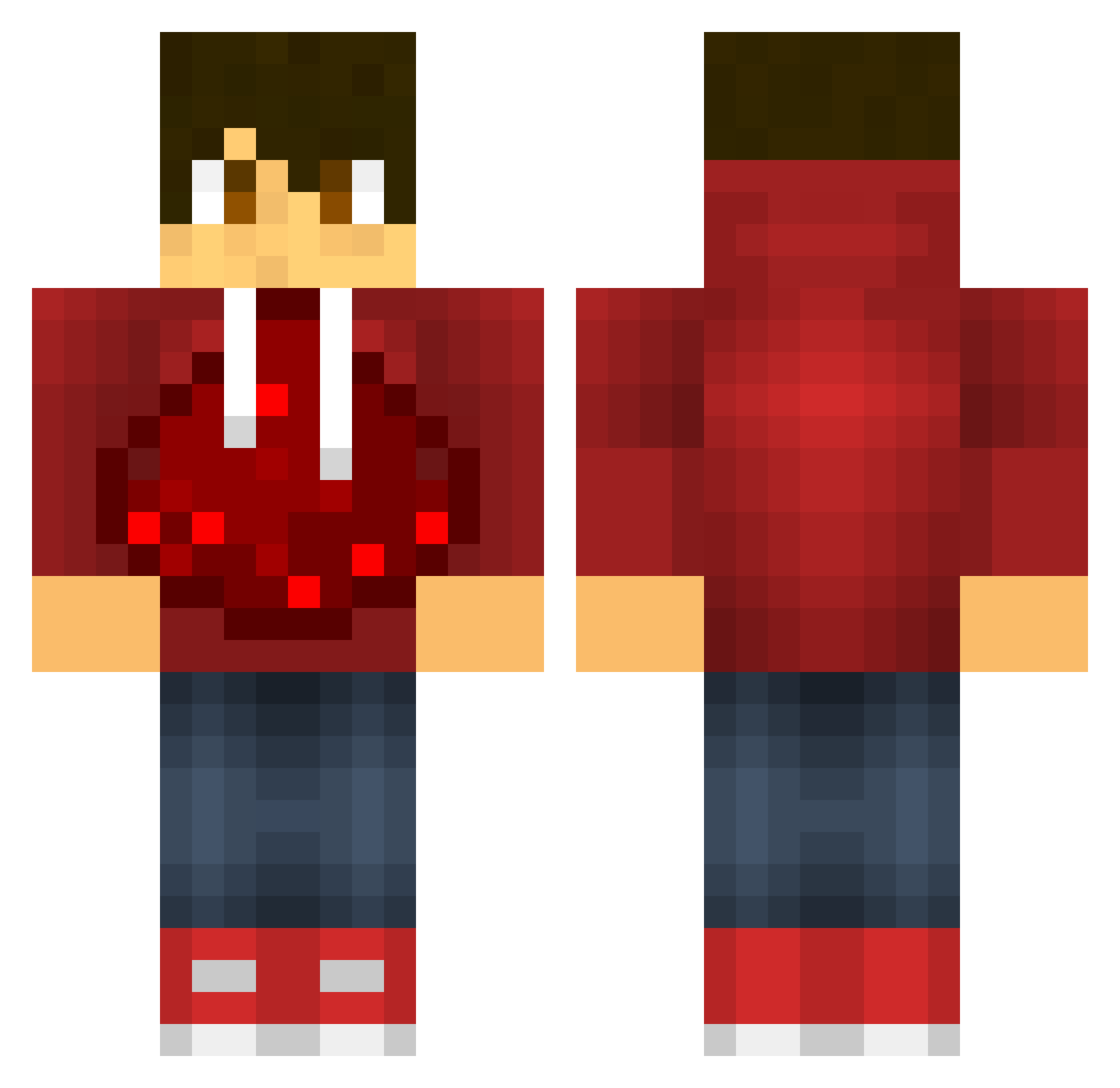
Current Minecraft skin of the player Smilely25, loaded from the official Mojang API. Rotate the 3D model with your mouse or finger, then download the skin as a PNG file and use it in Minecraft: Bedrock Edition or Java Edition for free. When Smilely25 changes their skin, this page updates automatically and the old skin stays in the history below.
Other players with this skin (604)
Smilely25 was the 204th player we have seen with this skin, first spotted on 05.09.2026. The same skin was seen on these players. Open a nickname to see their current skin and skin history.
 abbo3b MrMarkk AC3creed bazookaman26 OneFatDollar mindnesium bassdude155 Tinker200 Cha0tik XdroneslayerX Awesome299 djbiglord JohnJohn757 oliver_man plantsteve245 HolyWaters RenzoBeast aapje705 Mjjhutch TJ17x DenDenJr amazingmcplayer MBAgutta SombiKillah123 CustomStats valo2806 Shadowkiller1609 Lord_Shockwave SeppeGhost_ joey_pizzo54 mysterymen99 cglade JBlockBuilder14 silver246810 ElSpider112 HalfaMeatball xStrangerGMA Tratten99 JLNemeth avl12 ZACh123234 CurryBoy_T mpack987 oliver2938236 flocraft02 Txvp_ Ryanday191 THX1168 TheGunarcher romans12v2 DexStar102 LuluPorquato victorg2002 Julian8115 eXtincTx Toxicable_ J8kster nicowanter zum3r highrainbowman
More Redstone Minecraft skins
How to install the Smilely25 skin
- Press the Download button above to save the skin as a PNG file.
- Minecraft: Bedrock Edition (PE): open the Dressing Room from the main menu (or tap your character → Edit Character), go to Classic Skins → Owned, press the + (new skin) button, choose the downloaded PNG and pick the Classic (Steve) model. Works on PC and mobile; consoles cannot import custom skins.
- Minecraft: Java Edition: open the Minecraft Launcher, go to the Skins tab, click New Skin, load the PNG, pick the Classic (Steve) model and press Save & Use. You can also upload it at minecraft.net → Profile → Change Skin.
The skin does not show up after import - what should I do?
Restart Minecraft and open the Dressing Room again - imported skins sometimes appear only after a restart. Also make sure you selected the imported skin and picked the Classic (Steve) model.
Which model should I choose, Classic or Slim?
This skin is designed for the Classic (Steve) model. If you pick the wrong model, the arms of the skin will look stretched or squeezed.
Is the skin of Smilely25 free to download?
Yes. Press Download, save the PNG file and use it in Minecraft: Bedrock Edition or Java Edition - no payment or registration needed. The skin also works on multiplayer servers and Realms.
More skins
Looking for more? Go back to all Minecraft skins and check the top skins of the week, month and all time, or find any player's skin by nickname.