
SmellyShrimp28 - Minecraft Skins & Skin History
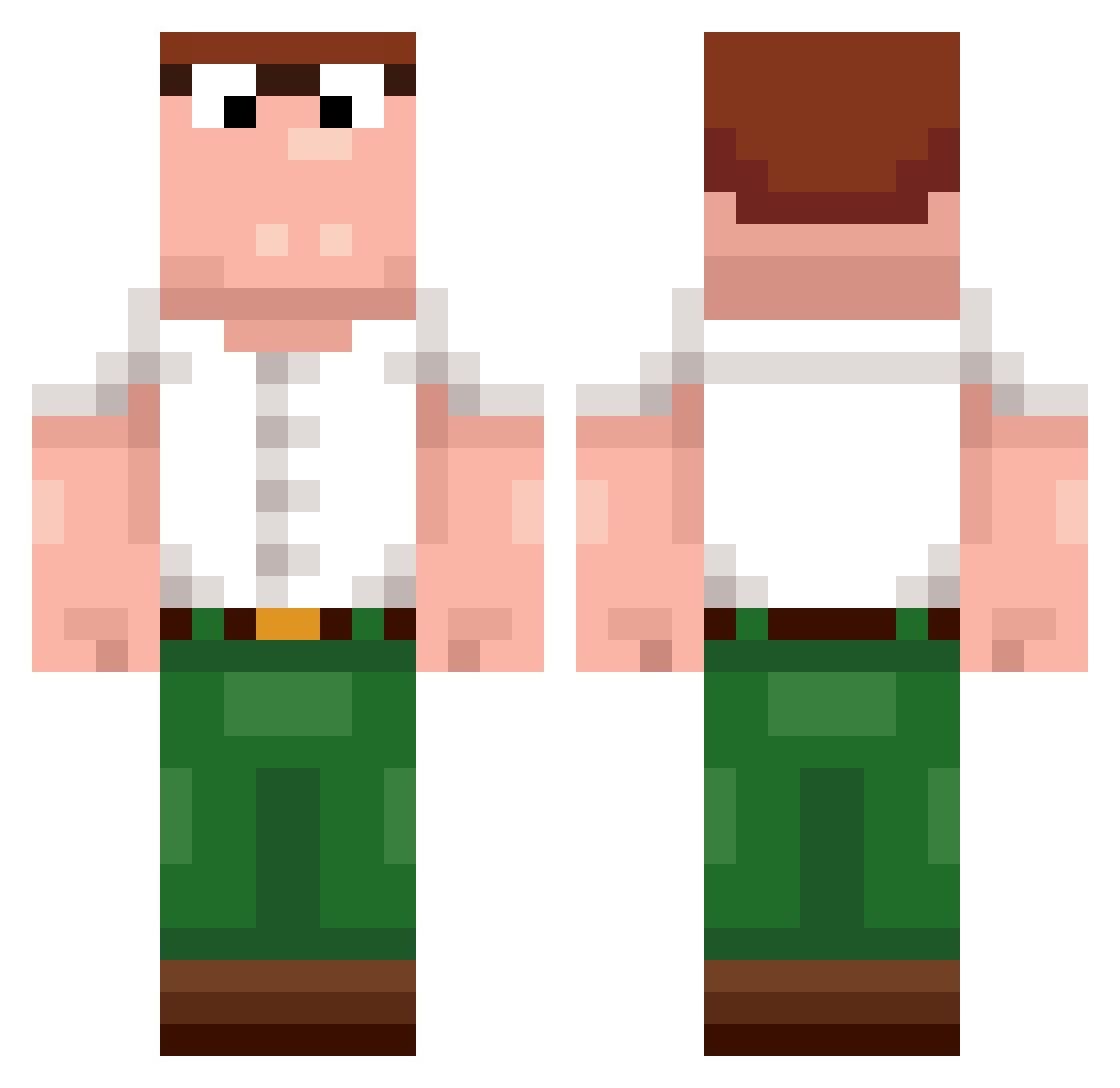
Current Minecraft skin of the player SmellyShrimp28, loaded from the official Mojang API. Rotate the 3D model with your mouse or finger, then download the skin as a PNG file and use it in Minecraft: Bedrock Edition or Java Edition for free. When SmellyShrimp28 changes their skin, this page updates automatically and the old skin stays in the history below.
Other players with this skin (255)
SmellyShrimp28 was the 140th player we have seen with this skin, first spotted on 22.09.2026. The same skin was seen on these players. Open a nickname to see their current skin and skin history.
 probably_khaled RumblyDart topasky bliskGG daph602 Zordico tillinger2000 shoxong Get_1_Tapped_Pls HyzlxDvIdForlife SafelistsLover3_ zHqld PharomWinters lilSicilian Mathiske_ aTypicalShaf Loos6omg_ oakarbb _wiSus WillDubs0616 Hodgeylad ToeTickler87643 Mynnanis Dewier_aoS629 IMPGP1651 ABO_HAMID_1 Technoblade9154 JayJay41 FORIN63 Marbleknee lilbro198 FiletCentrysta ningxiaotu Vonrah retapp djackie09 MrVorn TheJoeSwanson motospace2412 flashigcrank labroes LeoBarreiros31 RBL_DJ LaQuica57100 richtigdieGusche MexicoReaper JamNWoo Ovonaldo Spachino Romanticrobot Deekeeke Mingounavailable Andrew_awsome TypicalShaf FunAgainn HooLeeFacc Casper_Mid Nove691 xQdu heartsbroke
More Peter Griffin Minecraft skins
See all 229 Peter Griffin skins
How to install the SmellyShrimp28 skin
- Press the Download button above to save the skin as a PNG file.
- Minecraft: Bedrock Edition (PE): open the Dressing Room from the main menu (or tap your character → Edit Character), go to Classic Skins → Owned, press the + (new skin) button, choose the downloaded PNG and pick the Classic (Steve) model. Works on PC and mobile; consoles cannot import custom skins.
- Minecraft: Java Edition: open the Minecraft Launcher, go to the Skins tab, click New Skin, load the PNG, pick the Classic (Steve) model and press Save & Use. You can also upload it at minecraft.net → Profile → Change Skin.
The skin does not show up after import - what should I do?
Restart Minecraft and open the Dressing Room again - imported skins sometimes appear only after a restart. Also make sure you selected the imported skin and picked the Classic (Steve) model.
Which model should I choose, Classic or Slim?
This skin is designed for the Classic (Steve) model. If you pick the wrong model, the arms of the skin will look stretched or squeezed.
Is the skin of SmellyShrimp28 free to download?
Yes. Press Download, save the PNG file and use it in Minecraft: Bedrock Edition or Java Edition - no payment or registration needed. The skin also works on multiplayer servers and Realms.
More skins
Looking for more? Go back to all Minecraft skins and check the top skins of the week, month and all time, or find any player's skin by nickname.