
Slothy_342 - Minecraft Skins & Skin History
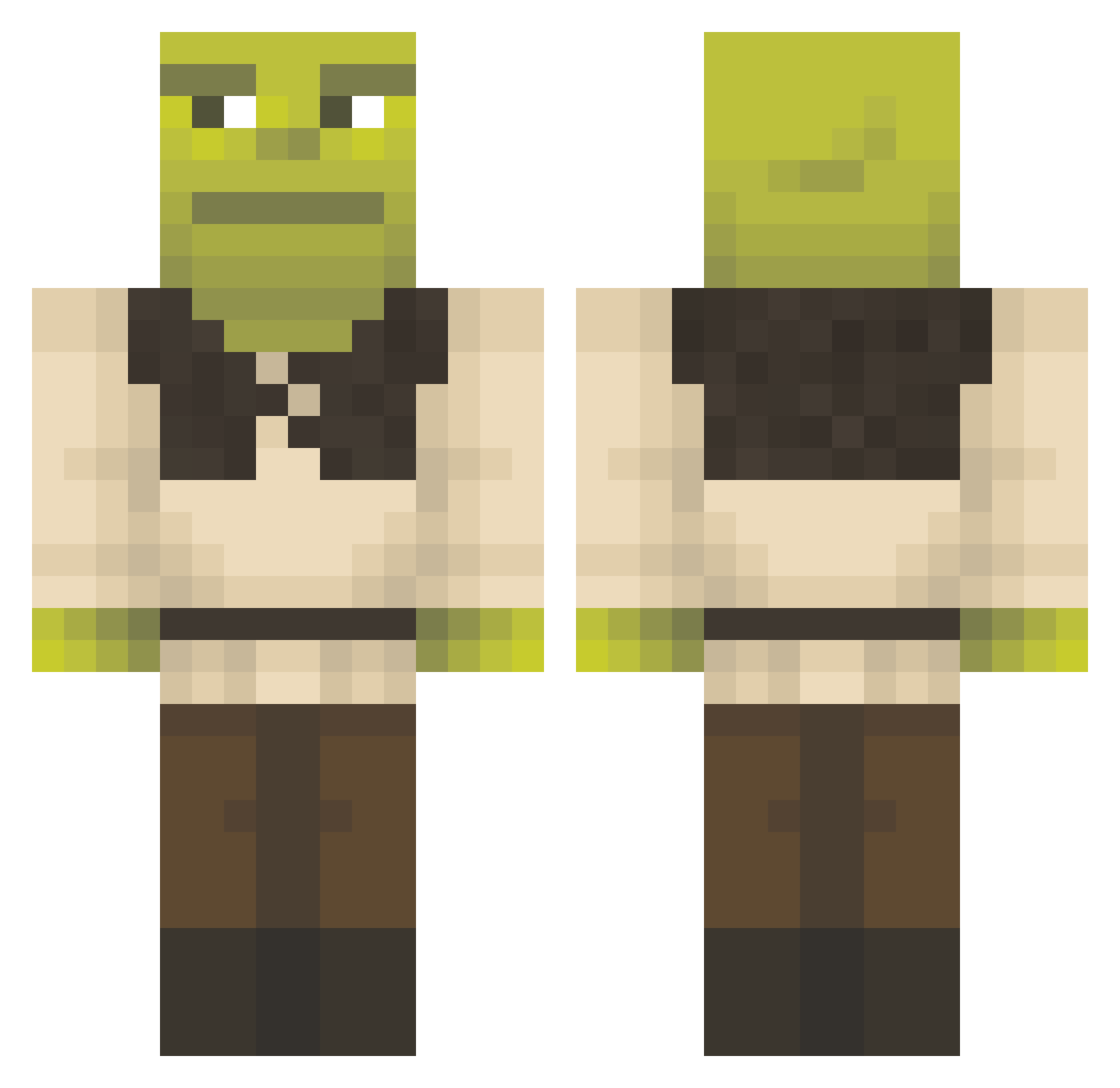
Current Minecraft skin of the player Slothy_342, loaded from the official Mojang API. Rotate the 3D model with your mouse or finger, then download the skin as a PNG file and use it in Minecraft: Bedrock Edition or Java Edition for free. When Slothy_342 changes their skin, this page updates automatically and the old skin stays in the history below.
Other players with this skin (1358)
Slothy_342 was the 489th player we have seen with this skin, first spotted on 02.09.2026. The same skin was seen on these players. Open a nickname to see their current skin and skin history.
 Aboogz1008 SKOLCAL B10CH3M Itammo cbdgourmet instiffx emmispro Legit_Cantaloupe HGWells89 Funermore noobmaster_1337 AAA1237 b1anca__ shaniquandingle Mobin000000999 Harry_Prutter99 Colin4 Fabbeino PrelawArcher nestoecastor BeegBuckles OFFCactus Swishs42 nimstarr1 RAZE234 CadeBrickman Kraju_xd Pomfritdreng wotan2 Lag_Master1 michauuu01 Spoole Jortercito the_beast2348 graciegirl66 m0fii JuanPapiChulo machitiffo messitoty ugnjs sushi166 PrezesWojtek Madrol ZipsyCU lordtheclive LILSTD abtrader11 Purgatory_S Frankerrow F_A_T_ Jacobe4625 gawdis9 Room3k_ Rad_fetus ishaan1234 buddabello0 HolaItsMe Maretheking03 paulotuto Lucindapinda
More Shrek Minecraft skins
How to install the Slothy_342 skin
- Press the Download button above to save the skin as a PNG file.
- Minecraft: Bedrock Edition (PE): open the Dressing Room from the main menu (or tap your character → Edit Character), go to Classic Skins → Owned, press the + (new skin) button, choose the downloaded PNG and pick the Classic (Steve) model. Works on PC and mobile; consoles cannot import custom skins.
- Minecraft: Java Edition: open the Minecraft Launcher, go to the Skins tab, click New Skin, load the PNG, pick the Classic (Steve) model and press Save & Use. You can also upload it at minecraft.net → Profile → Change Skin.
The skin does not show up after import - what should I do?
Restart Minecraft and open the Dressing Room again - imported skins sometimes appear only after a restart. Also make sure you selected the imported skin and picked the Classic (Steve) model.
Which model should I choose, Classic or Slim?
This skin is designed for the Classic (Steve) model. If you pick the wrong model, the arms of the skin will look stretched or squeezed.
Is the skin of Slothy_342 free to download?
Yes. Press Download, save the PNG file and use it in Minecraft: Bedrock Edition or Java Edition - no payment or registration needed. The skin also works on multiplayer servers and Realms.
More skins
Looking for more? Go back to all Minecraft skins and check the top skins of the week, month and all time, or find any player's skin by nickname.