
Skycron_27AIFSv2 - Minecraft Skins & Skin History
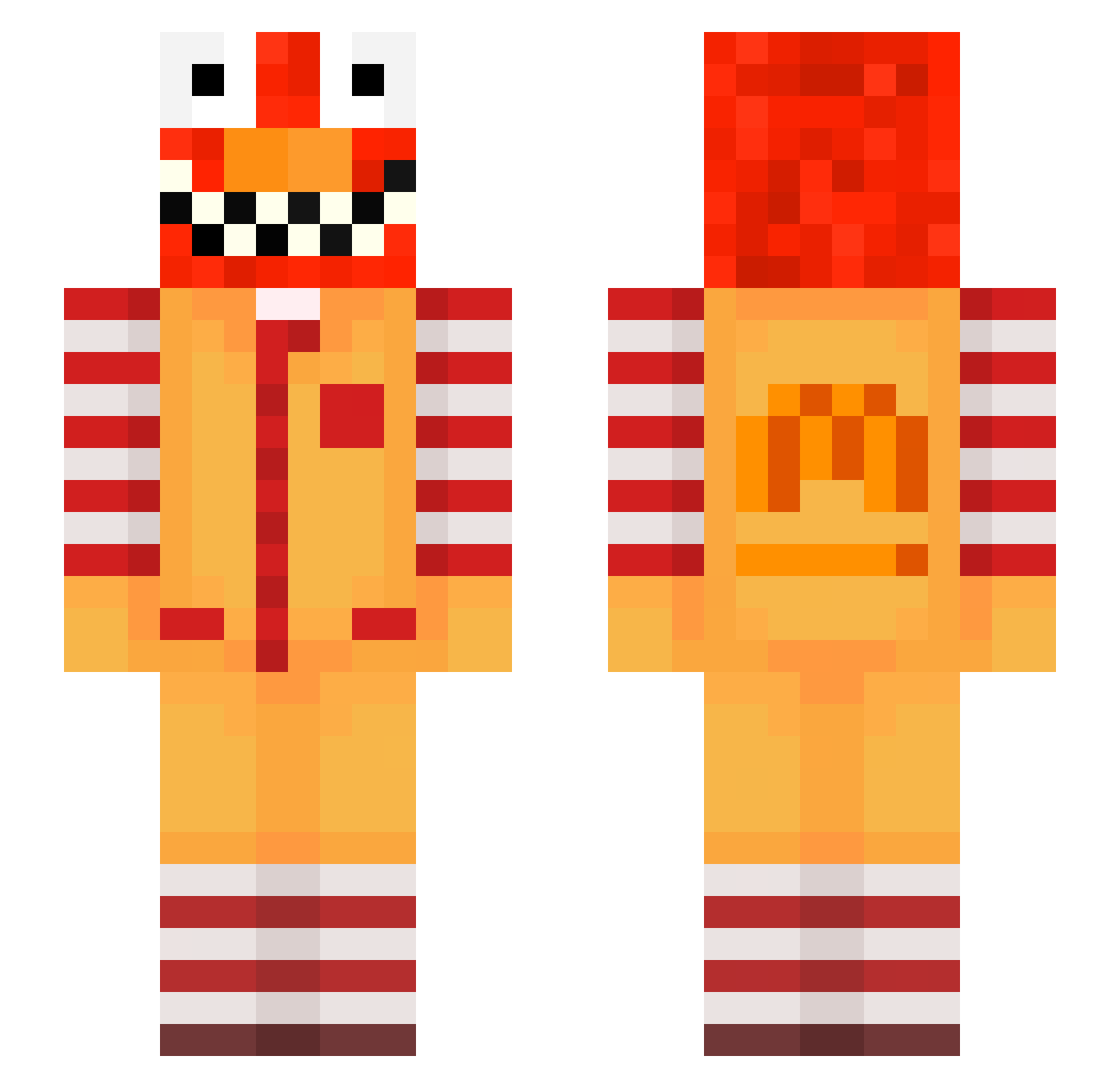
Current Minecraft skin of the player Skycron_27AIFSv2, loaded from the official Mojang API. Rotate the 3D model with your mouse or finger, then download the skin as a PNG file and use it in Minecraft: Bedrock Edition or Java Edition for free. When Skycron_27AIFSv2 changes their skin, this page updates automatically and the old skin stays in the history below.
Other players with this skin (716)
Skycron_27AIFSv2 was the 675th player we have seen with this skin, first spotted on 05.11.2026. The same skin was seen on these players. Open a nickname to see their current skin and skin history.
 glyons76 skycron_pHOvi_03 SaborLuvsDihhsm DL3GO trope_decimal611 bym_FOOUP_09_09 leandrogame200 5aa_msmc_96p rak_diamond_r9s KronosPvPxD nocchioputrid961 wggl_IUQS2_0822 LinhForgew4uUwU Skycron_AbsmA_04 Statires_lawful7 7969ASTRAL Sasheks UrMommaGay2_ ennerlineround09 tzi_aQp0t_10_31 Sv2_Veil_yuv Smok3GasG20 nu_vGrUf10jk huc_cwkW1 TrovaAmaPunheta Symotix Nekuda_rich21 Jakubovec LinhAshzy8UwU nik75gripping966 Bo0o0_Waleed Gustavvvvv giddyIyntacti6c losa_55 Sv2Pat2nVQLcwSv2 Wmith_putrid23 PASIRb7aq964lol4 bz_4so25_10_29 ravetXwk8nkC iLazxr Tange09blank660 risa2composed247 DefaultTaxi Marzentrim585 ItsDonMiller Bozo_hWfSb_03_04 LinhNdbSf1122 LinhBoldkbqUwU _4p0llyon EATING_BIRDS wise46grateful58 BLUEHAMMER44 DortHit_zs9xbfb2 Randoma44 LinhtPEWh0310 LabubuTeam_syd0 Puffmandope CarsonVRFNRL PASIRm1uxrttevau ron26familiar694
More Ronald Mcdonald Minecraft skins
See all 140 Ronald Mcdonald skins
How to install the Skycron_27AIFSv2 skin
- Press the Download button above to save the skin as a PNG file.
- Minecraft: Bedrock Edition (PE): open the Dressing Room from the main menu (or tap your character → Edit Character), go to Classic Skins → Owned, press the + (new skin) button, choose the downloaded PNG and pick the Slim (Alex) model. Works on PC and mobile; consoles cannot import custom skins.
- Minecraft: Java Edition: open the Minecraft Launcher, go to the Skins tab, click New Skin, load the PNG, pick the Slim (Alex) model and press Save & Use. You can also upload it at minecraft.net → Profile → Change Skin.
The skin does not show up after import - what should I do?
Restart Minecraft and open the Dressing Room again - imported skins sometimes appear only after a restart. Also make sure you selected the imported skin and picked the Slim (Alex) model.
Which model should I choose, Classic or Slim?
This skin is designed for the Slim (Alex) model. If you pick the wrong model, the arms of the skin will look stretched or squeezed.
Is the skin of Skycron_27AIFSv2 free to download?
Yes. Press Download, save the PNG file and use it in Minecraft: Bedrock Edition or Java Edition - no payment or registration needed. The skin also works on multiplayer servers and Realms.
More skins
Looking for more? Go back to all Minecraft skins and check the top skins of the week, month and all time, or find any player's skin by nickname.