
SirKensington19 - Minecraft Skins & Skin History
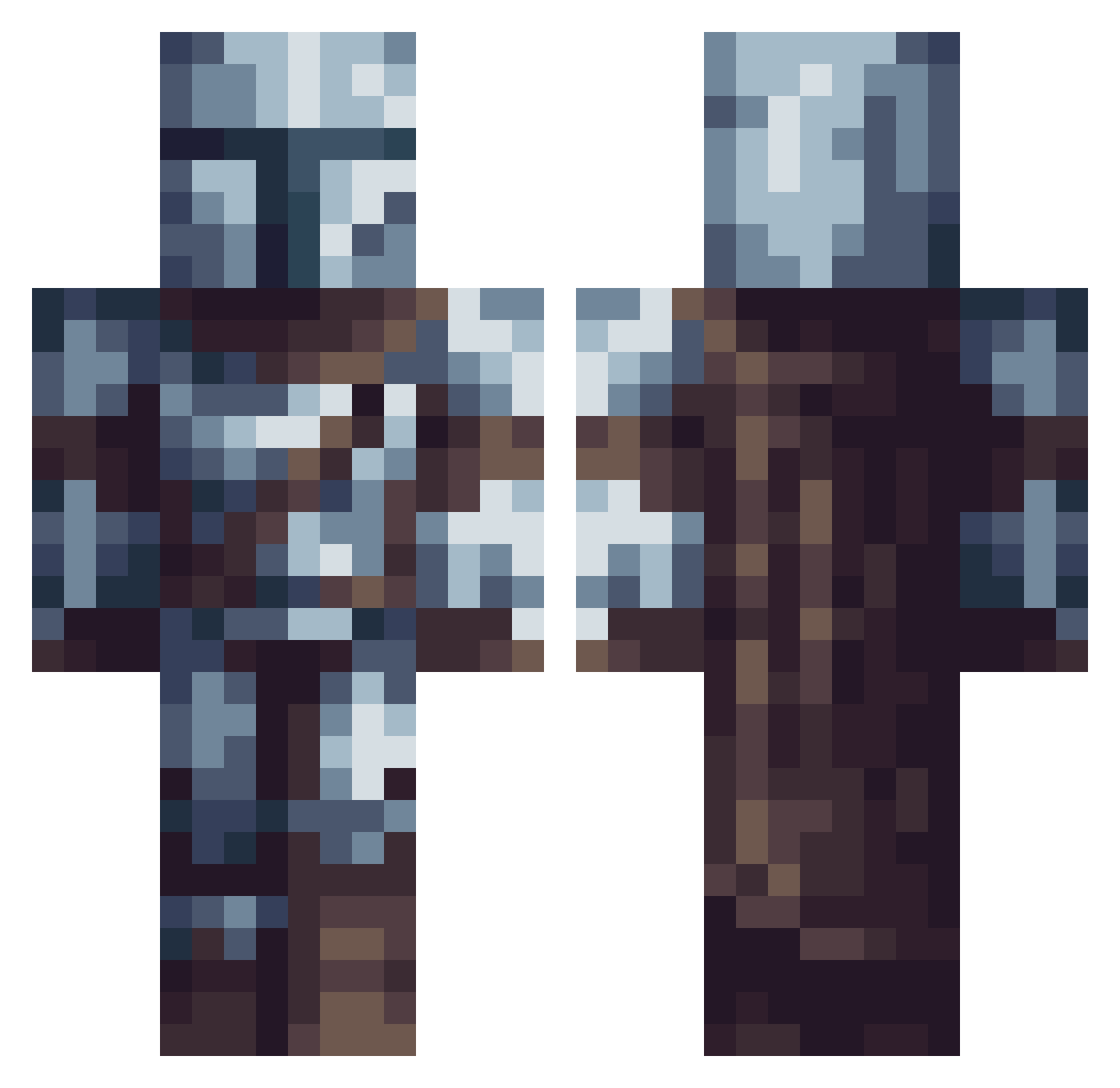
Current Minecraft skin of the player SirKensington19, loaded from the official Mojang API. Rotate the 3D model with your mouse or finger, then download the skin as a PNG file and use it in Minecraft: Bedrock Edition or Java Edition for free. When SirKensington19 changes their skin, this page updates automatically and the old skin stays in the history below.
Other players with this skin (614)
SirKensington19 was the 502nd player we have seen with this skin, first spotted on 19.10.2026. The same skin was seen on these players. Open a nickname to see their current skin and skin history.
 YaBoiTacocat DarthDebious Kellar292 highkingofnoldor Thav RulyAbby Ymuchun Emberhelix Carson998 LordOkarin FedeCuri Brandon2277 JuanMartin131 Bungle_sans isadobo kotek_ps0tek zapall0o0 dominoes2001 JediJimmy173220 Axo555_ Mxteor_ ItzBuilder_ ImLunaaa Relentless436 Im7ft bluenight888 Quri_Llama TheFebio11 Echo7289 dommcglynn TheBetterRyan ClerzZ Breezylogan11 Kvetha elektrolias chowderboyy Zeta_Cygni marinedeaudouce Deluxor03 Mateusz0505 zSalvaz ViejoSabioMongol metallurgical IEms7 SamFire88 Sharkbait4321 UncleMatt2377 alexthakilla xXBabouXx Yuricaju TommyTot45 Sofferr Alek789 amaury11 GnoR_99 Musi4 Rocka2314 GecKoala_ MasterVasquez Lucas_348
More The Mandalorian Minecraft skins
See all 591 The Mandalorian skins
How to install the SirKensington19 skin
- Press the Download button above to save the skin as a PNG file.
- Minecraft: Bedrock Edition (PE): open the Dressing Room from the main menu (or tap your character → Edit Character), go to Classic Skins → Owned, press the + (new skin) button, choose the downloaded PNG and pick the Classic (Steve) model. Works on PC and mobile; consoles cannot import custom skins.
- Minecraft: Java Edition: open the Minecraft Launcher, go to the Skins tab, click New Skin, load the PNG, pick the Classic (Steve) model and press Save & Use. You can also upload it at minecraft.net → Profile → Change Skin.
The skin does not show up after import - what should I do?
Restart Minecraft and open the Dressing Room again - imported skins sometimes appear only after a restart. Also make sure you selected the imported skin and picked the Classic (Steve) model.
Which model should I choose, Classic or Slim?
This skin is designed for the Classic (Steve) model. If you pick the wrong model, the arms of the skin will look stretched or squeezed.
Is the skin of SirKensington19 free to download?
Yes. Press Download, save the PNG file and use it in Minecraft: Bedrock Edition or Java Edition - no payment or registration needed. The skin also works on multiplayer servers and Realms.
More skins
Looking for more? Go back to all Minecraft skins and check the top skins of the week, month and all time, or find any player's skin by nickname.