
Sinirs - Minecraft Skins & Skin History
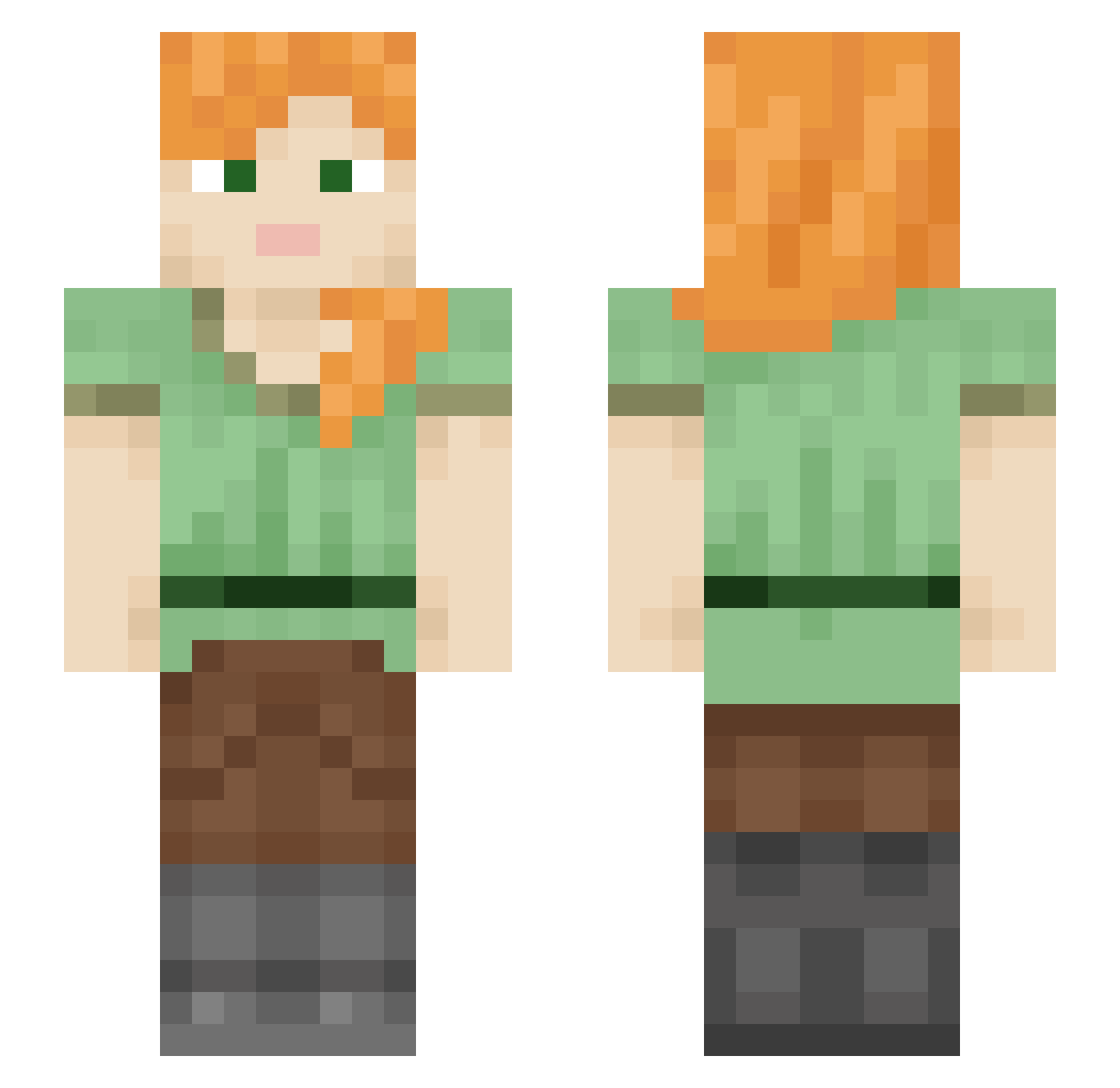
Current Minecraft skin of the player Sinirs, loaded from the official Mojang API. Rotate the 3D model with your mouse or finger, then download the skin as a PNG file and use it in Minecraft: Bedrock Edition or Java Edition for free. When Sinirs changes their skin, this page updates automatically and the old skin stays in the history below.
Other players with this skin (578)
Sinirs was the 343rd player we have seen with this skin, first spotted on 03.10.2026. The same skin was seen on these players. Open a nickname to see their current skin and skin history.
 Zakfien RaizorxMad MContents Rainbows_R_Spicy Z_R_ hoenymoon SurrealReality3 Mommawolf1420 PhayGuy Bardo80s Althea53 taniasantos22 FRAGILEcho cloudxe0 nothem777 bluejustnb Black3ird KHowell243 georgiana03x Terminal_R Lorraine_Wright Lucky_op1 InexpEgg Giraud Machiko915 Sutormu MIEMIE00 Ryryjade28 LovebugVR Asanohibari frootiest_pebble Benzx9r funnyLYRIC alexa9523 KonradKwiat KINGPLUTO1 brit1x3 FUXIAOWEI sam_1206 alexZHP sdwd3dw Antilles1016 illyxana NoiseComplaints hyxzzz Manhandla420 Betobaby20 dellmarker Blad_1908 DiHolly bluedogisgay BigC6Mike Graduatin SEAW0 BarrenLalala phoenix24 calu123 Tklement Cemowe ygys23
How to install the Sinirs skin
- Press the Download button above to save the skin as a PNG file.
- Minecraft: Bedrock Edition (PE): open the Dressing Room from the main menu (or tap your character → Edit Character), go to Classic Skins → Owned, press the + (new skin) button, choose the downloaded PNG and pick the Slim (Alex) model. Works on PC and mobile; consoles cannot import custom skins.
- Minecraft: Java Edition: open the Minecraft Launcher, go to the Skins tab, click New Skin, load the PNG, pick the Slim (Alex) model and press Save & Use. You can also upload it at minecraft.net → Profile → Change Skin.
The skin does not show up after import - what should I do?
Restart Minecraft and open the Dressing Room again - imported skins sometimes appear only after a restart. Also make sure you selected the imported skin and picked the Slim (Alex) model.
Which model should I choose, Classic or Slim?
This skin is designed for the Slim (Alex) model. If you pick the wrong model, the arms of the skin will look stretched or squeezed.
Is the skin of Sinirs free to download?
Yes. Press Download, save the PNG file and use it in Minecraft: Bedrock Edition or Java Edition - no payment or registration needed. The skin also works on multiplayer servers and Realms.
More skins
Looking for more? Go back to all Minecraft skins and check the top skins of the week, month and all time, or find any player's skin by nickname.