
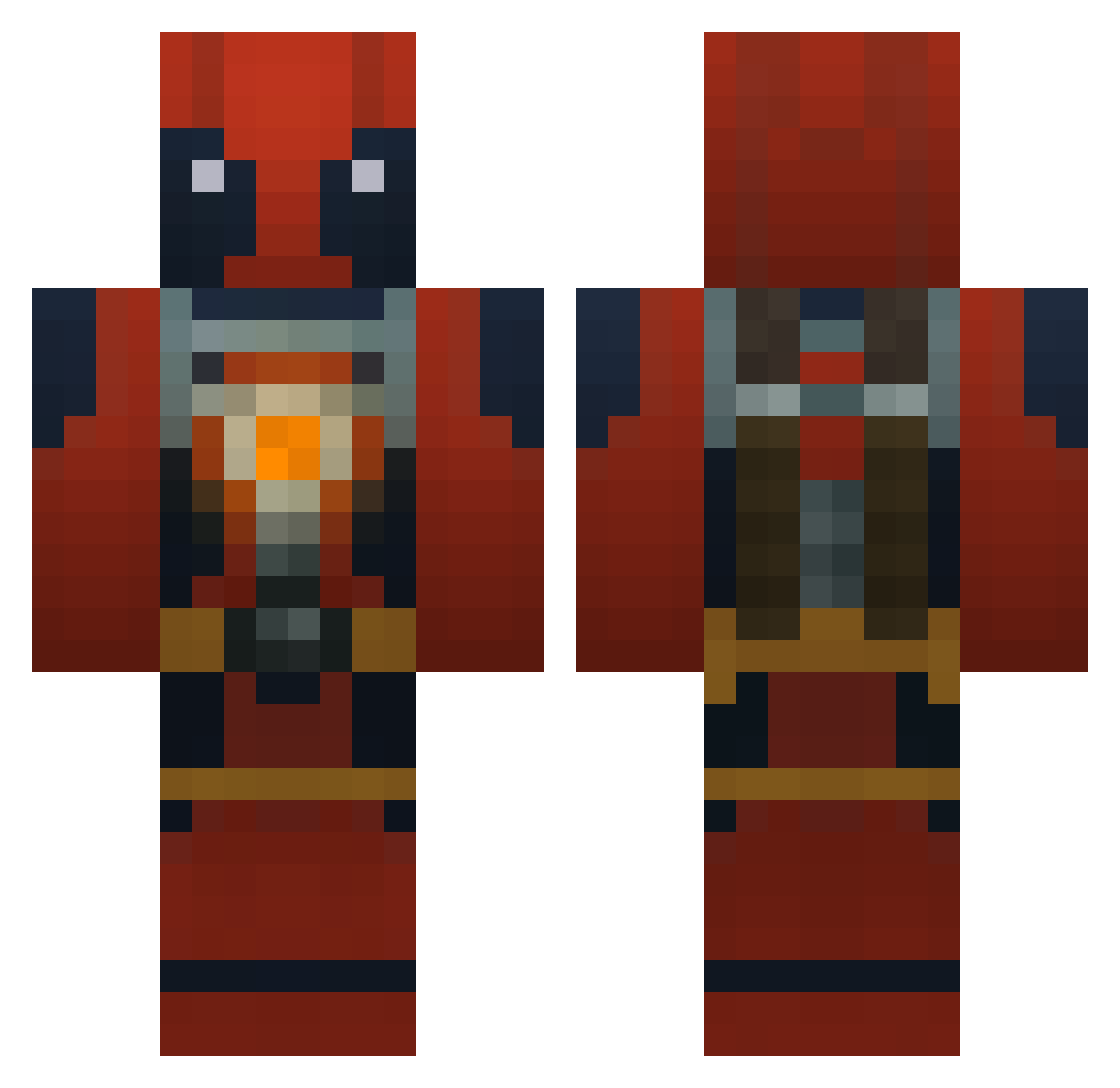
Current Minecraft skin of the player SilberWanze, loaded from the official Mojang API. Rotate the 3D model with your mouse or finger, then download the skin as a PNG file and use it in Minecraft: Bedrock Edition or Java Edition for free. When SilberWanze changes their skin, this page updates automatically and the old skin stays in the history below.
Other players with this skin (695)
SilberWanze was the 421st player we have seen with this skin, first spotted on 19.09.2026. The same skin was seen on these players. Open a nickname to see their current skin and skin history.
 Undeadcraft yugi337 Hapmeister EnderHunter_117 Pipsquire StrayCatMagnet Zwazz1 TheCloverClub champagnedadiii Onkelmads struders69 BADAMS2193 Ryan12299 KingBryan8 Taqi_ CCLindalen NerfsaVif DrFrancisco PrimeOla kabob12m2 starwarsking23 NickSGamer F7L_AlF7OL cheesseeman melonKing222 Sumidor063 miniSWED Sonluca Miller06 drumlegend24 ertitojuancar LMO220 7th_month Christofer123 coolcreeper180 Misfire92 nuimebin Apocolypse236 spartan_1616 FIREDEMON2244 dan_e_boy96 exoskeleton44 craig123451 zcandels97 CrazieKeks Schl0mo Fastfive101 MaggieDeTank prplemonky25 Jesusofnazarith Kyddeath Erigonma DP_Wash Homebro13 quantumlobster7 Jesiah KDazzle Geekstufff TexanFutbol Acro23
More Deadpool Minecraft skins
How to install the SilberWanze skin
- Press the Download button above to save the skin as a PNG file.
- Minecraft: Bedrock Edition (PE): open the Dressing Room from the main menu (or tap your character → Edit Character), go to Classic Skins → Owned, press the + (new skin) button, choose the downloaded PNG and pick the Classic (Steve) model. Works on PC and mobile; consoles cannot import custom skins.
- Minecraft: Java Edition: open the Minecraft Launcher, go to the Skins tab, click New Skin, load the PNG, pick the Classic (Steve) model and press Save & Use. You can also upload it at minecraft.net → Profile → Change Skin.
The skin does not show up after import - what should I do?
Restart Minecraft and open the Dressing Room again - imported skins sometimes appear only after a restart. Also make sure you selected the imported skin and picked the Classic (Steve) model.
Which model should I choose, Classic or Slim?
This skin is designed for the Classic (Steve) model. If you pick the wrong model, the arms of the skin will look stretched or squeezed.
Is the skin of SilberWanze free to download?
Yes. Press Download, save the PNG file and use it in Minecraft: Bedrock Edition or Java Edition - no payment or registration needed. The skin also works on multiplayer servers and Realms.
More skins
Looking for more? Go back to all Minecraft skins and check the top skins of the week, month and all time, or find any player's skin by nickname.