
SilasMC12 - Minecraft Skins & Skin History
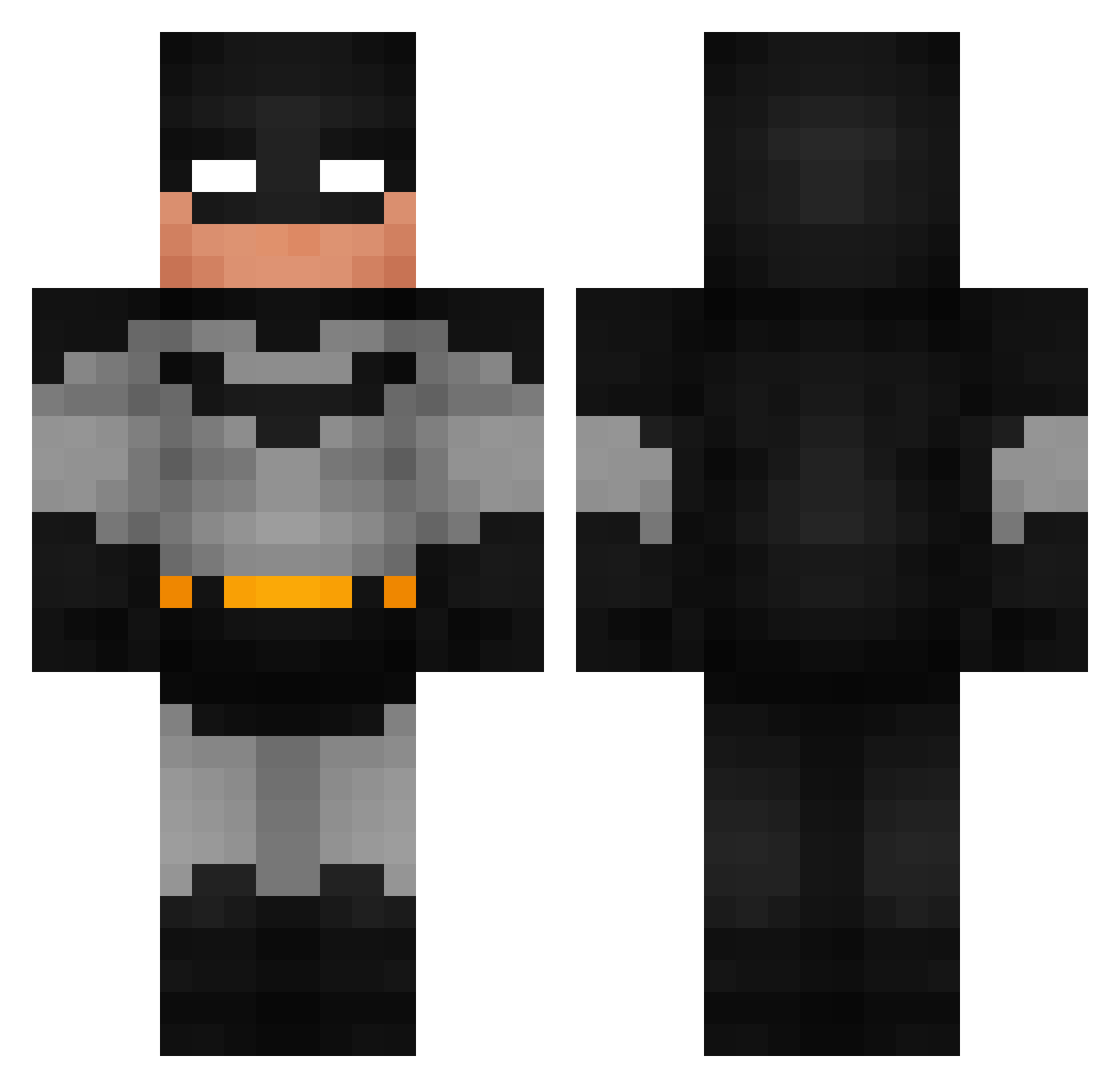
Current Minecraft skin of the player SilasMC12, loaded from the official Mojang API. Rotate the 3D model with your mouse or finger, then download the skin as a PNG file and use it in Minecraft: Bedrock Edition or Java Edition for free. When SilasMC12 changes their skin, this page updates automatically and the old skin stays in the history below.
Other players with this skin (758)
SilasMC12 was the 142nd player we have seen with this skin, first spotted on 10.08.2026. The same skin was seen on these players. Open a nickname to see their current skin and skin history.
 gruseljens happybatman Waindwop Razorbladess Morphy___ 000ra Aryen17 lovleykay Archarizo SmoothieHotdog garvits SigmaMoggeer Floyd_07 Jatac83 dabbie11 CrypticFN Cipzu Urmel777 imn81 mikrusek837 Bigblrdddd SWOM0 RavenTheChi RafOnPot Natacion f3rvf OllieMidget Abdulkareem19 jowymg Whitelulu ProductOwner Hazza7382 RAK5 Timbror Tedde99 Yourboytutle Sebastitan17 G4di Pocket2605 DOM6345 UwUity Eliasminbabe Zeksede thexplosionhd ouanfomistu c1ysp ChaddyDaddy19 ELPANCHO101 svntgo RudyKondon nanoidiot bayharborfreaker redcarpettt Unwashedmouse JAMES00705 ImAckerman Baron_0 spikerbubs Jrizmo shatuck
More Batman Minecraft skins
How to install the SilasMC12 skin
- Press the Download button above to save the skin as a PNG file.
- Minecraft: Bedrock Edition (PE): open the Dressing Room from the main menu (or tap your character → Edit Character), go to Classic Skins → Owned, press the + (new skin) button, choose the downloaded PNG and pick the Classic (Steve) model. Works on PC and mobile; consoles cannot import custom skins.
- Minecraft: Java Edition: open the Minecraft Launcher, go to the Skins tab, click New Skin, load the PNG, pick the Classic (Steve) model and press Save & Use. You can also upload it at minecraft.net → Profile → Change Skin.
The skin does not show up after import - what should I do?
Restart Minecraft and open the Dressing Room again - imported skins sometimes appear only after a restart. Also make sure you selected the imported skin and picked the Classic (Steve) model.
Which model should I choose, Classic or Slim?
This skin is designed for the Classic (Steve) model. If you pick the wrong model, the arms of the skin will look stretched or squeezed.
Is the skin of SilasMC12 free to download?
Yes. Press Download, save the PNG file and use it in Minecraft: Bedrock Edition or Java Edition - no payment or registration needed. The skin also works on multiplayer servers and Realms.
More skins
Looking for more? Go back to all Minecraft skins and check the top skins of the week, month and all time, or find any player's skin by nickname.