
Shinypantzz - Minecraft Skins & Skin History
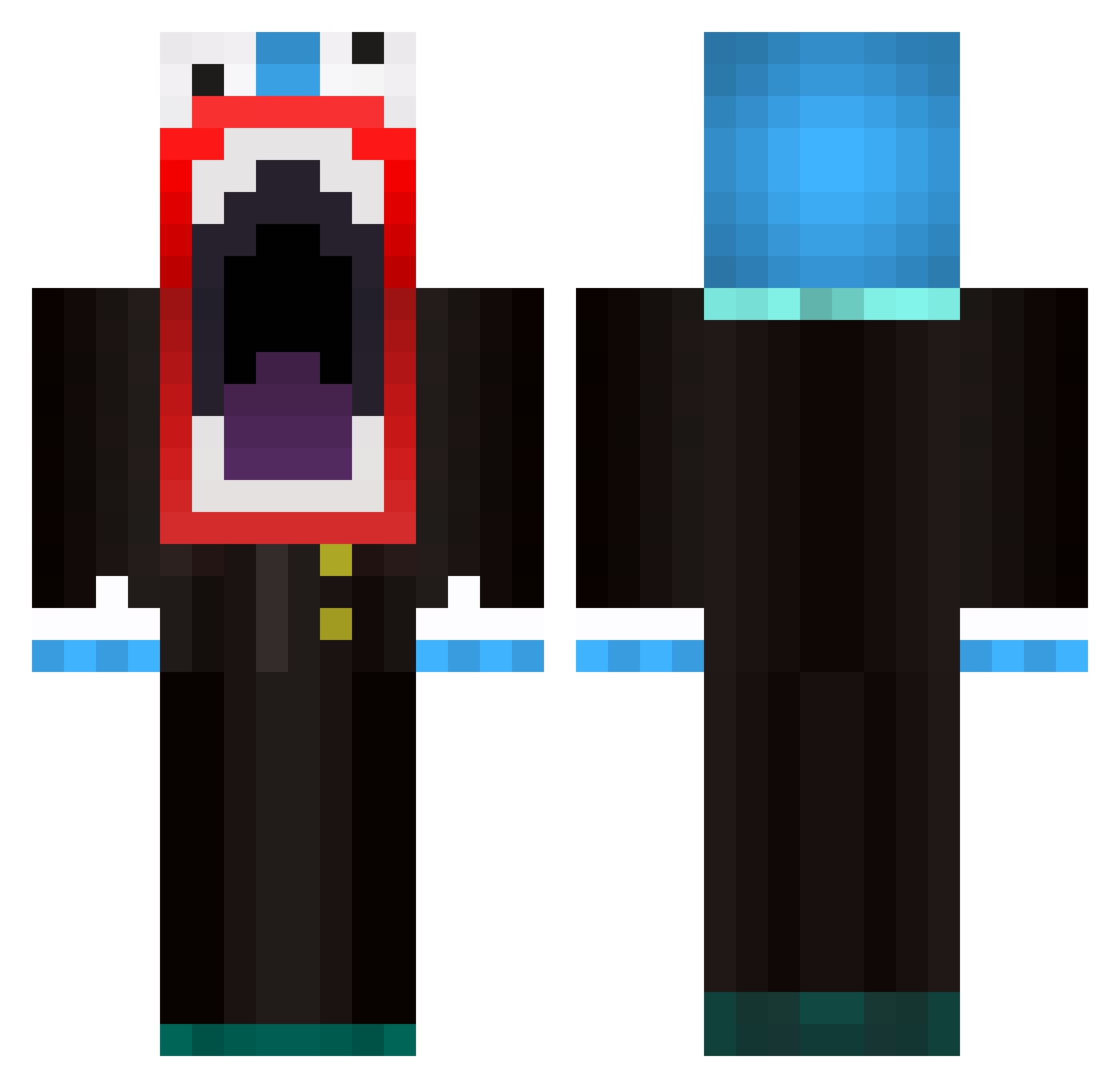
Current Minecraft skin of the player Shinypantzz, loaded from the official Mojang API. Rotate the 3D model with your mouse or finger, then download the skin as a PNG file and use it in Minecraft: Bedrock Edition or Java Edition for free. When Shinypantzz changes their skin, this page updates automatically and the old skin stays in the history below.
Other players with this skin (74)
Shinypantzz was the 23rd player we have seen with this skin, first spotted on 01.09.2026. The same skin was seen on these players. Open a nickname to see their current skin and skin history.
 lickyluky IIFlamingo Shenkee Artiixilate fkndweeb jeromenclature Fr0steck Florkovsky Yankeeson Paselor Samuelhornby Excuisit darthsidious1999 krach86 sonyankee fatlamp _izi___ ThePurity2000 Ransak78 AWWW_JUNK Alphino22 HiddenTank KIMhanbyul Al0s SoupLike Chachoz007 FROG_LORD12 ElisCraig CertifiedRic ONDR_2000 xiaoGS_ JTaWeeb Riearlo Spacefan505 Azart_tea Bloodfiend1977 Henri384 valor7 christausend Mu__Han poon0313 Graffillk devinrrod EvilMatricks Ezeloty BR4Y69 MugiwaraEreh Momoticua NoBuildz starchoc NaGeHao juzi0727 rootarded Casual_Squid TOUR09 Dinotek_ Zestival Celestyn hmsy5159 PhantomRonin
More The Amazing Digital Circus Minecraft skins
See all 130 The Amazing Digital Circus skins
How to install the Shinypantzz skin
- Press the Download button above to save the skin as a PNG file.
- Minecraft: Bedrock Edition (PE): open the Dressing Room from the main menu (or tap your character → Edit Character), go to Classic Skins → Owned, press the + (new skin) button, choose the downloaded PNG and pick the Classic (Steve) model. Works on PC and mobile; consoles cannot import custom skins.
- Minecraft: Java Edition: open the Minecraft Launcher, go to the Skins tab, click New Skin, load the PNG, pick the Classic (Steve) model and press Save & Use. You can also upload it at minecraft.net → Profile → Change Skin.
The skin does not show up after import - what should I do?
Restart Minecraft and open the Dressing Room again - imported skins sometimes appear only after a restart. Also make sure you selected the imported skin and picked the Classic (Steve) model.
Which model should I choose, Classic or Slim?
This skin is designed for the Classic (Steve) model. If you pick the wrong model, the arms of the skin will look stretched or squeezed.
Is the skin of Shinypantzz free to download?
Yes. Press Download, save the PNG file and use it in Minecraft: Bedrock Edition or Java Edition - no payment or registration needed. The skin also works on multiplayer servers and Realms.
More skins
Looking for more? Go back to all Minecraft skins and check the top skins of the week, month and all time, or find any player's skin by nickname.