
Shikaza - Minecraft Skins & Skin History
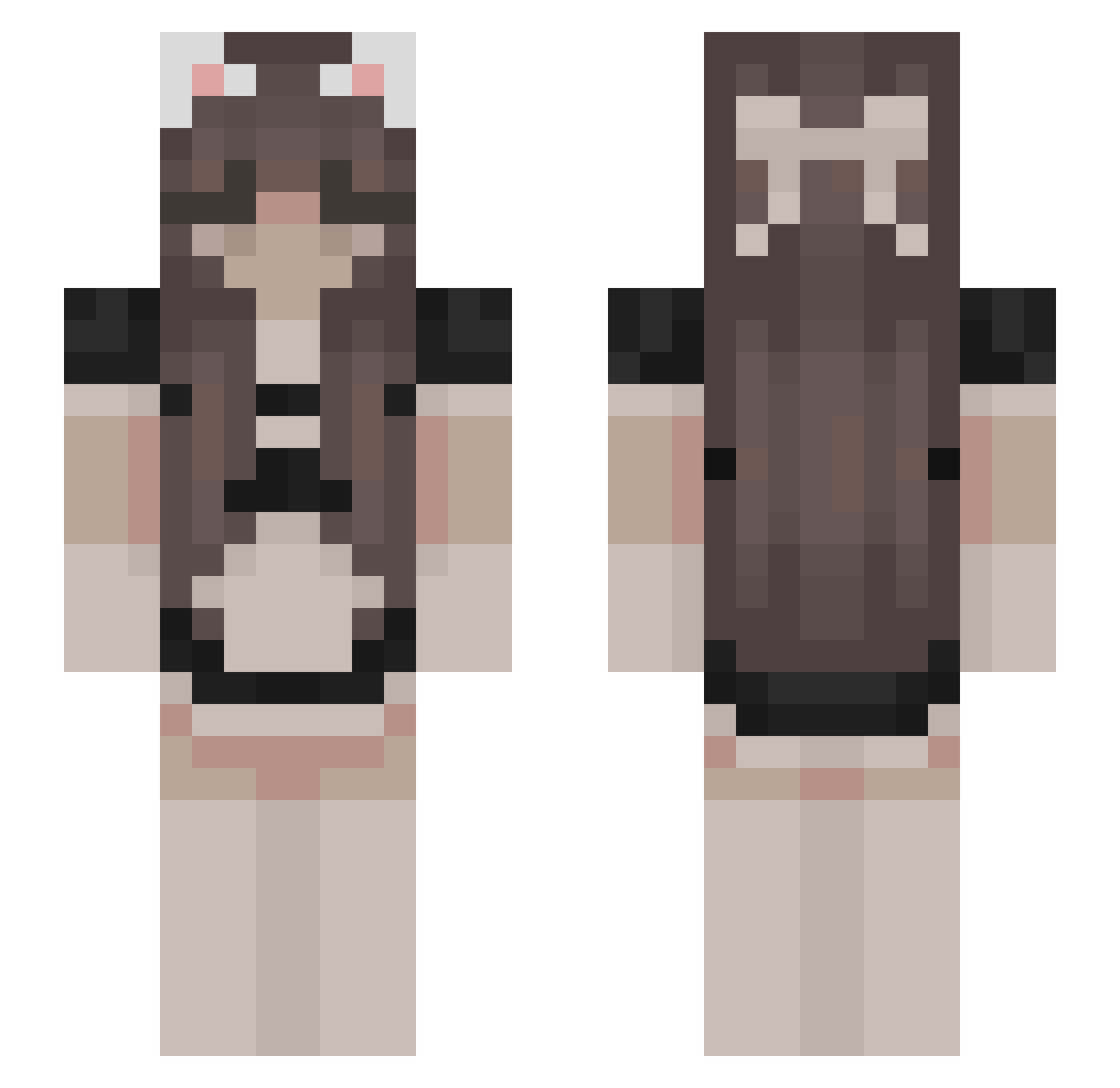
Current Minecraft skin of the player Shikaza, loaded from the official Mojang API. Rotate the 3D model with your mouse or finger, then download the skin as a PNG file and use it in Minecraft: Bedrock Edition or Java Edition for free. When Shikaza changes their skin, this page updates automatically and the old skin stays in the history below.
Other players with this skin (477)
Shikaza was the 382nd player we have seen with this skin, first spotted on 11.10.2026. The same skin was seen on these players. Open a nickname to see their current skin and skin history.
 Qwertybecause lovelianna favtea Config91142069 Sannuplayer Nateqxp sum_eve12 BabyKkyu PaZuR_XD Mochi_Mosh02 MaxTerax xannybaby TheValkiie SALTINEJCKR mrskabuki Krislien Grumpiiiii Dalla200 Adrian_N64 Ansyla szvbla Rap0s4szsz xvyaaa Polarisssteve mlxx25 Lxchi Fxllita EvOxWolf RinasMaid Xi__Bao 41kk miczello_ DronDragon kimichann9 LeeJunSeok DrakesSideHoe Oczko321 shiguangdd kayyteebee charrrrrrr cherriii canya19 bakaleoo mxs0596 XYK_15 malikaatje ilovegni nikko_feet Chamalow_w quuuuuuuuuuq Brissettuki StatesideWall IzayoiYui GoldSteps strwbrymilk SORASAMA69 Slime7unter_ Galatariel KittyCass_13 stsleannah
Previous skins of Shikaza
Skins that Shikaza wore before, newest first. Click a skin to open its page and download it.
More Bow Minecraft skins
How to install the Shikaza skin
- Press the Download button above to save the skin as a PNG file.
- Minecraft: Bedrock Edition (PE): open the Dressing Room from the main menu (or tap your character → Edit Character), go to Classic Skins → Owned, press the + (new skin) button, choose the downloaded PNG and pick the Slim (Alex) model. Works on PC and mobile; consoles cannot import custom skins.
- Minecraft: Java Edition: open the Minecraft Launcher, go to the Skins tab, click New Skin, load the PNG, pick the Slim (Alex) model and press Save & Use. You can also upload it at minecraft.net → Profile → Change Skin.
The skin does not show up after import - what should I do?
Restart Minecraft and open the Dressing Room again - imported skins sometimes appear only after a restart. Also make sure you selected the imported skin and picked the Slim (Alex) model.
Which model should I choose, Classic or Slim?
This skin is designed for the Slim (Alex) model. If you pick the wrong model, the arms of the skin will look stretched or squeezed.
Is the skin of Shikaza free to download?
Yes. Press Download, save the PNG file and use it in Minecraft: Bedrock Edition or Java Edition - no payment or registration needed. The skin also works on multiplayer servers and Realms.
More skins
Looking for more? Go back to all Minecraft skins and check the top skins of the week, month and all time, or find any player's skin by nickname.