
Shako189 - Minecraft Skins & Skin History
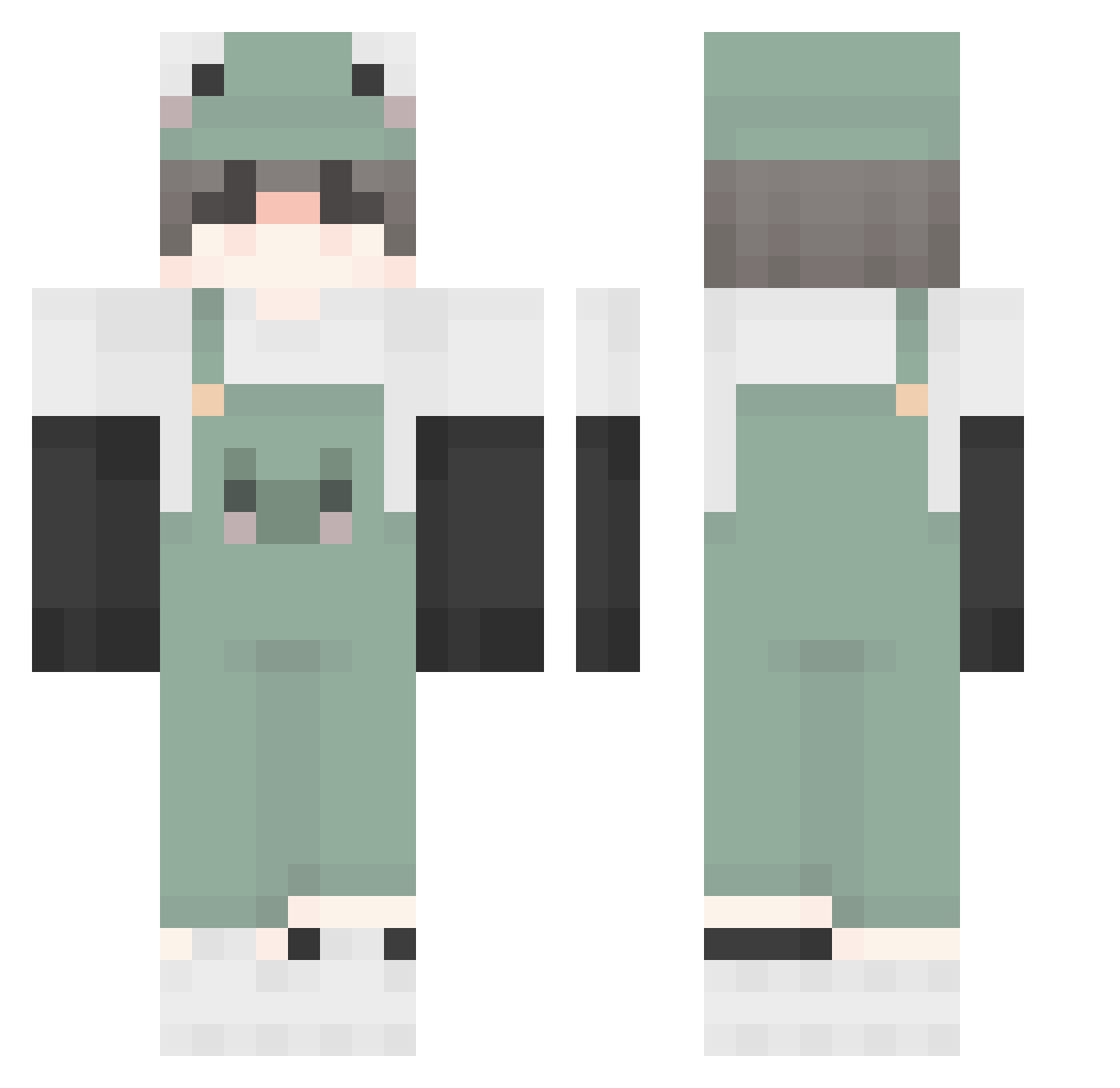
Current Minecraft skin of the player Shako189, loaded from the official Mojang API. Rotate the 3D model with your mouse or finger, then download the skin as a PNG file and use it in Minecraft: Bedrock Edition or Java Edition for free. When Shako189 changes their skin, this page updates automatically and the old skin stays in the history below.
Other players with this skin (505)
Shako189 was the 174th player we have seen with this skin, first spotted on 02.09.2026. The same skin was seen on these players. Open a nickname to see their current skin and skin history.
 Rune_L twilight5Ss AKI0007 Lancehawk NotApeBehavior noahnoodlesaurus ur1rlgf y5y51 TayTay5547 MuMinnn777 bezuMM Evaporite 9mi_Pibaragi lewuSS420 Isopu AngerySpook bicbicchris Kaowtom_ gwanghwa rafloid1221 jo_zin Wwwall TG_Valence J0KBL0 PIZZA_MASTER__ AedEcho Glyche Switchee_ N1k3s Blvckmesa chy9523 FanFly _LordXenu_ frxzye Latio_Duck st4rlord plantmanwastaken Feitan_Kun sadakame con_guy PixleFrog rudival meowteush cutiepug99 einSchnuufffi KekusGamer Oceanmaxi124 RossDPlayz Mung9 IMTHETACOCAT Urweenie monworld Gwest0 SwanziiiiYT Lilrayx lrelia06 Nissy997 microotjes lum_bot rotuss10
More Frog Minecraft skins
How to install the Shako189 skin
- Press the Download button above to save the skin as a PNG file.
- Minecraft: Bedrock Edition (PE): open the Dressing Room from the main menu (or tap your character → Edit Character), go to Classic Skins → Owned, press the + (new skin) button, choose the downloaded PNG and pick the Classic (Steve) model. Works on PC and mobile; consoles cannot import custom skins.
- Minecraft: Java Edition: open the Minecraft Launcher, go to the Skins tab, click New Skin, load the PNG, pick the Classic (Steve) model and press Save & Use. You can also upload it at minecraft.net → Profile → Change Skin.
The skin does not show up after import - what should I do?
Restart Minecraft and open the Dressing Room again - imported skins sometimes appear only after a restart. Also make sure you selected the imported skin and picked the Classic (Steve) model.
Which model should I choose, Classic or Slim?
This skin is designed for the Classic (Steve) model. If you pick the wrong model, the arms of the skin will look stretched or squeezed.
Is the skin of Shako189 free to download?
Yes. Press Download, save the PNG file and use it in Minecraft: Bedrock Edition or Java Edition - no payment or registration needed. The skin also works on multiplayer servers and Realms.
More skins
Looking for more? Go back to all Minecraft skins and check the top skins of the week, month and all time, or find any player's skin by nickname.