
ShOtSG - Minecraft Skins & Skin History
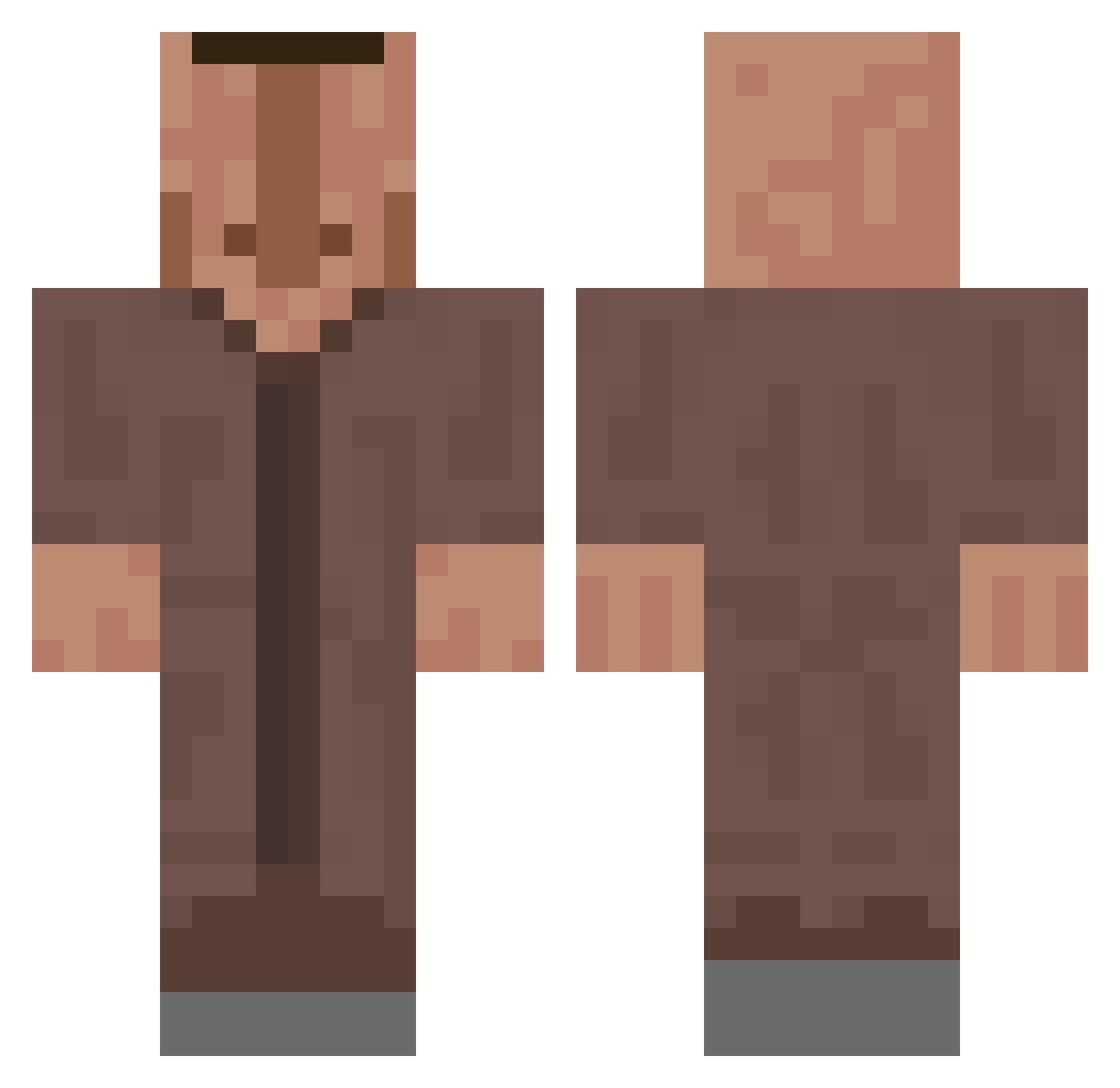
Current Minecraft skin of the player ShOtSG, loaded from the official Mojang API. Rotate the 3D model with your mouse or finger, then download the skin as a PNG file and use it in Minecraft: Bedrock Edition or Java Edition for free. When ShOtSG changes their skin, this page updates automatically and the old skin stays in the history below.
Other players with this skin (661)
ShOtSG was the 582nd player we have seen with this skin, first spotted on 22.10.2026. The same skin was seen on these players. Open a nickname to see their current skin and skin history.
 minedude420 kr_almond1 SquidneyFlow Supermakaque66 lizevv Lars2415 Benjq27 cymatick MrKebabitto NIVR0 NonSoggyToast noDear Elizockaaa Koalatyed zNhunsey Dadel3000 Emanuil9 thexzibit Dresseur3 _Patryk_ zterbon ketebrrr AmazingHPlays ROSARUBI zLord23 ninviz Stevenbadger qLocal LorJan_14 PROSKIL SonicVanHeadC Mullet_Mo Marwers IAmHermes Marine_hun JannicMitC xineri Gedjilow aczap The_Hedge gettus Sjorsiee 0IHEI0 sigma123000 Sinklarion karolszpak GETIX4727 Flossyban LeckEier_187 Drmundo1134 crashcubo ChiquiNapia xlattes ToMek2115 YoFreeJonPorkHHH SlotBotBoy DripFlow Just1nID YouInnYou Villagerino
More Villager Minecraft skins
How to install the ShOtSG skin
- Press the Download button above to save the skin as a PNG file.
- Minecraft: Bedrock Edition (PE): open the Dressing Room from the main menu (or tap your character → Edit Character), go to Classic Skins → Owned, press the + (new skin) button, choose the downloaded PNG and pick the Classic (Steve) model. Works on PC and mobile; consoles cannot import custom skins.
- Minecraft: Java Edition: open the Minecraft Launcher, go to the Skins tab, click New Skin, load the PNG, pick the Classic (Steve) model and press Save & Use. You can also upload it at minecraft.net → Profile → Change Skin.
The skin does not show up after import - what should I do?
Restart Minecraft and open the Dressing Room again - imported skins sometimes appear only after a restart. Also make sure you selected the imported skin and picked the Classic (Steve) model.
Which model should I choose, Classic or Slim?
This skin is designed for the Classic (Steve) model. If you pick the wrong model, the arms of the skin will look stretched or squeezed.
Is the skin of ShOtSG free to download?
Yes. Press Download, save the PNG file and use it in Minecraft: Bedrock Edition or Java Edition - no payment or registration needed. The skin also works on multiplayer servers and Realms.
More skins
Looking for more? Go back to all Minecraft skins and check the top skins of the week, month and all time, or find any player's skin by nickname.