
Sergio988 - Minecraft Skins & Skin History
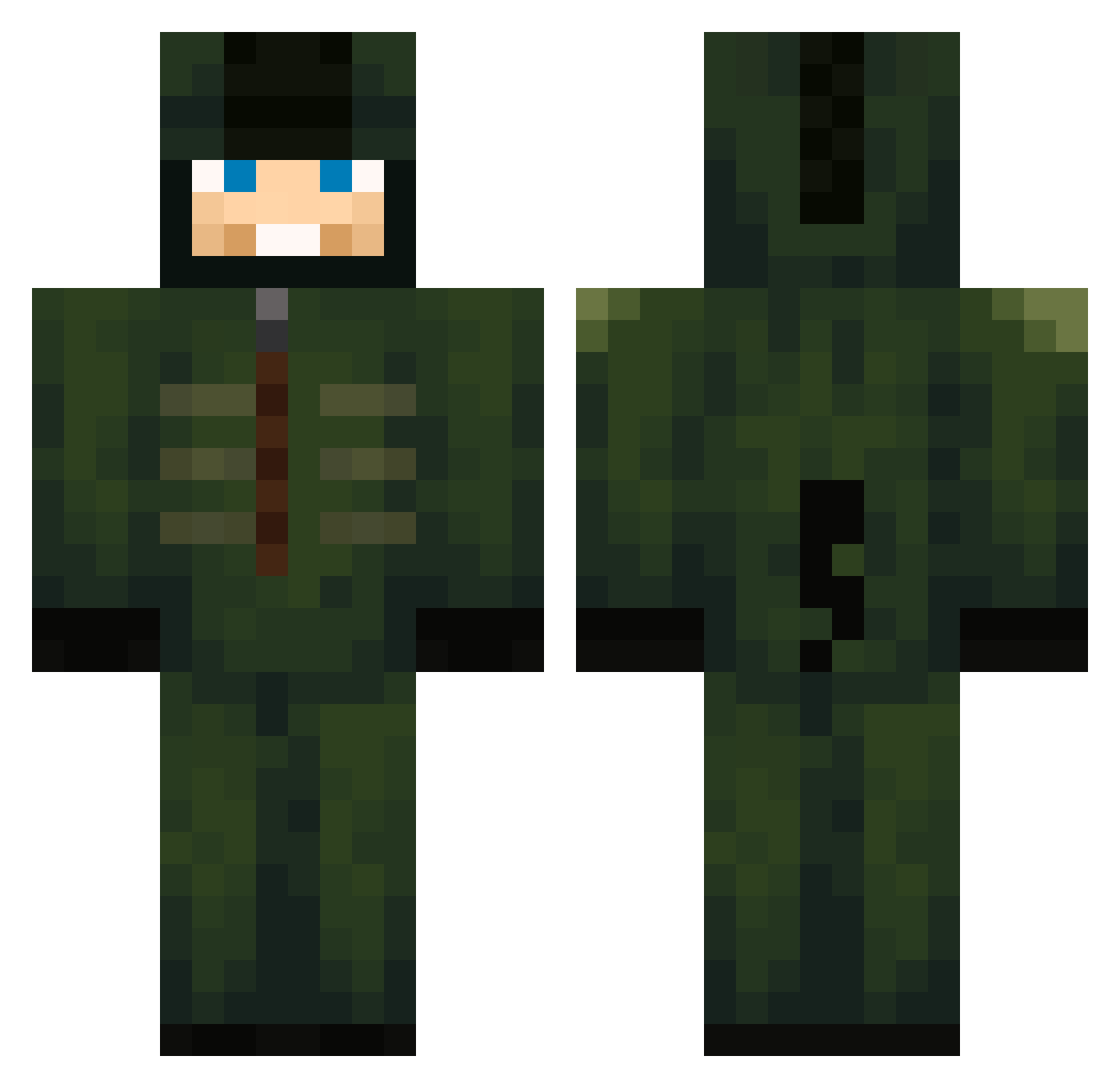
Current Minecraft skin of the player Sergio988, loaded from the official Mojang API. Rotate the 3D model with your mouse or finger, then download the skin as a PNG file and use it in Minecraft: Bedrock Edition or Java Edition for free. When Sergio988 changes their skin, this page updates automatically and the old skin stays in the history below.
Other players with this skin (720)
Sergio988 was the 507th player we have seen with this skin, first spotted on 11.10.2026. The same skin was seen on these players. Open a nickname to see their current skin and skin history.
 Hanitas Odinek16 christianjb11 KanryMC Perrythehandsome dutra00 __Sporks__ 75qwer012 ZSHZZNZI Ssenseii Alphaa___ Lakisha121 Ahlers1022 Chiiiiiiii Evgeekniy Bootlegger_ mietek___ dayeagle87 chanwhi12 Qxkz Kasper__420_ Konijnenboutje TheBasher03 SkullKandy SCHOKOIMPOPO Rayan_xd CJ098 AtlantaGHG SardosCZ BaylorScheierma _CurlyBoy_ oskar090999 Thiagokun missingmysoul Speedydegekke djiang09 Kakitus1 Aximeth Darklord1117 mybunga Endete05 RstarRstarRstar DallyingGnat chapeull KkuxZYT lambey ECONOMICSsss JuanCarlos21212 Williamgotmoot_ cdvarn NightlLights malachi7878 Akosks jiffylube23 cloud4557 WiggoK_ Amartemp X_suno_X Cielpb NioeGuy
More Kigurumi Minecraft skins
How to install the Sergio988 skin
- Press the Download button above to save the skin as a PNG file.
- Minecraft: Bedrock Edition (PE): open the Dressing Room from the main menu (or tap your character → Edit Character), go to Classic Skins → Owned, press the + (new skin) button, choose the downloaded PNG and pick the Classic (Steve) model. Works on PC and mobile; consoles cannot import custom skins.
- Minecraft: Java Edition: open the Minecraft Launcher, go to the Skins tab, click New Skin, load the PNG, pick the Classic (Steve) model and press Save & Use. You can also upload it at minecraft.net → Profile → Change Skin.
The skin does not show up after import - what should I do?
Restart Minecraft and open the Dressing Room again - imported skins sometimes appear only after a restart. Also make sure you selected the imported skin and picked the Classic (Steve) model.
Which model should I choose, Classic or Slim?
This skin is designed for the Classic (Steve) model. If you pick the wrong model, the arms of the skin will look stretched or squeezed.
Is the skin of Sergio988 free to download?
Yes. Press Download, save the PNG file and use it in Minecraft: Bedrock Edition or Java Edition - no payment or registration needed. The skin also works on multiplayer servers and Realms.
More skins
Looking for more? Go back to all Minecraft skins and check the top skins of the week, month and all time, or find any player's skin by nickname.