
Serenity7007 - Minecraft Skins & Skin History
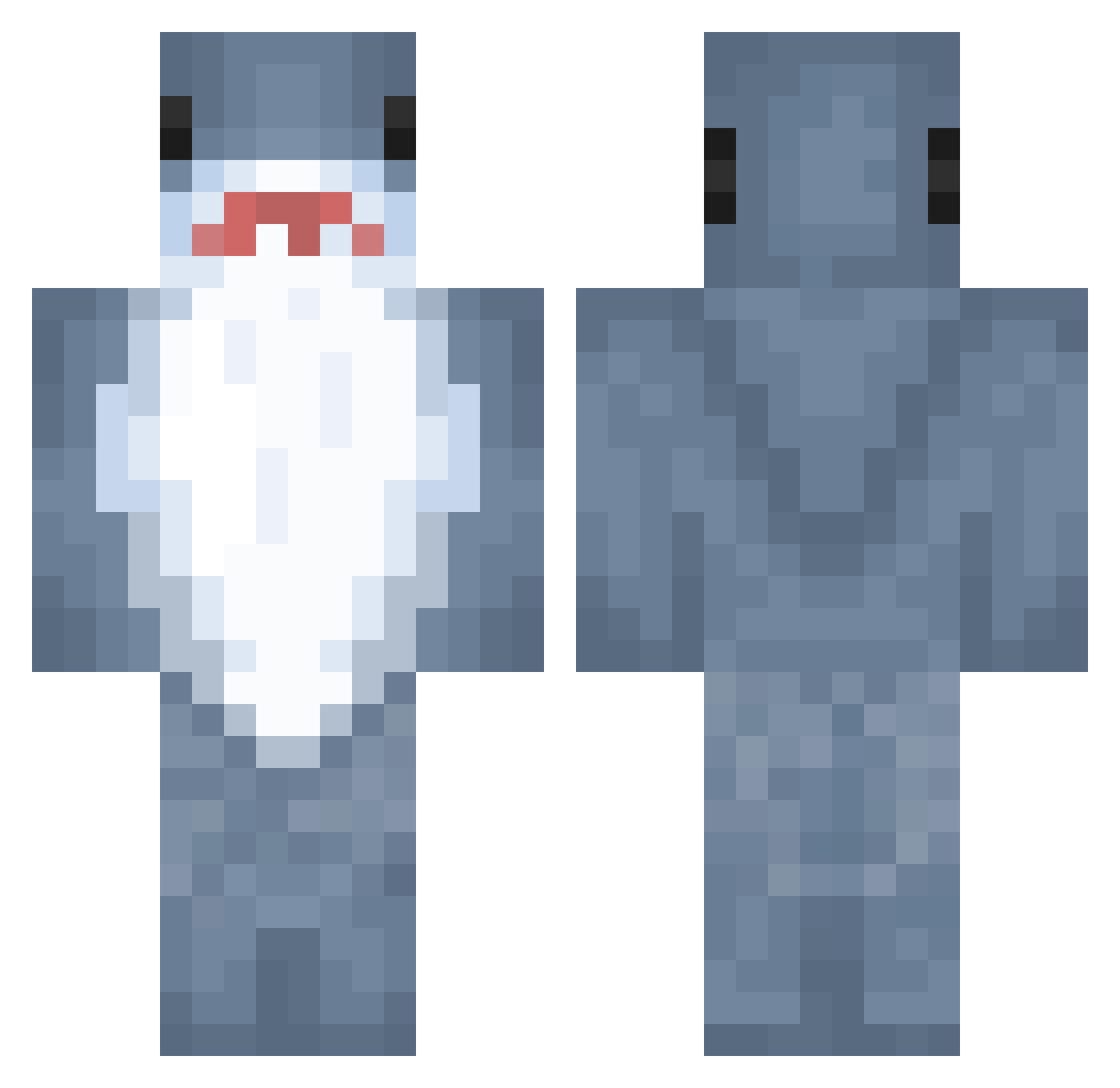
Current Minecraft skin of the player Serenity7007, loaded from the official Mojang API. Rotate the 3D model with your mouse or finger, then download the skin as a PNG file and use it in Minecraft: Bedrock Edition or Java Edition for free. When Serenity7007 changes their skin, this page updates automatically and the old skin stays in the history below.
Other players with this skin (1030)
Serenity7007 was the 989th player we have seen with this skin, first spotted on 10.11.2026. The same skin was seen on these players. Open a nickname to see their current skin and skin history.
 smallsharkkk mangoo0s khyoshii Morinori29 UK_Summer FRF0_0 cherrysaru minij_v Little_Lumen Krono0104 old_man_otis Jus2peton bdy2005 Liver_pie ke_foe ss3renity CaptainThicccccc ItsKevoh MVPShrimp s3zrahv LingKing56 TheQueenKaur Bro_Lose ImmaBlahaj xia0724 YonyeForMen Al397 zzzfg CHUNYOU6 FLOWER_BIRD Kiissuu GabboVerse arxharkouu whibbit Sofirodrii55 Sumikk_ littleczrz mars1230 Who2d2 ArmPpp koolkool_ Hnnqh stinkymonkey1 BobFrank19 ehyj123 JapanerJodel BlindMonster07 Henrypoons cebuula9 Nan0dAaa kwon1113 SolrRina udon42 Schlappohr12 medicenpri CaptainDuke2011 Lolo_le_Haricot Miojo27 savannyyy noobman219
More Shark Minecraft skins
How to install the Serenity7007 skin
- Press the Download button above to save the skin as a PNG file.
- Minecraft: Bedrock Edition (PE): open the Dressing Room from the main menu (or tap your character → Edit Character), go to Classic Skins → Owned, press the + (new skin) button, choose the downloaded PNG and pick the Classic (Steve) model. Works on PC and mobile; consoles cannot import custom skins.
- Minecraft: Java Edition: open the Minecraft Launcher, go to the Skins tab, click New Skin, load the PNG, pick the Classic (Steve) model and press Save & Use. You can also upload it at minecraft.net → Profile → Change Skin.
The skin does not show up after import - what should I do?
Restart Minecraft and open the Dressing Room again - imported skins sometimes appear only after a restart. Also make sure you selected the imported skin and picked the Classic (Steve) model.
Which model should I choose, Classic or Slim?
This skin is designed for the Classic (Steve) model. If you pick the wrong model, the arms of the skin will look stretched or squeezed.
Is the skin of Serenity7007 free to download?
Yes. Press Download, save the PNG file and use it in Minecraft: Bedrock Edition or Java Edition - no payment or registration needed. The skin also works on multiplayer servers and Realms.
More skins
Looking for more? Go back to all Minecraft skins and check the top skins of the week, month and all time, or find any player's skin by nickname.