
Seowol1223 - Minecraft Skins & Skin History
Current Minecraft skin of the player Seowol1223, loaded from the official Mojang API. Rotate the 3D model with your mouse or finger, then download the skin as a PNG file and use it in Minecraft: Bedrock Edition or Java Edition for free. When Seowol1223 changes their skin, this page updates automatically and the old skin stays in the history below.
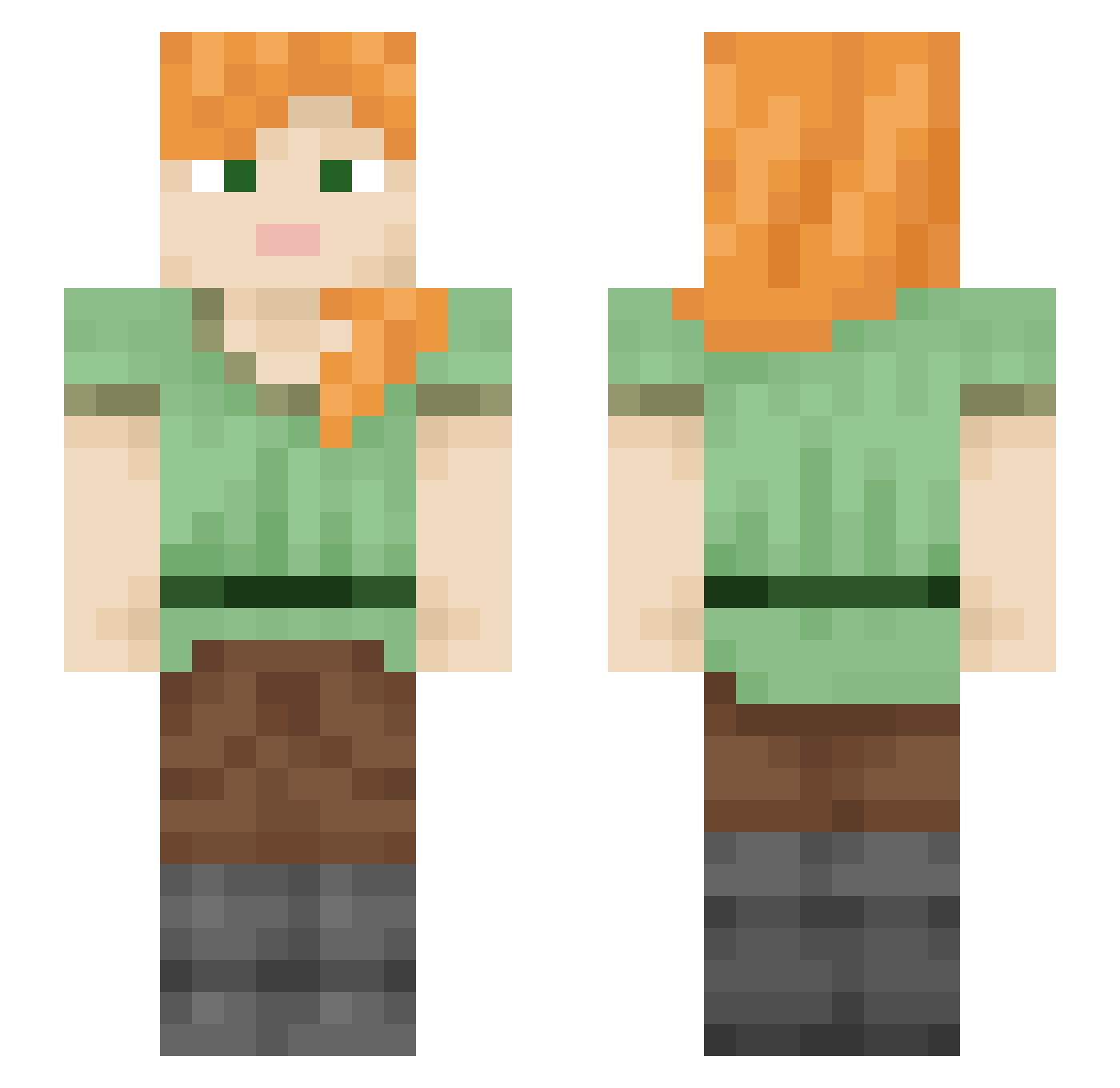
Other players with this skin (2246)
Seowol1223 was the 386th player we have seen with this skin, first spotted on 15.08.2026. The same skin was seen on these players. Open a nickname to see their current skin and skin history.
 R1v3rStyxx Lilletroll Wicket Skoupie ffvt 12NumeroUNO21 Aquadoren broodmare Armchaired ItheBluefire gooselove4life ChupapeMunyani dagsbirta quadrivial
 Kemal_soiydere69 SmugPenguin Anglophile tapaculo sarcophaga MineStein951 Aranyaka Vulgarness hydromedusae Kalysis jaden0117 Ru_sty RaRa su_in_0601 programmar
 oozoid nicknacks12 Swezo frongia tonyoxmaul_ WreckedWolf columbia epic_nasser Najat67 Mojangledes Kcikukpl12 Tspaq
 d3rLord TrickinJ Kuromi_xd
 WastedUzi urm00 Bergdaddy zoizyx
 Drxxen_ Swisherrr churrrus TentacleDrake quintics rt3m Glucke henry4prez
 Beratul DoltishToilet deckhouse hailproof
How to install the Seowol1223 skin
- Press the Download button above to save the skin as a PNG file.
- Minecraft: Bedrock Edition (PE): open the Dressing Room from the main menu (or tap your character → Edit Character), go to Classic Skins → Owned, press the + (new skin) button, choose the downloaded PNG and pick the Slim (Alex) model. Works on PC and mobile; consoles cannot import custom skins.
- Minecraft: Java Edition: open the Minecraft Launcher, go to the Skins tab, click New Skin, load the PNG, pick the Slim (Alex) model and press Save & Use. You can also upload it at minecraft.net → Profile → Change Skin.
The skin does not show up after import - what should I do?
Restart Minecraft and open the Dressing Room again - imported skins sometimes appear only after a restart. Also make sure you selected the imported skin and picked the Slim (Alex) model.
Which model should I choose, Classic or Slim?
This skin is designed for the Slim (Alex) model. If you pick the wrong model, the arms of the skin will look stretched or squeezed.
Is the skin of Seowol1223 free to download?
Yes. Press Download, save the PNG file and use it in Minecraft: Bedrock Edition or Java Edition - no payment or registration needed. The skin also works on multiplayer servers and Realms.
More skins
Looking for more? Go back to all Minecraft skins and check the top skins of the week, month and all time, or find any player's skin by nickname.