
SenorBob90 - Minecraft Skins & Skin History
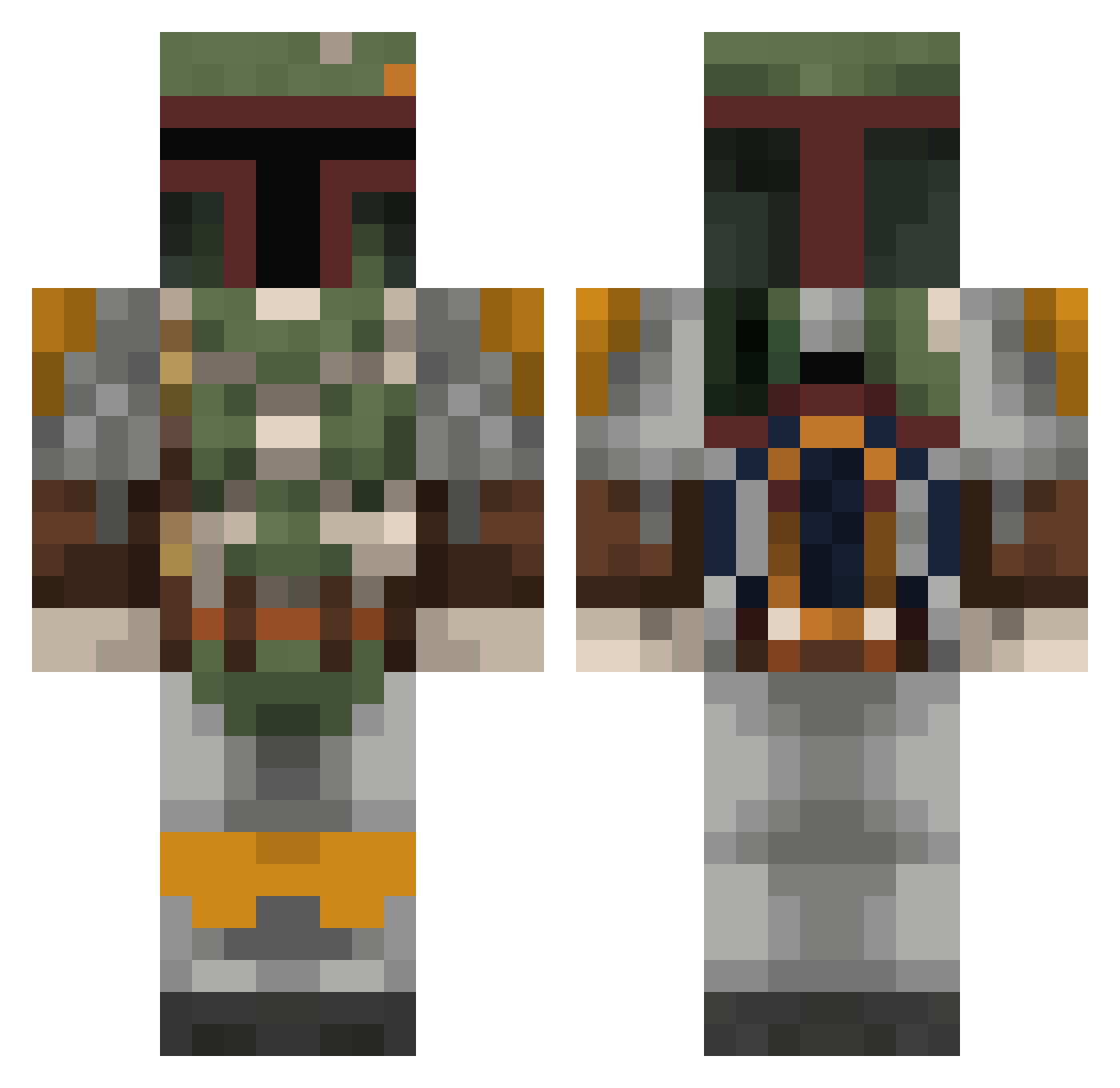
Current Minecraft skin of the player SenorBob90, loaded from the official Mojang API. Rotate the 3D model with your mouse or finger, then download the skin as a PNG file and use it in Minecraft: Bedrock Edition or Java Edition for free. When SenorBob90 changes their skin, this page updates automatically and the old skin stays in the history below.
Other players with this skin (350)
SenorBob90 was the 277th player we have seen with this skin, first spotted on 14.10.2026. The same skin was seen on these players. Open a nickname to see their current skin and skin history.
 JakeIndie Spnxi HulkingJump Skywalker_49 nightanddayninja njc500 Raptornation FuriousKiller27 Master_Tenkai phitcha555 Qui_Ganjin Diverso10 AxelToys Pandorum36 AnimalTitan630 Phlegethon213 COOMBE5Y Meech8 brolaf9 Raphlow94 oencru LulleBram TurboHK FastFood1098 Replay333 GregXVII randerson35 Lenrax ToddLeFond24 FlamingPorgs Synkronizm kacolorado BacticalToof CapitanUniverse 617sqn ANTDOGROD Guigee Danilub ElCapitanSerg ponny125 flapjack2443 _Warboy_ zetor8 ELTRR BobaFett1939 zwirbelx Uisneach Lawrence97 buckeyenut_2012 laura__o xGohone ScorpionTank3r MC_gaming21 FunnyTurtleMan RattusX JAYVERSA robotec01 ChinoMtz Contradicted PigProductionsYT
More Boba Fett Minecraft skins
How to install the SenorBob90 skin
- Press the Download button above to save the skin as a PNG file.
- Minecraft: Bedrock Edition (PE): open the Dressing Room from the main menu (or tap your character → Edit Character), go to Classic Skins → Owned, press the + (new skin) button, choose the downloaded PNG and pick the Classic (Steve) model. Works on PC and mobile; consoles cannot import custom skins.
- Minecraft: Java Edition: open the Minecraft Launcher, go to the Skins tab, click New Skin, load the PNG, pick the Classic (Steve) model and press Save & Use. You can also upload it at minecraft.net → Profile → Change Skin.
The skin does not show up after import - what should I do?
Restart Minecraft and open the Dressing Room again - imported skins sometimes appear only after a restart. Also make sure you selected the imported skin and picked the Classic (Steve) model.
Which model should I choose, Classic or Slim?
This skin is designed for the Classic (Steve) model. If you pick the wrong model, the arms of the skin will look stretched or squeezed.
Is the skin of SenorBob90 free to download?
Yes. Press Download, save the PNG file and use it in Minecraft: Bedrock Edition or Java Edition - no payment or registration needed. The skin also works on multiplayer servers and Realms.
More skins
Looking for more? Go back to all Minecraft skins and check the top skins of the week, month and all time, or find any player's skin by nickname.