
SeMan_ - Minecraft Skins & Skin History
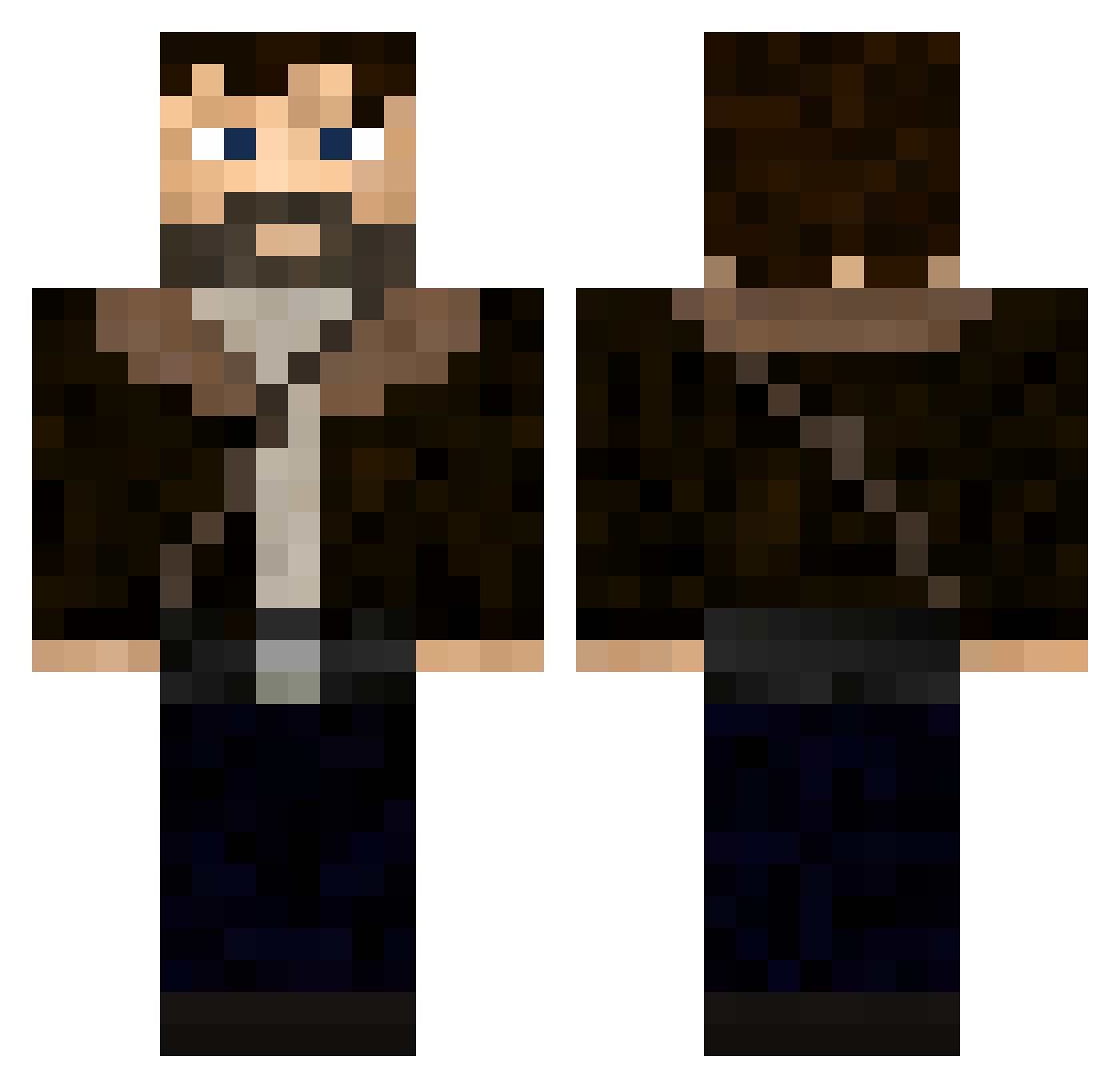
Current Minecraft skin of the player SeMan_, loaded from the official Mojang API. Rotate the 3D model with your mouse or finger, then download the skin as a PNG file and use it in Minecraft: Bedrock Edition or Java Edition for free. When SeMan_ changes their skin, this page updates automatically and the old skin stays in the history below.
Other players with this skin (346)
SeMan_ was the 255th player we have seen with this skin, first spotted on 10.10.2026. The same skin was seen on these players. Open a nickname to see their current skin and skin history.
 ArmandoKepler BruddaBreeze JuniorBOYS Fury91430 rossovince Globbert skh0 ErdonunAMKK hyp3rsh4de Haisen GenSprite Exo3Alex Rust4094 Calvo_klein PoopyPloopy killianK009 KayraGosling 3lian0 MarcusPape KonnorJ22 AntoGuys BAU_4K whackem Nixo316 MKaiser24 jasonderprofi XavyBaby Tomasd_ CrimsonMidas AirborneStudio AshVonCarstein xF7Gx medomeister___ DoanTheDumpling Pambisito Gholdan FyfyxD Logars123 Prush311 Y3llowFlash8757 otto391 The_TNT_Cracker1 Roaller UncleConn13 Fritserick AS3editz Not___Heisenberg giovyk1 Rochaaaaz Hektor3795 Philipp_8805 Shaitmed XxProBirdxX30 SoupSlap mates023 Kaplan420 adbrogan Rick_Grimes357 yikes_03 Albher
More Joel Miller Minecraft skins
How to install the SeMan_ skin
- Press the Download button above to save the skin as a PNG file.
- Minecraft: Bedrock Edition (PE): open the Dressing Room from the main menu (or tap your character → Edit Character), go to Classic Skins → Owned, press the + (new skin) button, choose the downloaded PNG and pick the Classic (Steve) model. Works on PC and mobile; consoles cannot import custom skins.
- Minecraft: Java Edition: open the Minecraft Launcher, go to the Skins tab, click New Skin, load the PNG, pick the Classic (Steve) model and press Save & Use. You can also upload it at minecraft.net → Profile → Change Skin.
The skin does not show up after import - what should I do?
Restart Minecraft and open the Dressing Room again - imported skins sometimes appear only after a restart. Also make sure you selected the imported skin and picked the Classic (Steve) model.
Which model should I choose, Classic or Slim?
This skin is designed for the Classic (Steve) model. If you pick the wrong model, the arms of the skin will look stretched or squeezed.
Is the skin of SeMan_ free to download?
Yes. Press Download, save the PNG file and use it in Minecraft: Bedrock Edition or Java Edition - no payment or registration needed. The skin also works on multiplayer servers and Realms.
More skins
Looking for more? Go back to all Minecraft skins and check the top skins of the week, month and all time, or find any player's skin by nickname.