
ScarlettUU - Minecraft Skins & Skin History
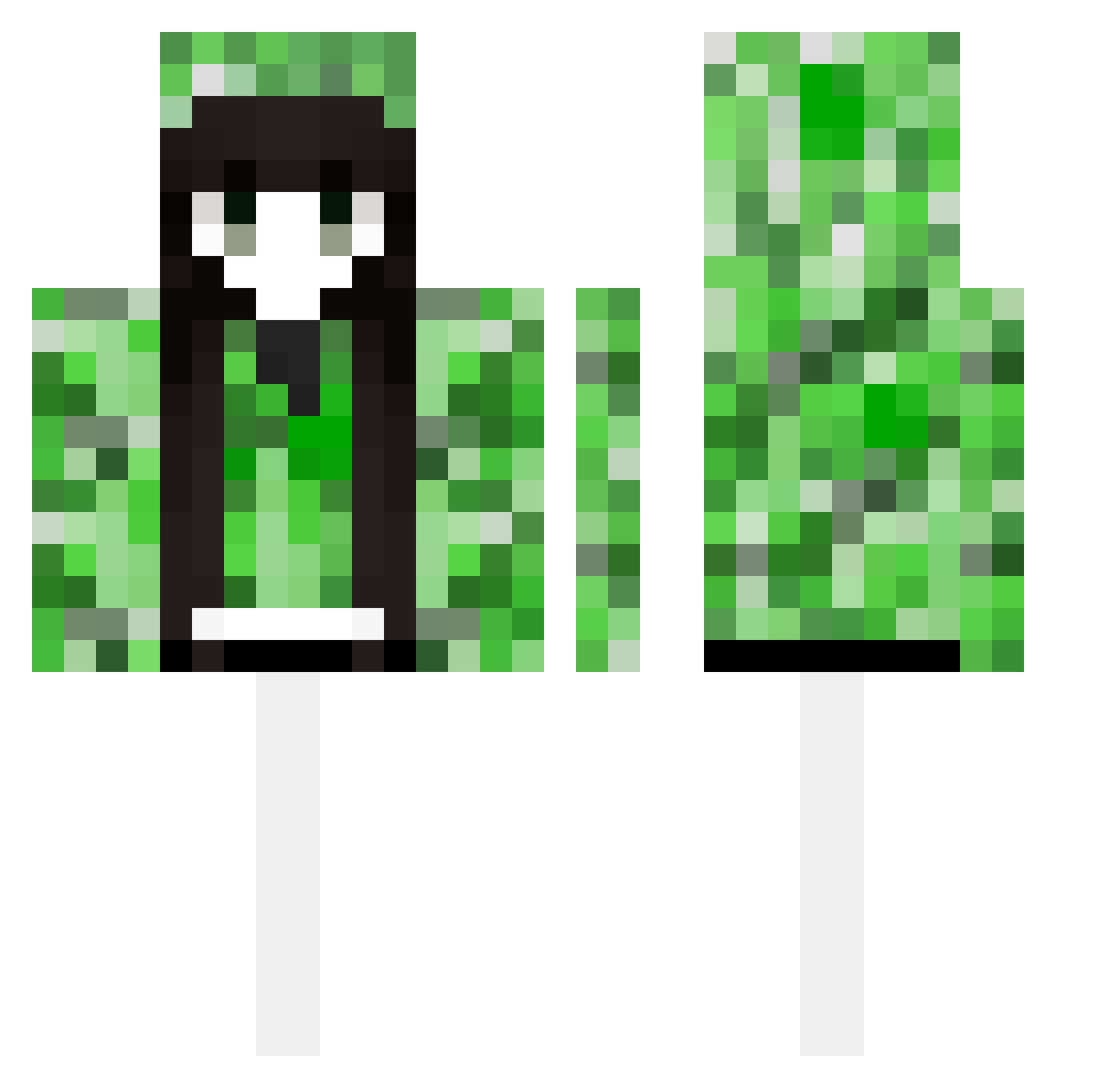
Current Minecraft skin of the player ScarlettUU, loaded from the official Mojang API. Rotate the 3D model with your mouse or finger, then download the skin as a PNG file and use it in Minecraft: Bedrock Edition or Java Edition for free. When ScarlettUU changes their skin, this page updates automatically and the old skin stays in the history below.
Other players with this skin (601)
ScarlettUU was the 567th player we have seen with this skin, first spotted on 13.11.2026. The same skin was seen on these players. Open a nickname to see their current skin and skin history.
 gengxu xvetii naomy03 cufoxte LemonL01 Sakura12233 hiro12333 WSNMM OuOittt HaRKaze KILLLLLLLL47 chunyu_wl Genzhengmiaohong GhostGalaXY007 AmL1n woodbuddy Gdc9527 qqqjjjhhh Emojin92 Hexagon_II_ ASDQDD B_Q_H gong456 MaeSteele E9uinox Tsuki047 xiang1234567890 x_i_n_0 Rozelinn morenitapro333 MOMOWANG NINI0320ouo qyhd melissu42 YuSiYuli wd533 shixue002 Ea3YYY caimo403 bqj1211 rankHERO blueskyan kawacia ZiYang033 chris0912 bianz hcycg1 SHUIXINGMUXV114 Uh_03 manman_dada Acuseria zenhabits88 JIUCAIHEZI0394 yachu0205 SSSSIM algodon385 xiaoshuai423 chaobiii ejrwls1078 Lvchong
More Creeper Minecraft skins
How to install the ScarlettUU skin
- Press the Download button above to save the skin as a PNG file.
- Minecraft: Bedrock Edition (PE): open the Dressing Room from the main menu (or tap your character → Edit Character), go to Classic Skins → Owned, press the + (new skin) button, choose the downloaded PNG and pick the Classic (Steve) model. Works on PC and mobile; consoles cannot import custom skins.
- Minecraft: Java Edition: open the Minecraft Launcher, go to the Skins tab, click New Skin, load the PNG, pick the Classic (Steve) model and press Save & Use. You can also upload it at minecraft.net → Profile → Change Skin.
The skin does not show up after import - what should I do?
Restart Minecraft and open the Dressing Room again - imported skins sometimes appear only after a restart. Also make sure you selected the imported skin and picked the Classic (Steve) model.
Which model should I choose, Classic or Slim?
This skin is designed for the Classic (Steve) model. If you pick the wrong model, the arms of the skin will look stretched or squeezed.
Is the skin of ScarlettUU free to download?
Yes. Press Download, save the PNG file and use it in Minecraft: Bedrock Edition or Java Edition - no payment or registration needed. The skin also works on multiplayer servers and Realms.
More skins
Looking for more? Go back to all Minecraft skins and check the top skins of the week, month and all time, or find any player's skin by nickname.