
Saweet - Minecraft Skins & Skin History
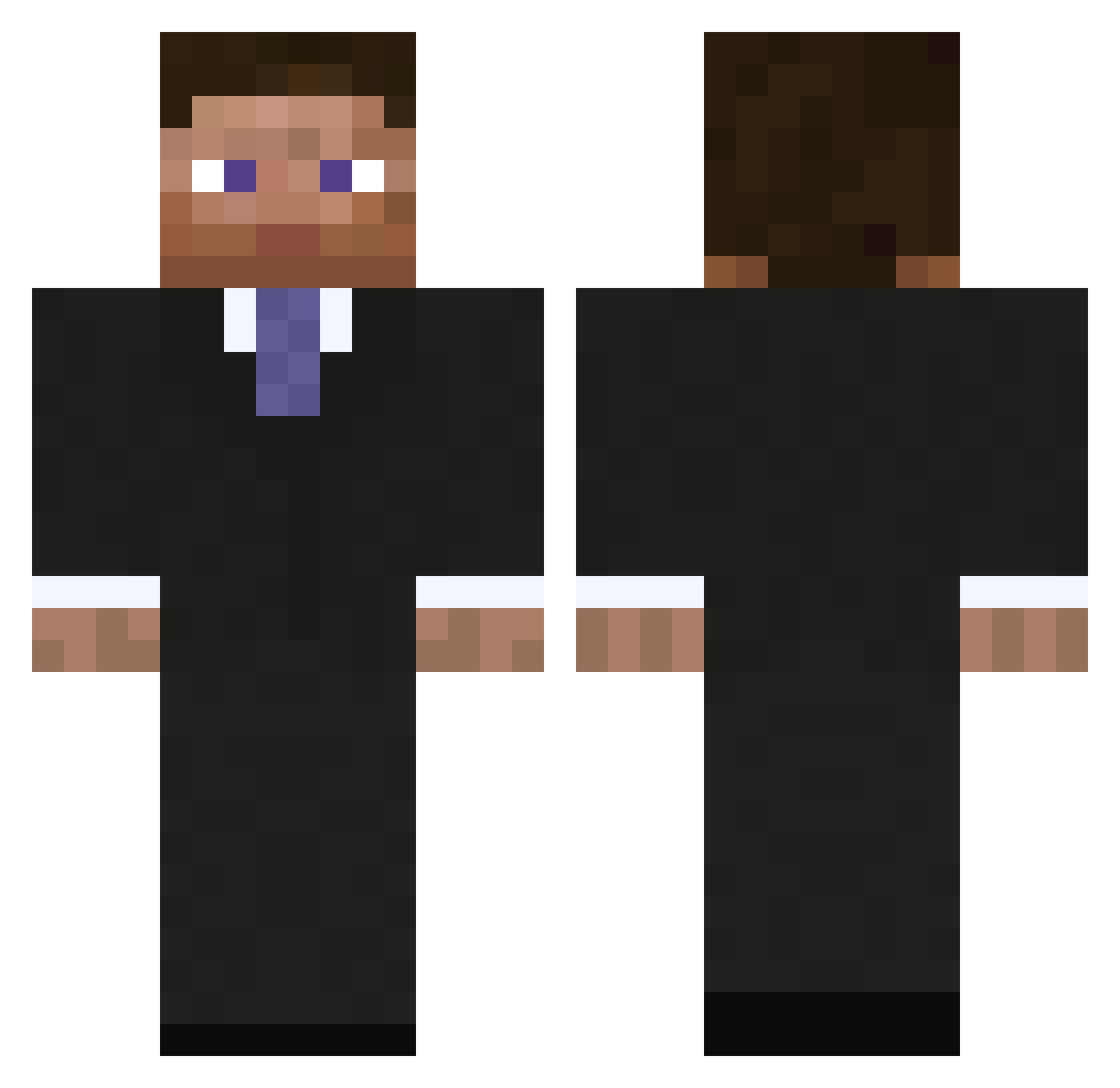
Current Minecraft skin of the player Saweet, loaded from the official Mojang API. Rotate the 3D model with your mouse or finger, then download the skin as a PNG file and use it in Minecraft: Bedrock Edition or Java Edition for free. When Saweet changes their skin, this page updates automatically and the old skin stays in the history below.
Other players with this skin (793)
Saweet was the 48th player we have seen with this skin, first spotted on 29.07.2026. The same skin was seen on these players. Open a nickname to see their current skin and skin history.
 therealchops Slavocado_ mrowland92 Compound_X yyomu evil_morfar Moodeh PornhubSponsor iPuretex Glimmo17 OSNO Tony1331 imthetoastr Winthemacrovirus TheMan1 Dontono lasken007 Fizzwig stbenesh Sandercbj Keevrom jjlantern Micklennon martinthorhauge Rweimer Joepjahh yoyosarecool ququ TheOcram lkghlkgh _BIG_ACE_ chris_hol18 brosnack lachlan123456 theotheone _Admin_ shama278 JamoFarina isamia88 CrowXIII JacobHaugen Salbeibonbon crazy_hunter91 wavewalker4 Pernicion bluedolphinz crowbeard giant_badger bfleck2514 thehaggardnerd Alex__HHB GirOwl quantum_pistol theyoungands CalumS1 Troop86 m42uko Kur0k4zE german_dream66 Nutella_Addict
More Businessman Minecraft skins
See all 5473 Businessman skins
How to install the Saweet skin
- Press the Download button above to save the skin as a PNG file.
- Minecraft: Bedrock Edition (PE): open the Dressing Room from the main menu (or tap your character → Edit Character), go to Classic Skins → Owned, press the + (new skin) button, choose the downloaded PNG and pick the Classic (Steve) model. Works on PC and mobile; consoles cannot import custom skins.
- Minecraft: Java Edition: open the Minecraft Launcher, go to the Skins tab, click New Skin, load the PNG, pick the Classic (Steve) model and press Save & Use. You can also upload it at minecraft.net → Profile → Change Skin.
The skin does not show up after import - what should I do?
Restart Minecraft and open the Dressing Room again - imported skins sometimes appear only after a restart. Also make sure you selected the imported skin and picked the Classic (Steve) model.
Which model should I choose, Classic or Slim?
This skin is designed for the Classic (Steve) model. If you pick the wrong model, the arms of the skin will look stretched or squeezed.
Is the skin of Saweet free to download?
Yes. Press Download, save the PNG file and use it in Minecraft: Bedrock Edition or Java Edition - no payment or registration needed. The skin also works on multiplayer servers and Realms.
More skins
Looking for more? Go back to all Minecraft skins and check the top skins of the week, month and all time, or find any player's skin by nickname.