
Saponem - Minecraft Skins & Skin History
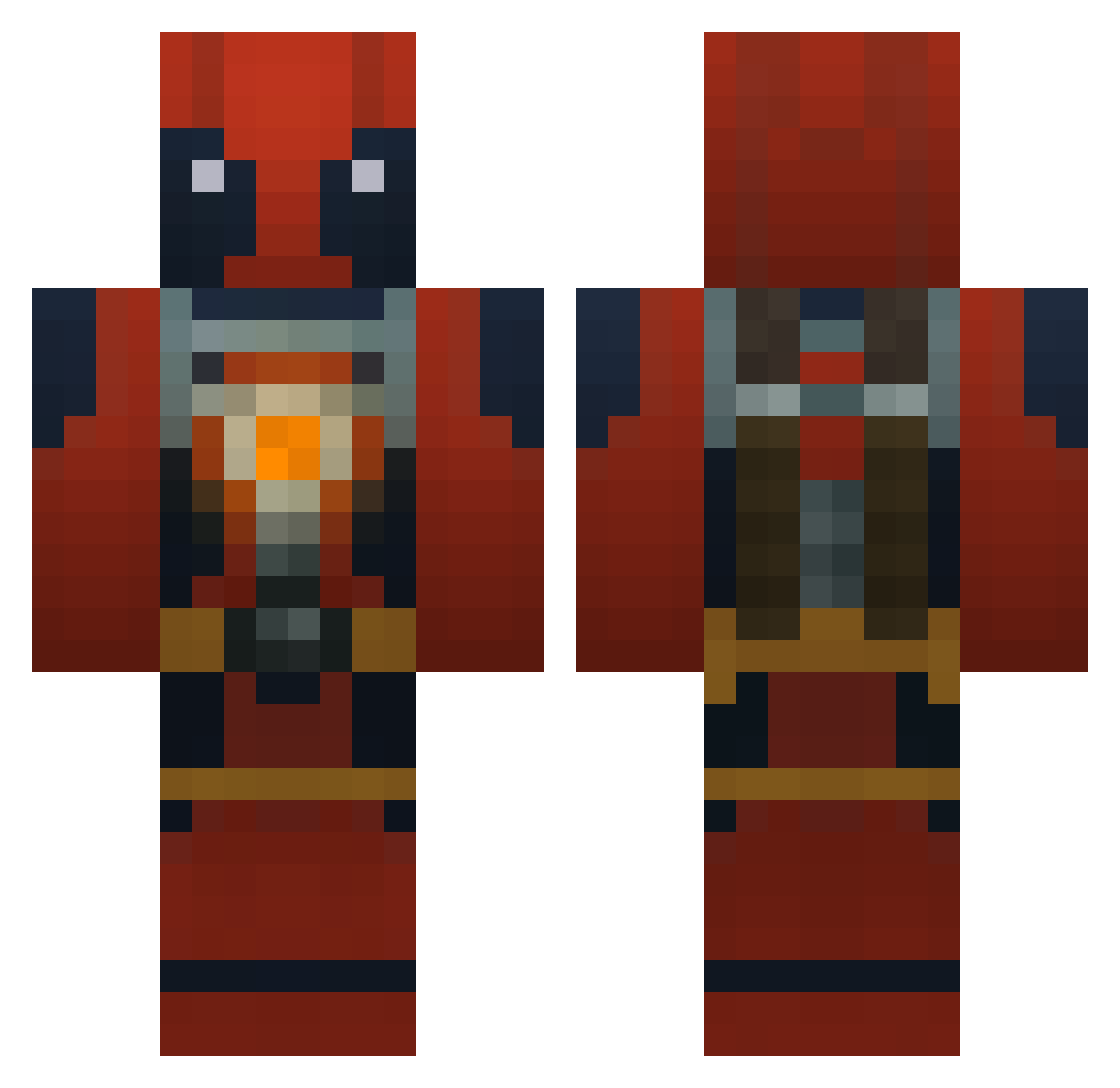
Current Minecraft skin of the player Saponem, loaded from the official Mojang API. Rotate the 3D model with your mouse or finger, then download the skin as a PNG file and use it in Minecraft: Bedrock Edition or Java Edition for free. When Saponem changes their skin, this page updates automatically and the old skin stays in the history below.
Other players with this skin (749)
Saponem was the 91st player we have seen with this skin, first spotted on 05.08.2026. The same skin was seen on these players. Open a nickname to see their current skin and skin history.
 cdmalczewski wolves8114 Sarefx tylercarnell1 boombox20012 Deadpool__16 Wwena spideyplay25 itzHoggy ZLATAN1990 biocall13 chromaticdata huskycreeper123 s2xk1ng jbillx avirowan NezoZin KyloRen2010 sceleton123 MicroGeared Frallan magedragon25 Dado10126 darkside1127 Drenoa Vidalgo HiddenInATree Robintorell nman1235 ryananthony08 TCUrinal Teck23 Hazukz Lastscout Zajnee Wallestorm Harvest0815 BOMBATT tkx_24 Diamond_Zombie07 musicangel7 Pietreppaolo arnostyns007 Slender_X_ Shirley06 tower1155 Milo_0 starplayer7 Faded_LoKi foozball52 creepman999 Alucard_EL Daluur Azrael301 PwnagePEZ konvect21 samtman12 MCDawson99 chupathingee M_O_K
More Deadpool Minecraft skins
How to install the Saponem skin
- Press the Download button above to save the skin as a PNG file.
- Minecraft: Bedrock Edition (PE): open the Dressing Room from the main menu (or tap your character → Edit Character), go to Classic Skins → Owned, press the + (new skin) button, choose the downloaded PNG and pick the Classic (Steve) model. Works on PC and mobile; consoles cannot import custom skins.
- Minecraft: Java Edition: open the Minecraft Launcher, go to the Skins tab, click New Skin, load the PNG, pick the Classic (Steve) model and press Save & Use. You can also upload it at minecraft.net → Profile → Change Skin.
The skin does not show up after import - what should I do?
Restart Minecraft and open the Dressing Room again - imported skins sometimes appear only after a restart. Also make sure you selected the imported skin and picked the Classic (Steve) model.
Which model should I choose, Classic or Slim?
This skin is designed for the Classic (Steve) model. If you pick the wrong model, the arms of the skin will look stretched or squeezed.
Is the skin of Saponem free to download?
Yes. Press Download, save the PNG file and use it in Minecraft: Bedrock Edition or Java Edition - no payment or registration needed. The skin also works on multiplayer servers and Realms.
More skins
Looking for more? Go back to all Minecraft skins and check the top skins of the week, month and all time, or find any player's skin by nickname.