
Sansuii - Minecraft Skins & Skin History
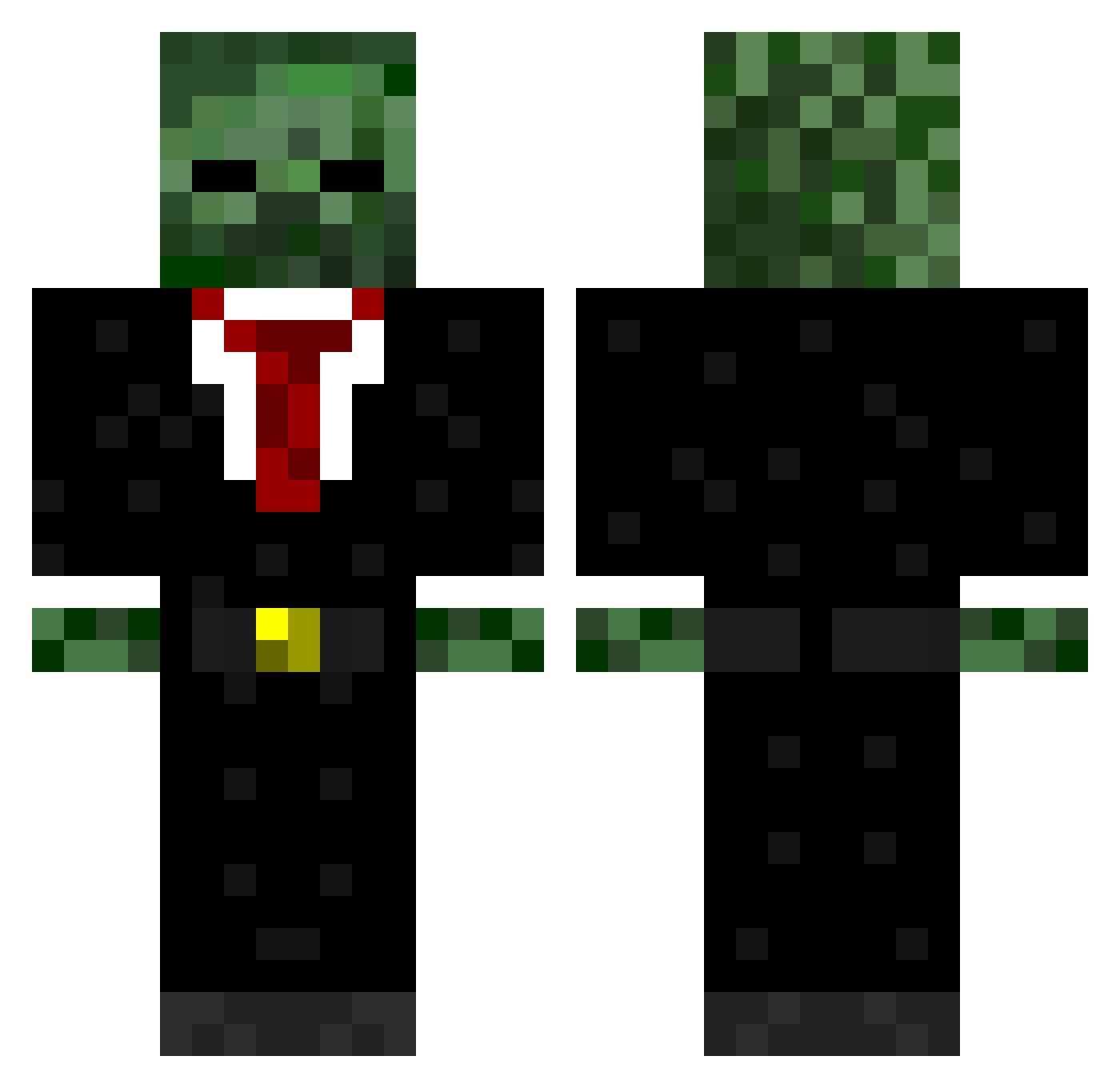
Current Minecraft skin of the player Sansuii, loaded from the official Mojang API. Rotate the 3D model with your mouse or finger, then download the skin as a PNG file and use it in Minecraft: Bedrock Edition or Java Edition for free. When Sansuii changes their skin, this page updates automatically and the old skin stays in the history below.
Other players with this skin (723)
Sansuii was the 573rd player we have seen with this skin, first spotted on 01.11.2026. The same skin was seen on these players. Open a nickname to see their current skin and skin history.
 Catto17 fluffykillers da_hunta_22 Molotovich WonkaNerd Fragget24 Dravenjams42 gibster614 Bartram96 Jayqub codyE088 RonandsLobbyz gerrynb11 DigitaLxStorM dilb0g Captaincoco02 Stalker_NBD welshlamb01 Buckslayer1414 Camurrr EliteGamer2121 Ringalingading 7meon71 TheHitman2911 Brandoxhoan _stephen65_ Wadder_Zz kickthemule asiankid_11 loudneon SkinnYBoNeZ30 Haruyuki Funkenschuster4 jayadam8080 Ashton1113 S3am0re Palanoma THE_ASSASSIN6 Calux ItZzLewisE Enzvy LCM99 CrispyDaddio Ethan567boi MediuM_PsYcho Yngvee Souras IFostee texansbaseball Mastergeddes1 TheWeeD01 Neutrilized stewiescraft EliteBlackoutTS silentjamal62 DiamondMidget rappe08 Graverin Skyswifter11 spluger1
More Zombie Minecraft skins
How to install the Sansuii skin
- Press the Download button above to save the skin as a PNG file.
- Minecraft: Bedrock Edition (PE): open the Dressing Room from the main menu (or tap your character → Edit Character), go to Classic Skins → Owned, press the + (new skin) button, choose the downloaded PNG and pick the Classic (Steve) model. Works on PC and mobile; consoles cannot import custom skins.
- Minecraft: Java Edition: open the Minecraft Launcher, go to the Skins tab, click New Skin, load the PNG, pick the Classic (Steve) model and press Save & Use. You can also upload it at minecraft.net → Profile → Change Skin.
The skin does not show up after import - what should I do?
Restart Minecraft and open the Dressing Room again - imported skins sometimes appear only after a restart. Also make sure you selected the imported skin and picked the Classic (Steve) model.
Which model should I choose, Classic or Slim?
This skin is designed for the Classic (Steve) model. If you pick the wrong model, the arms of the skin will look stretched or squeezed.
Is the skin of Sansuii free to download?
Yes. Press Download, save the PNG file and use it in Minecraft: Bedrock Edition or Java Edition - no payment or registration needed. The skin also works on multiplayer servers and Realms.
More skins
Looking for more? Go back to all Minecraft skins and check the top skins of the week, month and all time, or find any player's skin by nickname.