
SamueII - Minecraft Skins & Skin History
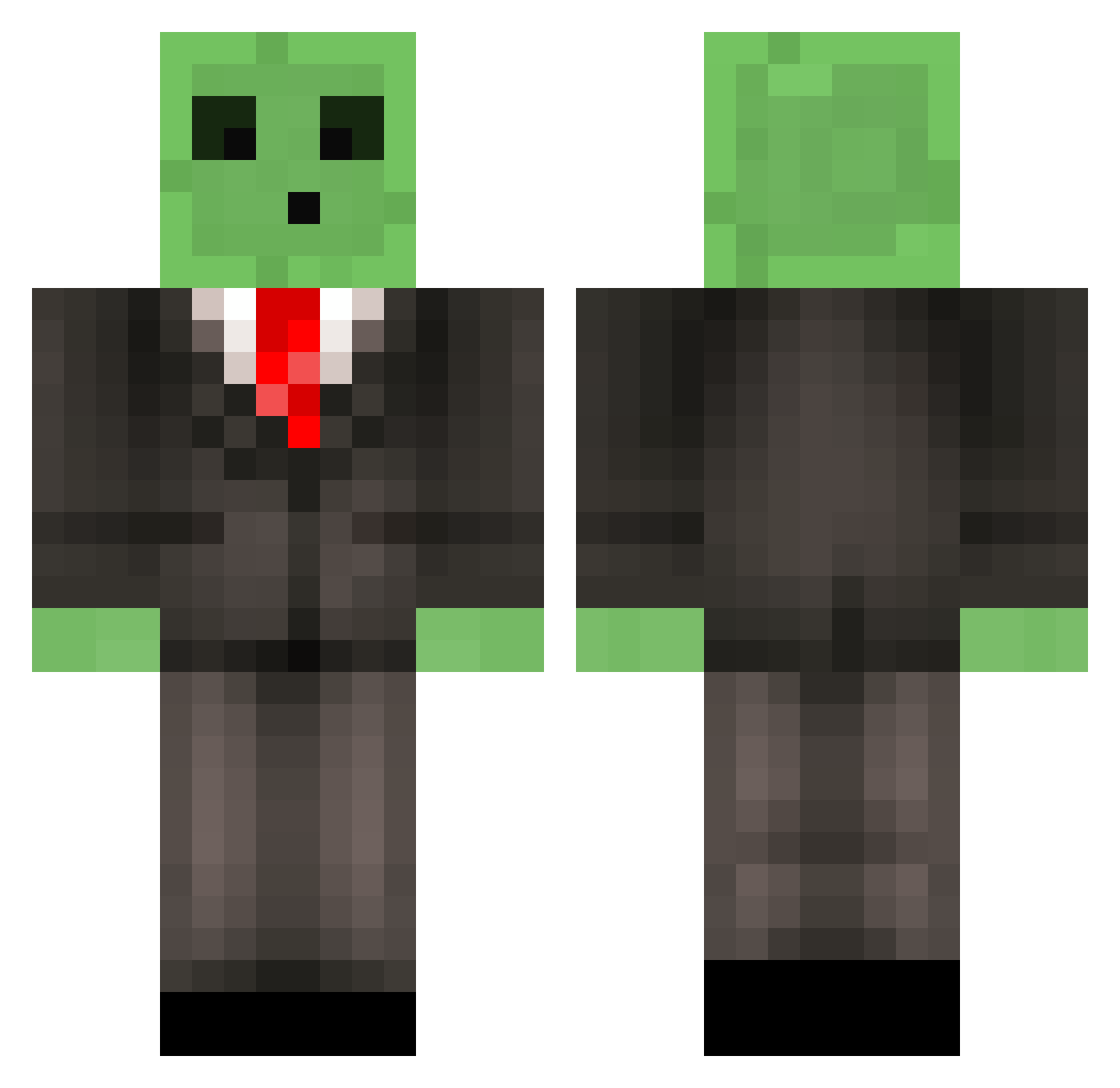
Current Minecraft skin of the player SamueII, loaded from the official Mojang API. Rotate the 3D model with your mouse or finger, then download the skin as a PNG file and use it in Minecraft: Bedrock Edition or Java Edition for free. When SamueII changes their skin, this page updates automatically and the old skin stays in the history below.
Other players with this skin (516)
SamueII was the 30th player we have seen with this skin, first spotted on 31.07.2026. The same skin was seen on these players. Open a nickname to see their current skin and skin history.
 riuma404 Exatek fireisgoat1245 AboveCrib1 Riley_gp_ CAarrota kappa_2727 mustardxyoyo TheGr8__06 TextualBreak Albert1697 CD_CHEESE Koji_K Pop_Molk SeanP3737 Trevor_CG dndana Unspeakable4659 mano_c Mathi003 Martincioo Coconutcreamz Miguel_El_Macho DazeCupid Drex1128 GewapAlt11 Vintrell Berbiglia Blockoholic33 Astro_Quanta Chinmay27 DrNuggets345 TheWisehobgoblin Frost_Kingg Slime1112 SillyG0ose Storm_210 TallerHawk BeanedWumble ColeTheBozo4537 Helkyor Ploxma HazzaWazza00 AcidCascade031 ShoteMcGrote _ShaDL_ MasterBlob deemann14 FindMoppler Padevil Dan_GT Owen2Wishs Bodashiz RoarYT TryAlex5070 EnderrWaffle DaLittleBoi bubbajoe801 Bingolinha knockoffpelo
More Slime Minecraft skins
How to install the SamueII skin
- Press the Download button above to save the skin as a PNG file.
- Minecraft: Bedrock Edition (PE): open the Dressing Room from the main menu (or tap your character → Edit Character), go to Classic Skins → Owned, press the + (new skin) button, choose the downloaded PNG and pick the Classic (Steve) model. Works on PC and mobile; consoles cannot import custom skins.
- Minecraft: Java Edition: open the Minecraft Launcher, go to the Skins tab, click New Skin, load the PNG, pick the Classic (Steve) model and press Save & Use. You can also upload it at minecraft.net → Profile → Change Skin.
The skin does not show up after import - what should I do?
Restart Minecraft and open the Dressing Room again - imported skins sometimes appear only after a restart. Also make sure you selected the imported skin and picked the Classic (Steve) model.
Which model should I choose, Classic or Slim?
This skin is designed for the Classic (Steve) model. If you pick the wrong model, the arms of the skin will look stretched or squeezed.
Is the skin of SamueII free to download?
Yes. Press Download, save the PNG file and use it in Minecraft: Bedrock Edition or Java Edition - no payment or registration needed. The skin also works on multiplayer servers and Realms.
More skins
Looking for more? Go back to all Minecraft skins and check the top skins of the week, month and all time, or find any player's skin by nickname.