
Salesperson - Minecraft Skins & Skin History
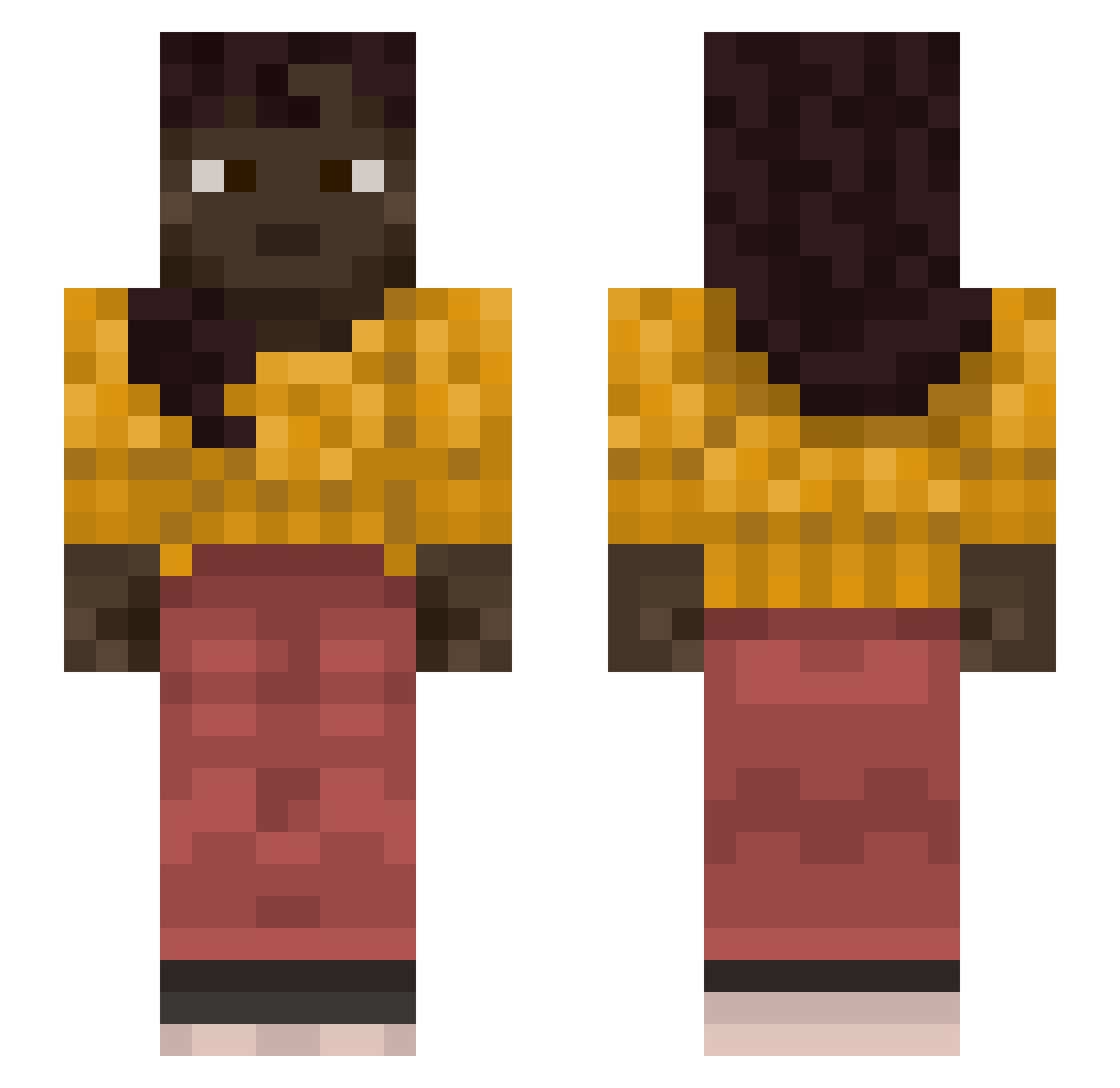
Current Minecraft skin of the player Salesperson, loaded from the official Mojang API. Rotate the 3D model with your mouse or finger, then download the skin as a PNG file and use it in Minecraft: Bedrock Edition or Java Edition for free. When Salesperson changes their skin, this page updates automatically and the old skin stays in the history below.
Other players with this skin (1212)
Salesperson was the 420th player we have seen with this skin, first spotted on 03.09.2026. The same skin was seen on these players. Open a nickname to see their current skin and skin history.
 dydulek420_ Scott__Chegg Ardoxy mortice Ging Godvito actualize CrashLanding812 SweetLeaf Tantin95 immeasurably Beader ZiELaK_144Hz HNFOIClBr Trikala Subet spyroz3 champangemango okayasian Dronzig Iliacus Delichon TurboCaine TrollKaaar pierug007 Fuci Earnest GeoL Oraculous Zastruga mr_mirza Hawkzeh MisterElliot Sibelle TeethFeelSoft StenDeBeast nutcracker Becoming Lightweights hbhhh JohnnyRhoades
 awedaeffae634 Scribal PeppyOnTop388 unplat luiseno __Cesaret__ WifiBadsMom DerHorst GaWachi Evaporator Kapitijs2 Subeer6 CohenS Kasey IWholioI Liamb1317 BLAKE6332 canoeing
 chiupii
More Braid Minecraft skins
How to install the Salesperson skin
- Press the Download button above to save the skin as a PNG file.
- Minecraft: Bedrock Edition (PE): open the Dressing Room from the main menu (or tap your character → Edit Character), go to Classic Skins → Owned, press the + (new skin) button, choose the downloaded PNG and pick the Slim (Alex) model. Works on PC and mobile; consoles cannot import custom skins.
- Minecraft: Java Edition: open the Minecraft Launcher, go to the Skins tab, click New Skin, load the PNG, pick the Slim (Alex) model and press Save & Use. You can also upload it at minecraft.net → Profile → Change Skin.
The skin does not show up after import - what should I do?
Restart Minecraft and open the Dressing Room again - imported skins sometimes appear only after a restart. Also make sure you selected the imported skin and picked the Slim (Alex) model.
Which model should I choose, Classic or Slim?
This skin is designed for the Slim (Alex) model. If you pick the wrong model, the arms of the skin will look stretched or squeezed.
Is the skin of Salesperson free to download?
Yes. Press Download, save the PNG file and use it in Minecraft: Bedrock Edition or Java Edition - no payment or registration needed. The skin also works on multiplayer servers and Realms.
More skins
Looking for more? Go back to all Minecraft skins and check the top skins of the week, month and all time, or find any player's skin by nickname.