
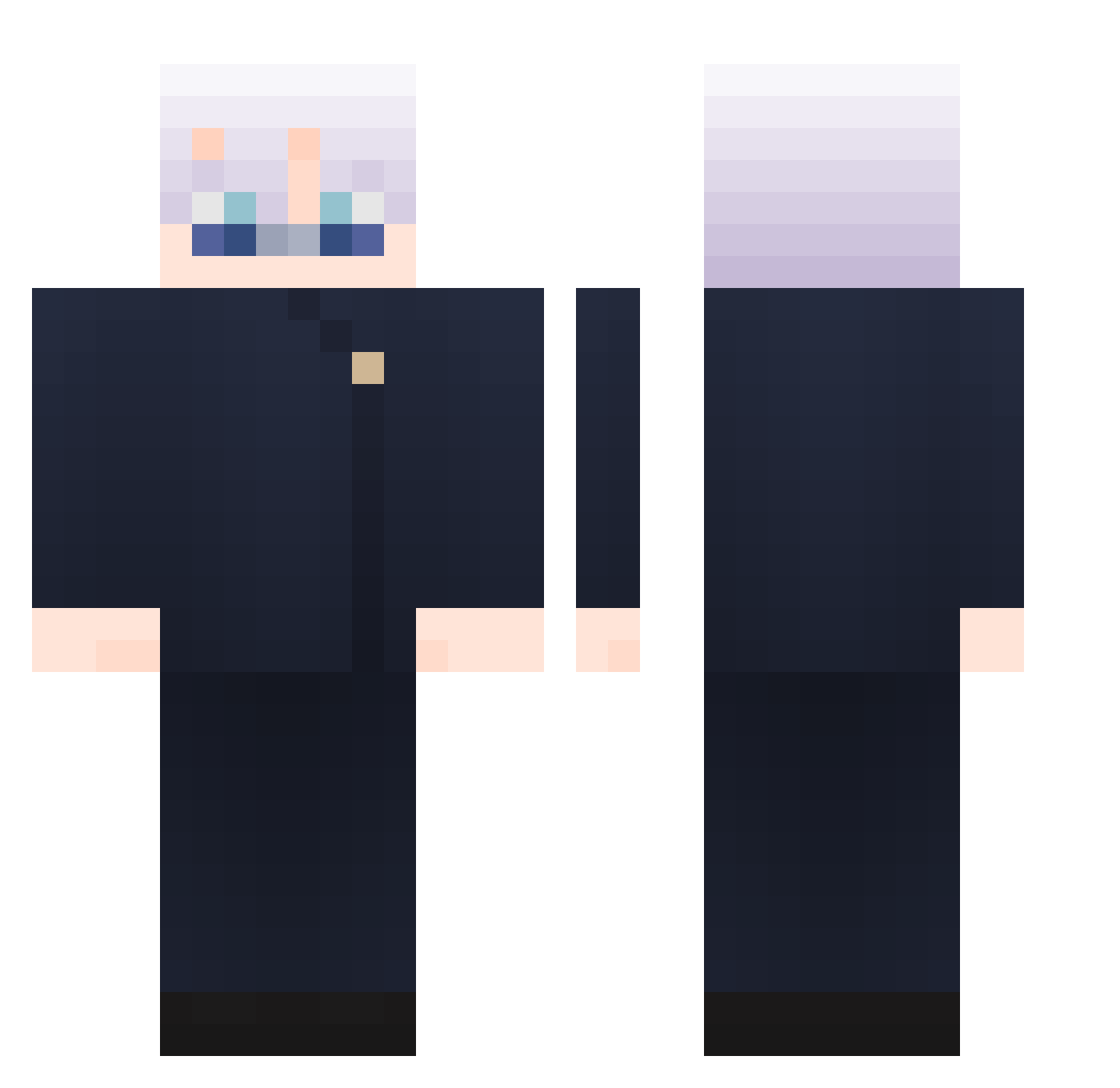
Current Minecraft skin of the player SFLatte, loaded from the official Mojang API. Rotate the 3D model with your mouse or finger, then download the skin as a PNG file and use it in Minecraft: Bedrock Edition or Java Edition for free. When SFLatte changes their skin, this page updates automatically and the old skin stays in the history below.
Other players with this skin (735)
SFLatte was the 420th player we have seen with this skin, first spotted on 14.09.2026. The same skin was seen on these players. Open a nickname to see their current skin and skin history.
 EasyToad jagalchi7454 wSysgser karweed59 Lagurmet jyq0 GigaChadSigma187 HKJN bhfbjho ixwolf17 Victorshiny DevilSkull9 TefuSq Loveyuu_ Yakoni69 Taisenji LongZw CustomAsh bogdangabor123 xWilly14 StartHype Zxrrx09 SoyRivera07 SrJulian21 MattyPPK FrancescoH3 Ptr507 AetArijuk Zoroark_____ maidou65 bumomtony Ramiro032 bojunoba Moritzneon Oega kajtekdebil Jerrzi riy_06 Yureche Unqrsee Snowsign Yooshaaa LXC001 WiNTeR1324 Winkqqq yoyochen1111 feitan_32 locu09 T4T4KAI yocky41 Kiluaam yLukyo GojoTheG ShariCara Tekik0 lupus0422 dazzles7 P4TT3X TerryHuang0830 kovi23
More Satoru Gojo Minecraft skins
See all 1103 Satoru Gojo skins
How to install the SFLatte skin
- Press the Download button above to save the skin as a PNG file.
- Minecraft: Bedrock Edition (PE): open the Dressing Room from the main menu (or tap your character → Edit Character), go to Classic Skins → Owned, press the + (new skin) button, choose the downloaded PNG and pick the Classic (Steve) model. Works on PC and mobile; consoles cannot import custom skins.
- Minecraft: Java Edition: open the Minecraft Launcher, go to the Skins tab, click New Skin, load the PNG, pick the Classic (Steve) model and press Save & Use. You can also upload it at minecraft.net → Profile → Change Skin.
The skin does not show up after import - what should I do?
Restart Minecraft and open the Dressing Room again - imported skins sometimes appear only after a restart. Also make sure you selected the imported skin and picked the Classic (Steve) model.
Which model should I choose, Classic or Slim?
This skin is designed for the Classic (Steve) model. If you pick the wrong model, the arms of the skin will look stretched or squeezed.
Is the skin of SFLatte free to download?
Yes. Press Download, save the PNG file and use it in Minecraft: Bedrock Edition or Java Edition - no payment or registration needed. The skin also works on multiplayer servers and Realms.
More skins
Looking for more? Go back to all Minecraft skins and check the top skins of the week, month and all time, or find any player's skin by nickname.