
S5wight - Minecraft Skins & Skin History
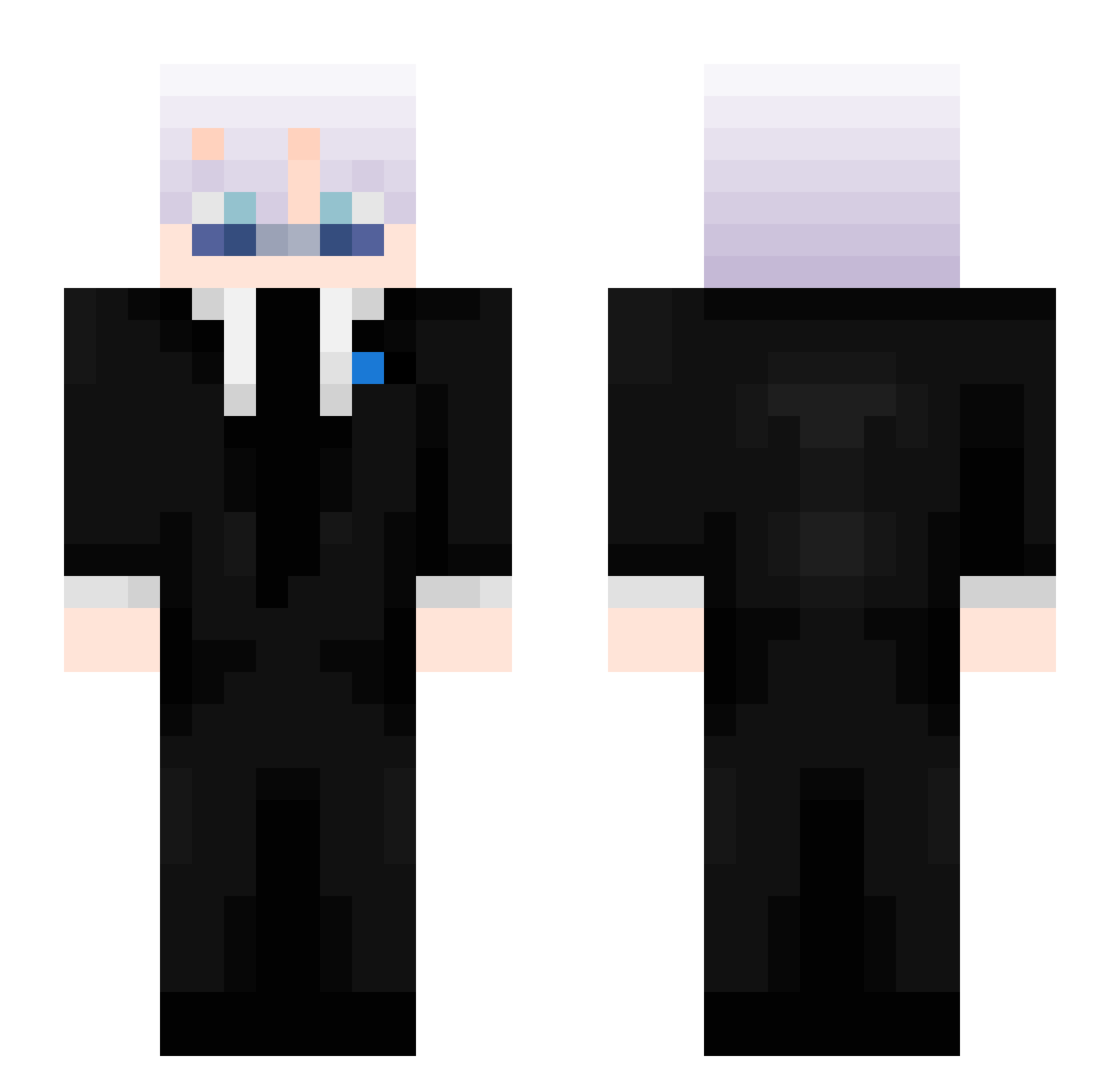
Current Minecraft skin of the player S5wight, loaded from the official Mojang API. Rotate the 3D model with your mouse or finger, then download the skin as a PNG file and use it in Minecraft: Bedrock Edition or Java Edition for free. When S5wight changes their skin, this page updates automatically and the old skin stays in the history below.
Other players with this skin (479)
S5wight was the 333rd player we have seen with this skin, first spotted on 07.10.2026. The same skin was seen on these players. Open a nickname to see their current skin and skin history.
 Gwn_Aiden ferdi614312 Flarehan CrissuZz ManeIsHere_ Alexpro231 SnowyIsPoop Tinoz1 BeaVoorhees anonymus999 OmarMorsy Adolfali Massibomb console_gaming stormyharu Jan67_ tuxty_777 fa1rytal3 ashh720 AngelDMC02 78e_ Garylovespopcorn YGkion RicoIV2 slimeplayz2010 74B_ IcePhantom_ Cynblade Levetor11 AimAbuser Dorageri Georgeishim CanKing10 Alexander795 PoppetMrst RyanWebBlast Wonderos fablemoon czarnyczarodz1ej stfdt Loonertech210 isasuya MaKu13 ItzAdemMC helooo12 js15817 waf5 FINOOBIK zsomb1_ feikar SN1PER15 nino0929 3AMER_3 benjyfisherman MinusINSIR8 intellcqtuall deyys_11 TTp0TuBHuk An0nymous_ janiik13
More Satoru Gojo Minecraft skins
See all 1366 Satoru Gojo skins
How to install the S5wight skin
- Press the Download button above to save the skin as a PNG file.
- Minecraft: Bedrock Edition (PE): open the Dressing Room from the main menu (or tap your character → Edit Character), go to Classic Skins → Owned, press the + (new skin) button, choose the downloaded PNG and pick the Slim (Alex) model. Works on PC and mobile; consoles cannot import custom skins.
- Minecraft: Java Edition: open the Minecraft Launcher, go to the Skins tab, click New Skin, load the PNG, pick the Slim (Alex) model and press Save & Use. You can also upload it at minecraft.net → Profile → Change Skin.
The skin does not show up after import - what should I do?
Restart Minecraft and open the Dressing Room again - imported skins sometimes appear only after a restart. Also make sure you selected the imported skin and picked the Slim (Alex) model.
Which model should I choose, Classic or Slim?
This skin is designed for the Slim (Alex) model. If you pick the wrong model, the arms of the skin will look stretched or squeezed.
Is the skin of S5wight free to download?
Yes. Press Download, save the PNG file and use it in Minecraft: Bedrock Edition or Java Edition - no payment or registration needed. The skin also works on multiplayer servers and Realms.
More skins
Looking for more? Go back to all Minecraft skins and check the top skins of the week, month and all time, or find any player's skin by nickname.