
S3lcouth - Minecraft Skins & Skin History
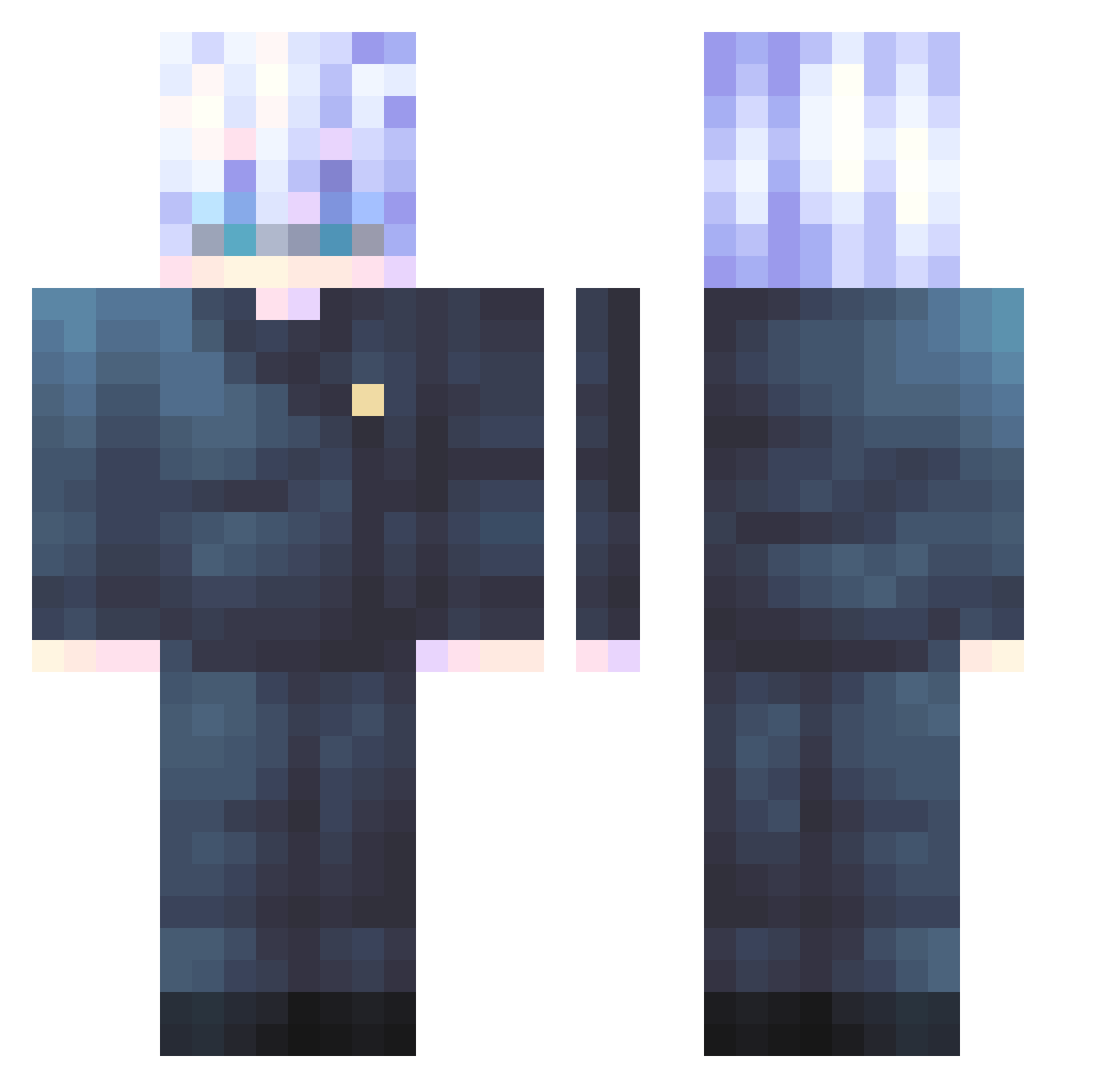
Current Minecraft skin of the player S3lcouth, loaded from the official Mojang API. Rotate the 3D model with your mouse or finger, then download the skin as a PNG file and use it in Minecraft: Bedrock Edition or Java Edition for free. When S3lcouth changes their skin, this page updates automatically and the old skin stays in the history below.
Other players with this skin (547)
S3lcouth was the 125th player we have seen with this skin, first spotted on 18.08.2026. The same skin was seen on these players. Open a nickname to see their current skin and skin history.
 Overlord322 Guruethan rbs0623 kmf1020 Yukisan71 waodatco n0f1y yousirnaime joshoteyne Freyr_VM ziz_chan05 ZenixR6 kkongback Ronaldoo777 G1raffe17 PookieSatoruGojo OtakuRobert15 Jihmmy lilscrufy Human_Jupa Kaguya676 Eudypte_ NieZnaleziony_ Pytrush23 Doloso otakunerd123 MorosVz MASONJJANG Mortity Maxieeloves Jivaice
 CSG_Toxic WiRE98 Disc82 thomas951025 dltmddn1324 TeaRex23 rex0280 wwleyn Moreinlovewyou Temporary181412 tooler_hot4 Kyan42 Angry_Pomeranian rovooool
 zvnepse BreadedPoem6797
 XXXXXX67
 dragoninza jisung0321 vanitas0_0 _kagawa xpi1 Rodripex TrophyxHusband TheBubek GlitchBread Z0id125 Ghostknight05 Elf0ed
More Satoru Gojo Minecraft skins
See all 1317 Satoru Gojo skins
How to install the S3lcouth skin
- Press the Download button above to save the skin as a PNG file.
- Minecraft: Bedrock Edition (PE): open the Dressing Room from the main menu (or tap your character → Edit Character), go to Classic Skins → Owned, press the + (new skin) button, choose the downloaded PNG and pick the Classic (Steve) model. Works on PC and mobile; consoles cannot import custom skins.
- Minecraft: Java Edition: open the Minecraft Launcher, go to the Skins tab, click New Skin, load the PNG, pick the Classic (Steve) model and press Save & Use. You can also upload it at minecraft.net → Profile → Change Skin.
The skin does not show up after import - what should I do?
Restart Minecraft and open the Dressing Room again - imported skins sometimes appear only after a restart. Also make sure you selected the imported skin and picked the Classic (Steve) model.
Which model should I choose, Classic or Slim?
This skin is designed for the Classic (Steve) model. If you pick the wrong model, the arms of the skin will look stretched or squeezed.
Is the skin of S3lcouth free to download?
Yes. Press Download, save the PNG file and use it in Minecraft: Bedrock Edition or Java Edition - no payment or registration needed. The skin also works on multiplayer servers and Realms.
More skins
Looking for more? Go back to all Minecraft skins and check the top skins of the week, month and all time, or find any player's skin by nickname.