
RyanNowo - Minecraft Skins & Skin History
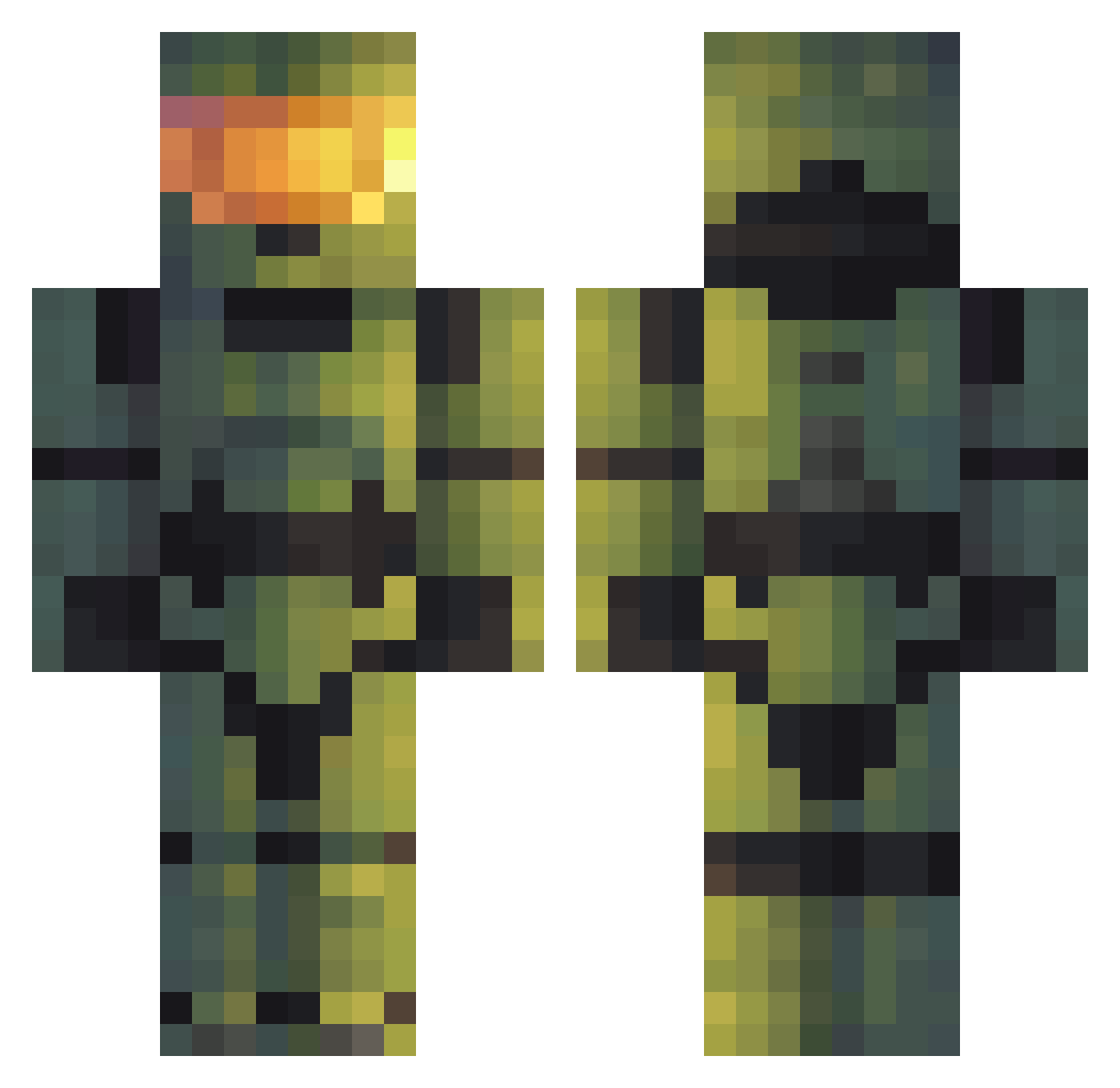
Current Minecraft skin of the player RyanNowo, loaded from the official Mojang API. Rotate the 3D model with your mouse or finger, then download the skin as a PNG file and use it in Minecraft: Bedrock Edition or Java Edition for free. When RyanNowo changes their skin, this page updates automatically and the old skin stays in the history below.
Other players with this skin (46)
RyanNowo was the 17th player we have seen with this skin, first spotted on 28.08.2026. The same skin was seen on these players. Open a nickname to see their current skin and skin history.
 switch1k akinshay9 Sergy1 Gravenqueen MADAROCK ssdhakad Rasko7846 M4K044 CAMDOG2 EaglSevn TheHunter5455 CosmicRayJ CrocodealerUwU danova1983 Kilaxo BlobSlimePlayz Lorehnzz Fearssom tacokarsten69 batan_kyu JAHAM6220 matthh yoboyjunior Kero_XLIII nickmzi92 EL_LOKO_MCLEIN TrippyIsDrippy1 Ultraistic coaltrickle Horror_shot WhichOs SyKoChief TawanCS Porcho NaCl117 TheInvincible_ Kreatoriusz AytonOfDeAndre Ricardo965 Furret0571 baldigio CommanderAhab WorriedArc77217 GoodBuffalo9147 awesomerd zeonic_ace
More Master Chief Minecraft skins
See all 529 Master Chief skins
How to install the RyanNowo skin
- Press the Download button above to save the skin as a PNG file.
- Minecraft: Bedrock Edition (PE): open the Dressing Room from the main menu (or tap your character → Edit Character), go to Classic Skins → Owned, press the + (new skin) button, choose the downloaded PNG and pick the Classic (Steve) model. Works on PC and mobile; consoles cannot import custom skins.
- Minecraft: Java Edition: open the Minecraft Launcher, go to the Skins tab, click New Skin, load the PNG, pick the Classic (Steve) model and press Save & Use. You can also upload it at minecraft.net → Profile → Change Skin.
The skin does not show up after import - what should I do?
Restart Minecraft and open the Dressing Room again - imported skins sometimes appear only after a restart. Also make sure you selected the imported skin and picked the Classic (Steve) model.
Which model should I choose, Classic or Slim?
This skin is designed for the Classic (Steve) model. If you pick the wrong model, the arms of the skin will look stretched or squeezed.
Is the skin of RyanNowo free to download?
Yes. Press Download, save the PNG file and use it in Minecraft: Bedrock Edition or Java Edition - no payment or registration needed. The skin also works on multiplayer servers and Realms.
More skins
Looking for more? Go back to all Minecraft skins and check the top skins of the week, month and all time, or find any player's skin by nickname.