
Ry_HyunSu - Minecraft Skins & Skin History
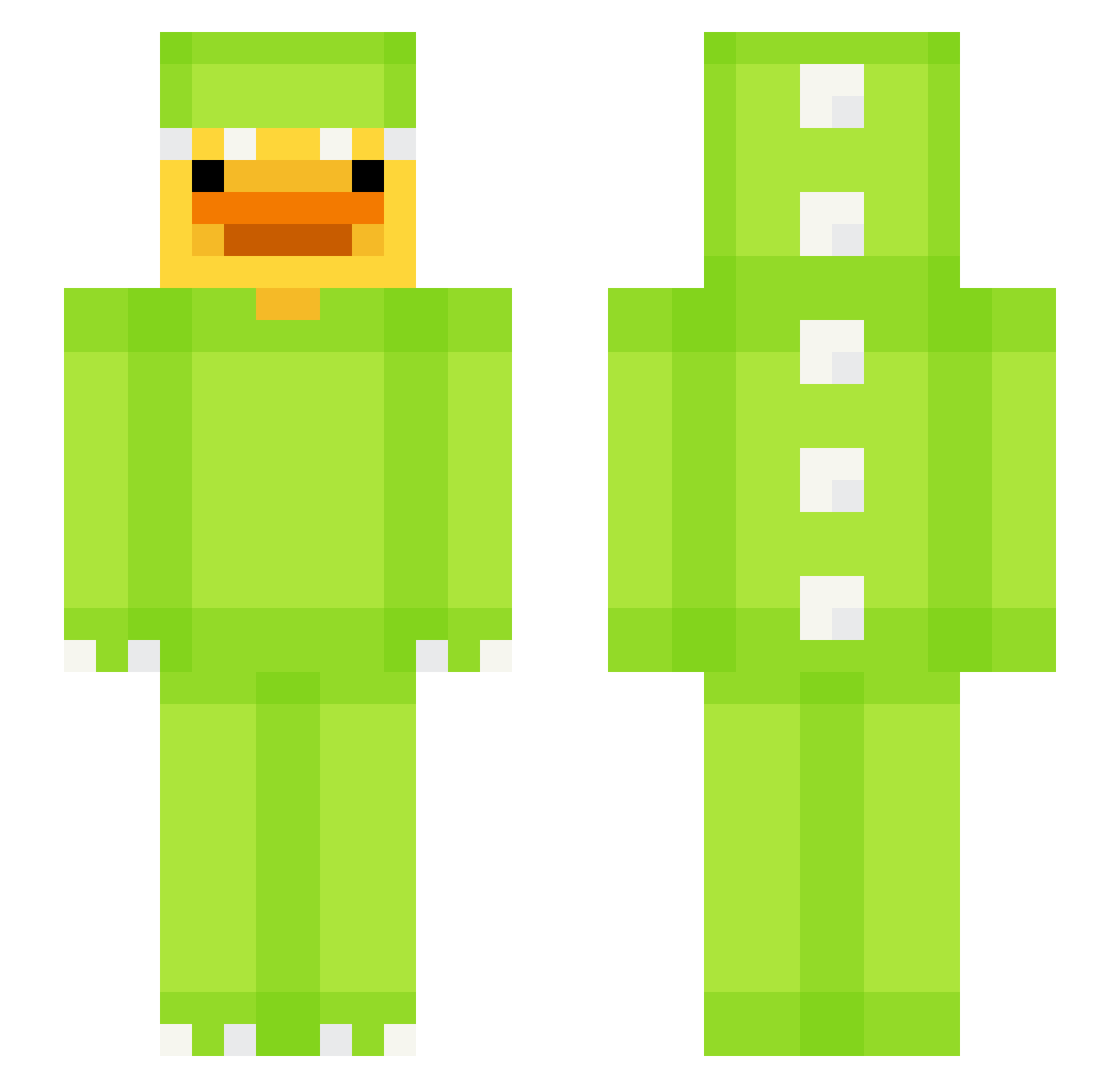
Current Minecraft skin of the player Ry_HyunSu, loaded from the official Mojang API. Rotate the 3D model with your mouse or finger, then download the skin as a PNG file and use it in Minecraft: Bedrock Edition or Java Edition for free. When Ry_HyunSu changes their skin, this page updates automatically and the old skin stays in the history below.
Other players with this skin (652)
Ry_HyunSu was the 44th player we have seen with this skin, first spotted on 31.07.2026. The same skin was seen on these players. Open a nickname to see their current skin and skin history.
 GHaddad14
 yoonhojin ExpertWalnut175 Guilhermepb_ themaurder2 Narovich Duckolor BestAustralian F1_ferrari TonysPizzeriaNJ entesuss
 iri_23 mapa0325 Merti96 oscarbrel ddo1gu Ulter_ Jeoghyeok0611 Hansoo123
 N0Xx_x _Moojin Giglioboy13 _kiwiis_ Picklespaw RainbowToy EdTng DEV_BUILD vic1212 Elisecek nutmonster3000 gugaboi Cunislav Luka202020 Katoffelbbreii
 SovietFox_ GreenCrit_ ykox RebePisi Robert743 JonasGHGehtsteil Cosi14 PolnoeDermo
 xxxxxxxxx090 KRskr Jordix701 Svakken Katawice paydeitr ltvzltn
 chxmp23 BarteKosiarka ComicCandle4546 dofunao_ seahawk7147 DaKarnik bruh_im_feris999 CapableGoat2323
 TheSandhK3 lyrnox5 ItzAB
More Dinosaur Kigurumi Minecraft skins
See all 409 Dinosaur Kigurumi skins
How to install the Ry_HyunSu skin
- Press the Download button above to save the skin as a PNG file.
- Minecraft: Bedrock Edition (PE): open the Dressing Room from the main menu (or tap your character → Edit Character), go to Classic Skins → Owned, press the + (new skin) button, choose the downloaded PNG and pick the Slim (Alex) model. Works on PC and mobile; consoles cannot import custom skins.
- Minecraft: Java Edition: open the Minecraft Launcher, go to the Skins tab, click New Skin, load the PNG, pick the Slim (Alex) model and press Save & Use. You can also upload it at minecraft.net → Profile → Change Skin.
The skin does not show up after import - what should I do?
Restart Minecraft and open the Dressing Room again - imported skins sometimes appear only after a restart. Also make sure you selected the imported skin and picked the Slim (Alex) model.
Which model should I choose, Classic or Slim?
This skin is designed for the Slim (Alex) model. If you pick the wrong model, the arms of the skin will look stretched or squeezed.
Is the skin of Ry_HyunSu free to download?
Yes. Press Download, save the PNG file and use it in Minecraft: Bedrock Edition or Java Edition - no payment or registration needed. The skin also works on multiplayer servers and Realms.
More skins
Looking for more? Go back to all Minecraft skins and check the top skins of the week, month and all time, or find any player's skin by nickname.