
Rtorgerson - Minecraft Skins & Skin History
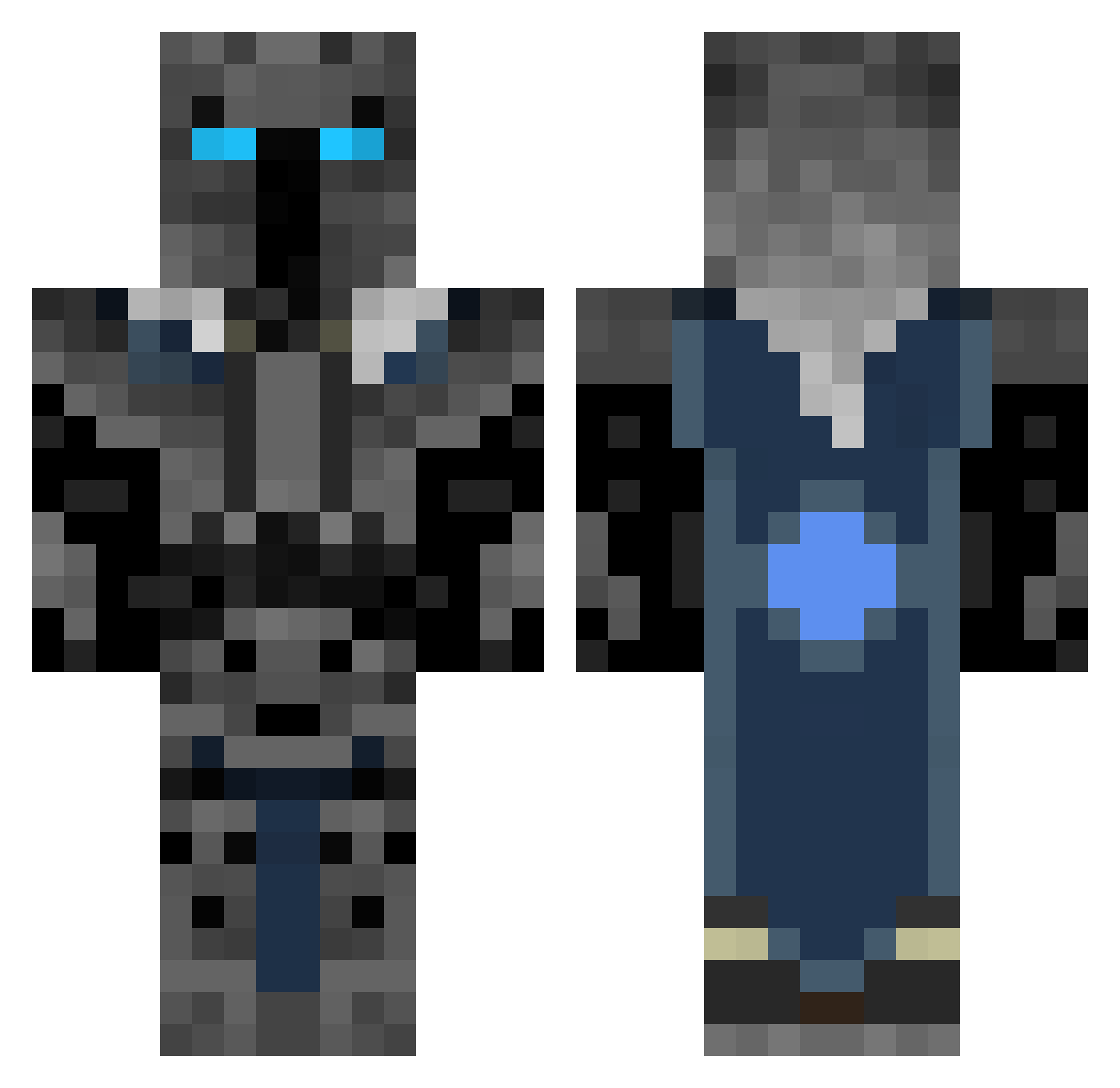
Current Minecraft skin of the player Rtorgerson, loaded from the official Mojang API. Rotate the 3D model with your mouse or finger, then download the skin as a PNG file and use it in Minecraft: Bedrock Edition or Java Edition for free. When Rtorgerson changes their skin, this page updates automatically and the old skin stays in the history below.
Other players with this skin (360)
Rtorgerson was the 108th player we have seen with this skin, first spotted on 26.08.2026. The same skin was seen on these players. Open a nickname to see their current skin and skin history.
 Ohchetlol Asher1986 diogooso autumn_lynn bakerboy02 Xephos270 matthewomg Error9114 LOVELemontea1 kelmaris mohalg 02DANTDM QpitzaIsAGod Samuel2008 The_Lich_King asher519 thedestroyerMMOs THE_GRIMMREAPER Mikeleuthold Mario_Madness Morgstam colingilroy Deadpool301 Kopykat7 hillstreet CMANG05 Frost_FD Furious75 Zunkar iSwuerfel Mihail08 xXxGhostReaperXx Coltinator47 HVAlex coolgirl360 Chrischtel sephbr12 Destructionoid IsoupHD cor132 OliverChurchill butterminecart GrandMasterAc Max332slav Masterpuppy1801 Hi1oo Brandon_1000000 FynnMcMissile KnightBrick tezzan74 jihojiwon ImNeoNTheGod ultragamer48 MarkusK803 ActualFish baxter1234567 BigBoyIsBad tatetheavenger jacob1011 klop20
More Knight Minecraft skins
How to install the Rtorgerson skin
- Press the Download button above to save the skin as a PNG file.
- Minecraft: Bedrock Edition (PE): open the Dressing Room from the main menu (or tap your character → Edit Character), go to Classic Skins → Owned, press the + (new skin) button, choose the downloaded PNG and pick the Classic (Steve) model. Works on PC and mobile; consoles cannot import custom skins.
- Minecraft: Java Edition: open the Minecraft Launcher, go to the Skins tab, click New Skin, load the PNG, pick the Classic (Steve) model and press Save & Use. You can also upload it at minecraft.net → Profile → Change Skin.
The skin does not show up after import - what should I do?
Restart Minecraft and open the Dressing Room again - imported skins sometimes appear only after a restart. Also make sure you selected the imported skin and picked the Classic (Steve) model.
Which model should I choose, Classic or Slim?
This skin is designed for the Classic (Steve) model. If you pick the wrong model, the arms of the skin will look stretched or squeezed.
Is the skin of Rtorgerson free to download?
Yes. Press Download, save the PNG file and use it in Minecraft: Bedrock Edition or Java Edition - no payment or registration needed. The skin also works on multiplayer servers and Realms.
More skins
Looking for more? Go back to all Minecraft skins and check the top skins of the week, month and all time, or find any player's skin by nickname.