
Rsn054 - Minecraft Skins & Skin History
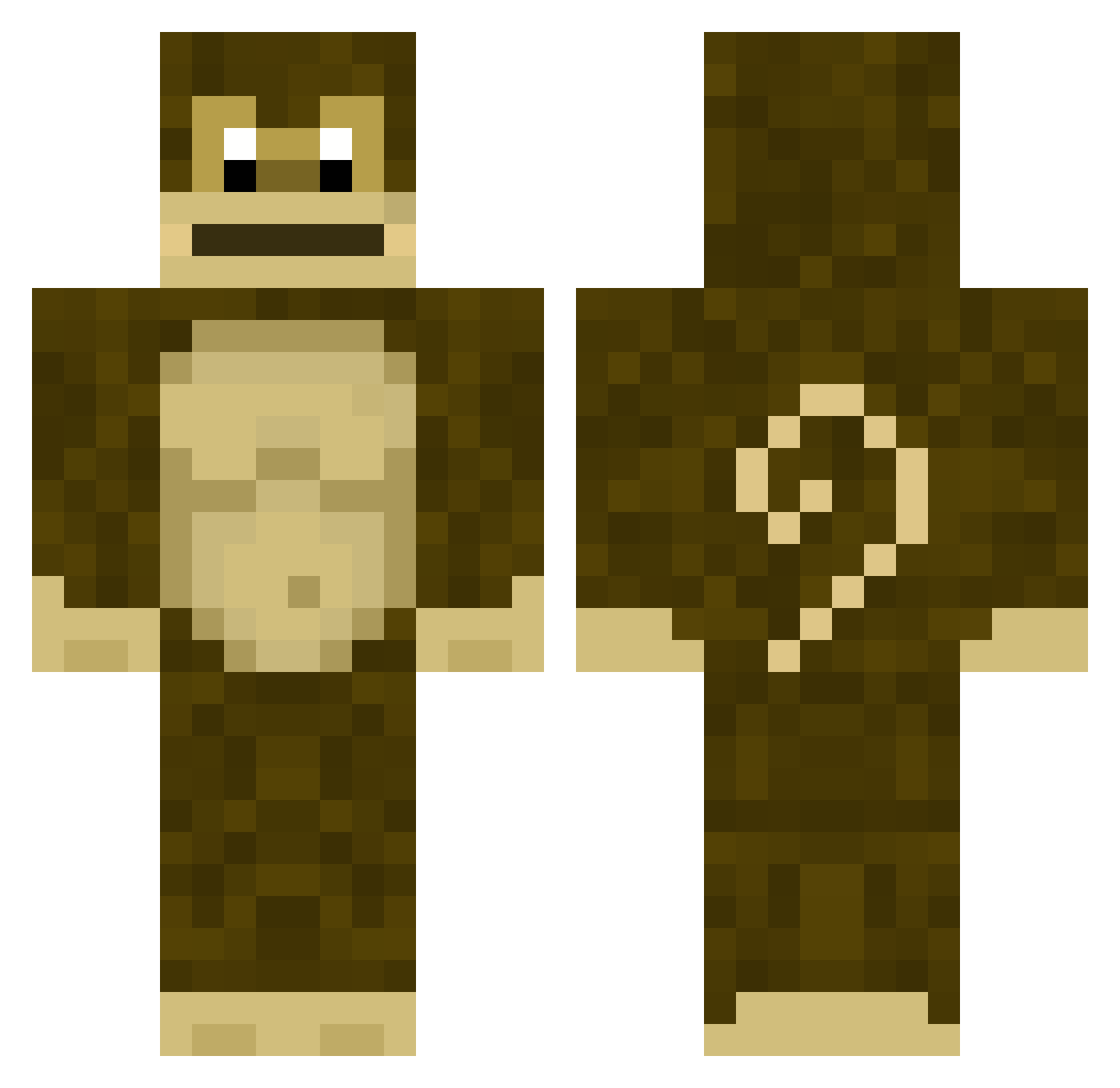
Current Minecraft skin of the player Rsn054, loaded from the official Mojang API. Rotate the 3D model with your mouse or finger, then download the skin as a PNG file and use it in Minecraft: Bedrock Edition or Java Edition for free. When Rsn054 changes their skin, this page updates automatically and the old skin stays in the history below.
Other players with this skin (279)
Rsn054 was the 74th player we have seen with this skin, first spotted on 22.08.2026. The same skin was seen on these players. Open a nickname to see their current skin and skin history.
 DL7X kape68 Pv_20 Henri_ist_geil obamasgrandad TruestBuckaroo papa7fasa Lispetros _Riley biel99z eornt cauazn123 Poobutt532 yokbaban GyrosArtika Maupello mbtomaz Pot2rush1 GallBo_ xucrute16 Wxrrior_ FDMAN1 giorikas antonioremela BaboBen190 Ngov1Knows ricchiuti ping_moon Jimmboronny12 WormGaming Gaydrian6969 benedek225 ViccPlays thighsrocks Dem0nf1re227 ELKYMELKY Absilff ScathaPetPlz Ximista Pipute_pupute magicodeoz Teixeira_20 Rawd4wg8 cowboygibbon jayron213 grassbags7 Japoo 530_Media Sheen_69 AMORRIBA
 Moonkey_404 JotapeZ KnuckSlayer VERGONHA_ tinord SheepyMC_ ddongjang1 Uncle_Cosby Jovxly GGSonlyMC
More Donkey Kong Minecraft skins
How to install the Rsn054 skin
- Press the Download button above to save the skin as a PNG file.
- Minecraft: Bedrock Edition (PE): open the Dressing Room from the main menu (or tap your character → Edit Character), go to Classic Skins → Owned, press the + (new skin) button, choose the downloaded PNG and pick the Classic (Steve) model. Works on PC and mobile; consoles cannot import custom skins.
- Minecraft: Java Edition: open the Minecraft Launcher, go to the Skins tab, click New Skin, load the PNG, pick the Classic (Steve) model and press Save & Use. You can also upload it at minecraft.net → Profile → Change Skin.
The skin does not show up after import - what should I do?
Restart Minecraft and open the Dressing Room again - imported skins sometimes appear only after a restart. Also make sure you selected the imported skin and picked the Classic (Steve) model.
Which model should I choose, Classic or Slim?
This skin is designed for the Classic (Steve) model. If you pick the wrong model, the arms of the skin will look stretched or squeezed.
Is the skin of Rsn054 free to download?
Yes. Press Download, save the PNG file and use it in Minecraft: Bedrock Edition or Java Edition - no payment or registration needed. The skin also works on multiplayer servers and Realms.
More skins
Looking for more? Go back to all Minecraft skins and check the top skins of the week, month and all time, or find any player's skin by nickname.