
RonlusFerd - Minecraft Skins & Skin History
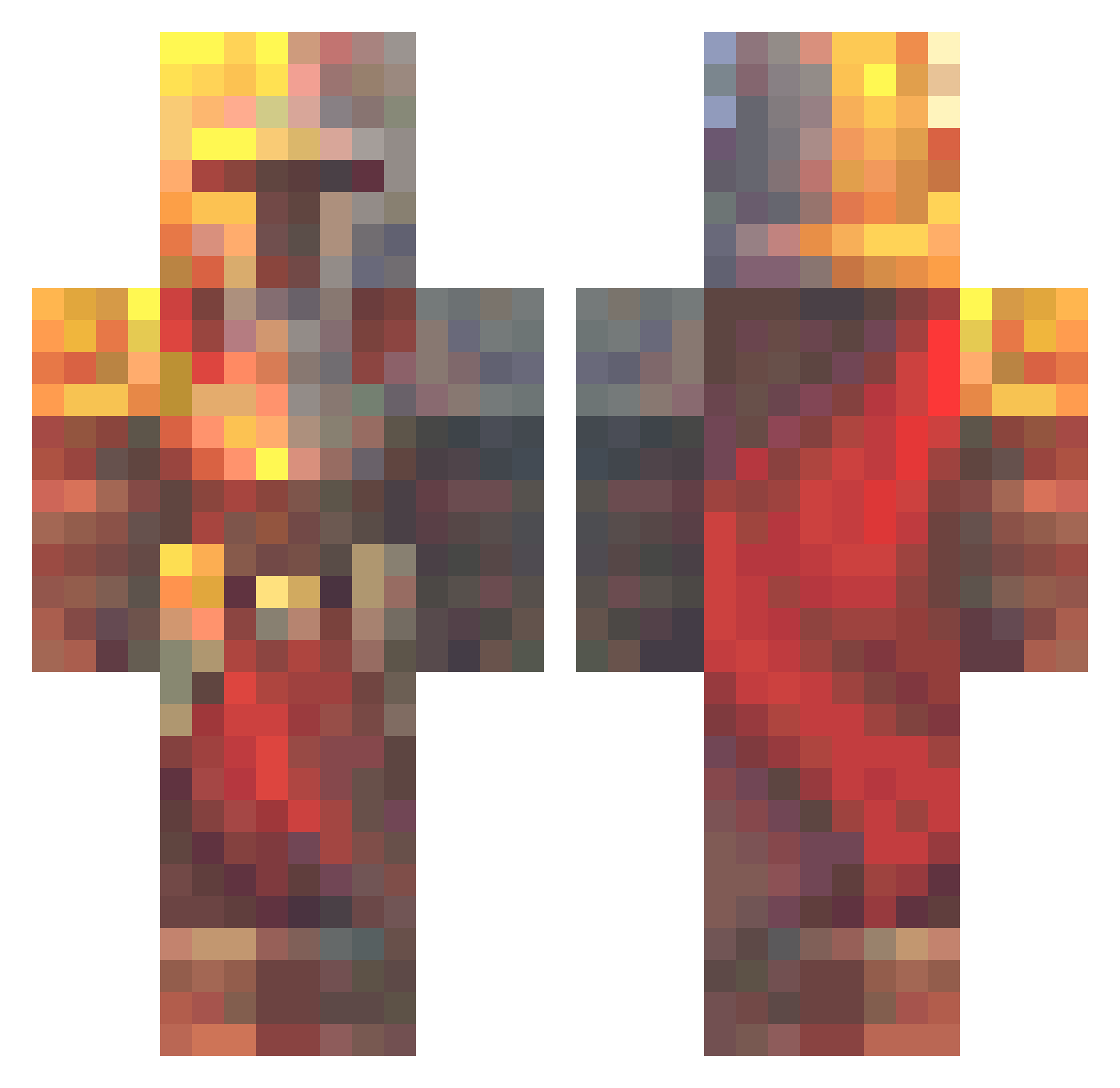
Current Minecraft skin of the player RonlusFerd, loaded from the official Mojang API. Rotate the 3D model with your mouse or finger, then download the skin as a PNG file and use it in Minecraft: Bedrock Edition or Java Edition for free. When RonlusFerd changes their skin, this page updates automatically and the old skin stays in the history below.
Other players with this skin (683)
RonlusFerd was the 607th player we have seen with this skin, first spotted on 05.11.2026. The same skin was seen on these players. Open a nickname to see their current skin and skin history.
 IronMaxx1 TBMHades TekDani BudderMan101 HazardousDuckel ZedZephyr Ofkiz Niontonian TheCoyote1998 Farlow_99 Nikku_044 MegaBlaster505 Powerplatee Jaolm Hasmath El_Jimadore72 Voldemortus13 Schlossmalz CoopaTroopa6669 Sspeedygaming Otasaku Floxy01 Akimare Redstone_Reverie Kemkes3000 Rubbas TimmyJimmy17 Bxtryy that1bigkid MariusW12 glowinglanterns PajaRog Remax123 AnubisXL SJlegend AlanR936 Brian_Z95 Manuu18 AlexAj04 IGhost_FrankI BuilderColton messiisthegoat20 Neutrino2002 Needlebutt X_TheDominator_X kejdzojk Cdog0524 PewPatzo Mulliv JO__KO Lualkil pryy555 Foud0 knoertel dino_plays Karna_Sun Starlingfox65 Moonlight2498 RGC_Fall I_Maui
More Medieval Minecraft skins
How to install the RonlusFerd skin
- Press the Download button above to save the skin as a PNG file.
- Minecraft: Bedrock Edition (PE): open the Dressing Room from the main menu (or tap your character → Edit Character), go to Classic Skins → Owned, press the + (new skin) button, choose the downloaded PNG and pick the Classic (Steve) model. Works on PC and mobile; consoles cannot import custom skins.
- Minecraft: Java Edition: open the Minecraft Launcher, go to the Skins tab, click New Skin, load the PNG, pick the Classic (Steve) model and press Save & Use. You can also upload it at minecraft.net → Profile → Change Skin.
The skin does not show up after import - what should I do?
Restart Minecraft and open the Dressing Room again - imported skins sometimes appear only after a restart. Also make sure you selected the imported skin and picked the Classic (Steve) model.
Which model should I choose, Classic or Slim?
This skin is designed for the Classic (Steve) model. If you pick the wrong model, the arms of the skin will look stretched or squeezed.
Is the skin of RonlusFerd free to download?
Yes. Press Download, save the PNG file and use it in Minecraft: Bedrock Edition or Java Edition - no payment or registration needed. The skin also works on multiplayer servers and Realms.
More skins
Looking for more? Go back to all Minecraft skins and check the top skins of the week, month and all time, or find any player's skin by nickname.