
RokiStar - Minecraft Skins & Skin History
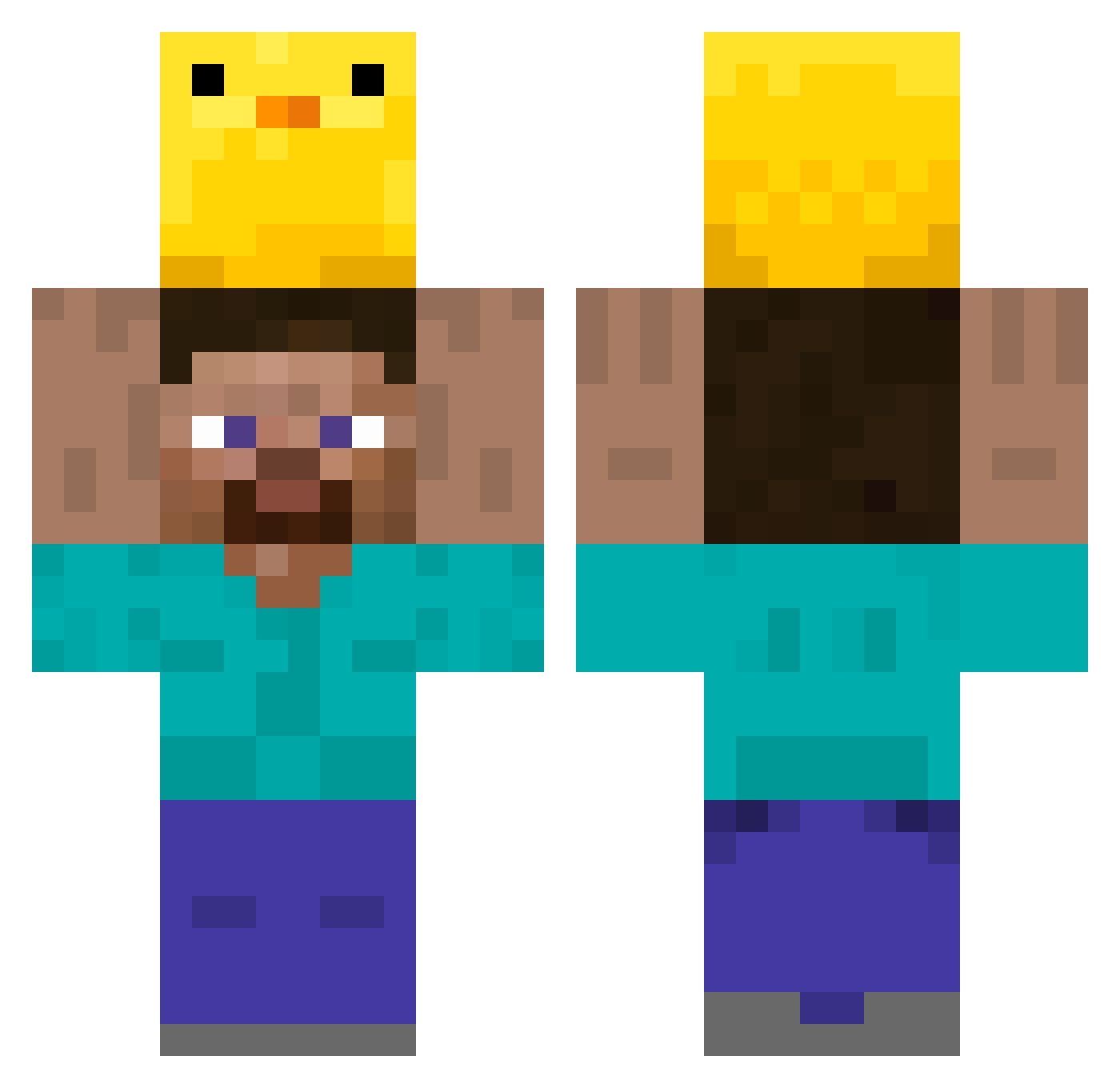
Current Minecraft skin of the player RokiStar, loaded from the official Mojang API. Rotate the 3D model with your mouse or finger, then download the skin as a PNG file and use it in Minecraft: Bedrock Edition or Java Edition for free. When RokiStar changes their skin, this page updates automatically and the old skin stays in the history below.
Other players with this skin (349)
RokiStar was the 64th player we have seen with this skin, first spotted on 15.08.2026. The same skin was seen on these players. Open a nickname to see their current skin and skin history.
 ImRoy833 nzfxp_ Chocotacoro Stifftable Mellimeter hulubo highlymoan I2nquisiti_velyd smoothguitar wasabi_icecream Bragax55 Wildbear49 alienjun1 JarZip81 PeppaPigConDepre eunsung450 DDD_blue Suigetsy FATAZEN chou0821 LDJ14514 FOR_YOURSELF earlya1low SeaturtleRat BeeLee1988 chamchi0 Lores_SVK Im_Tom16 leopinta Fireeeeeeeeeeee 4shark_ BoHRo4 Zozobarjo Bakhaow iEmersonn SirLotharDT Junuin Cleverattack Chales95 Taitai2263 Wumeng05 Nicebed18 JonAsh1982 tzi_Icolz_06_15 austj hvigs LauseLarry ImTom46 DAVIN69
 Lirsad Aisaak14 JAMHE2 ez1234566778 tdatyler yakou___ ZoeAsh2006 kimjjangdol2 Ayvee211 Supafirehot56 METHOD_IS
More Holding Duck Minecraft skins
How to install the RokiStar skin
- Press the Download button above to save the skin as a PNG file.
- Minecraft: Bedrock Edition (PE): open the Dressing Room from the main menu (or tap your character → Edit Character), go to Classic Skins → Owned, press the + (new skin) button, choose the downloaded PNG and pick the Classic (Steve) model. Works on PC and mobile; consoles cannot import custom skins.
- Minecraft: Java Edition: open the Minecraft Launcher, go to the Skins tab, click New Skin, load the PNG, pick the Classic (Steve) model and press Save & Use. You can also upload it at minecraft.net → Profile → Change Skin.
The skin does not show up after import - what should I do?
Restart Minecraft and open the Dressing Room again - imported skins sometimes appear only after a restart. Also make sure you selected the imported skin and picked the Classic (Steve) model.
Which model should I choose, Classic or Slim?
This skin is designed for the Classic (Steve) model. If you pick the wrong model, the arms of the skin will look stretched or squeezed.
Is the skin of RokiStar free to download?
Yes. Press Download, save the PNG file and use it in Minecraft: Bedrock Edition or Java Edition - no payment or registration needed. The skin also works on multiplayer servers and Realms.
More skins
Looking for more? Go back to all Minecraft skins and check the top skins of the week, month and all time, or find any player's skin by nickname.