
 reallysignal Obesetawdryequal sjbxz FlyBustier lucaca2007 Zip40 gabrielkinash yulian90 True_Epic_Guy ROIDRAGER_ binz_08 GanHong2595 NiTobiNi Natgame69 ClankyBagel Big_Black_Cucumb Liiiiw jues0379 _Essie_21 bix_by ImZoe83 leocmb Violetcover X3Filtre onn0721 ex1st3nz Oktagm ImDan67 zruss11 Caned1 KureFaValiy amumuwin CaballeroYT66 iliketurtles523 l3kill3rdu59210 boring_0818 Apalses tank_NF l1urx Loudfish223 ABO1211 Thigass05 Brightmotion beckzinn Tskashi chokomuu PineappleMC LivEli1984 Pakosek Lolo1130 boilrage AliYakar billowyWAste bleedies 4F_Nxz DarkFlameDXUWU MalIDict guapi131 TenTubKung cadester177
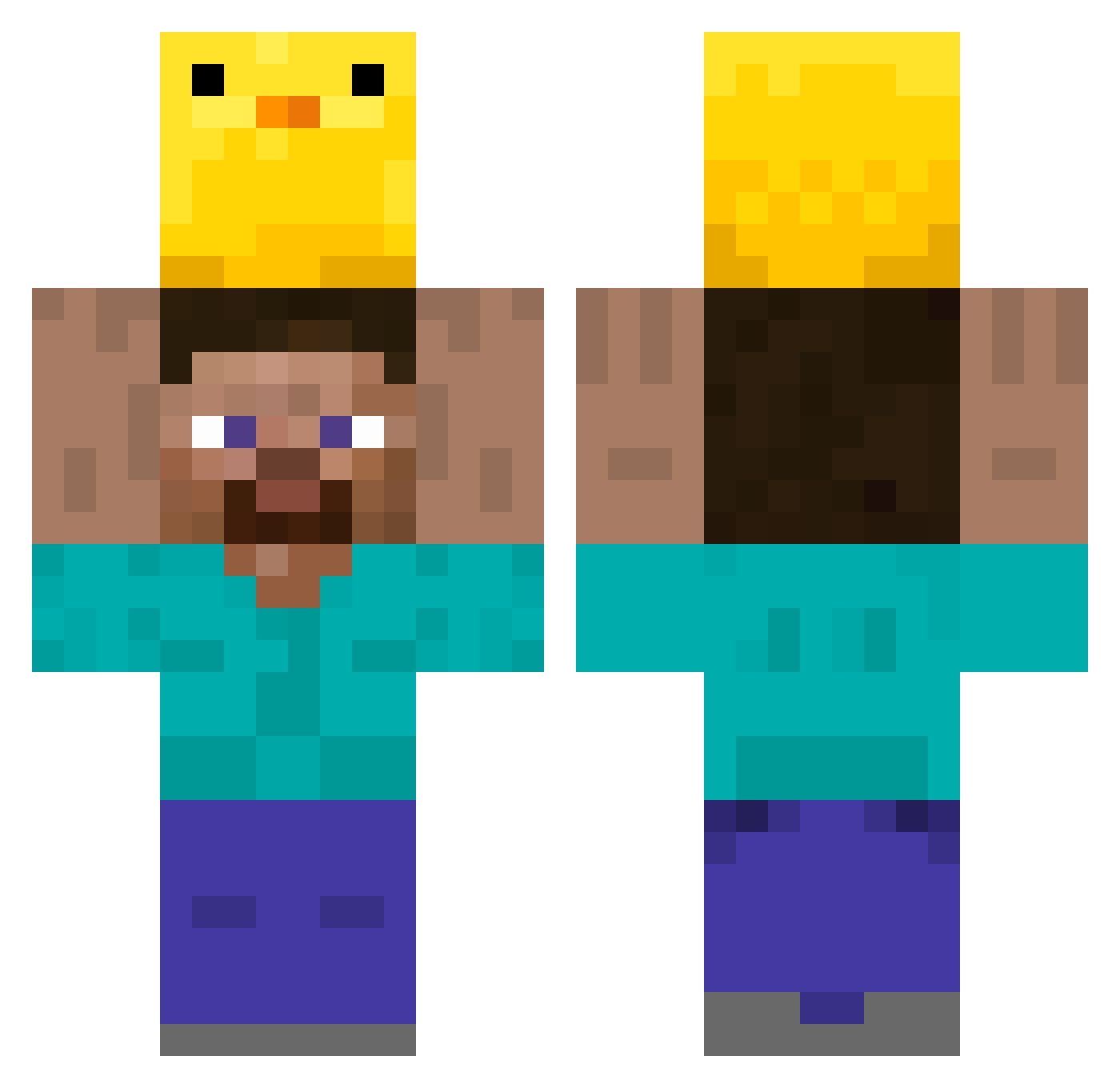
Minecraft skin of pricklytree. Rotate the 3D model with your mouse or finger to view the skin from every angle, then download it as a PNG file and use it in Minecraft: Bedrock Edition or Java Edition for free. Rate the skin with stars to help other players find the best skins in our collection.
How to install the pricklytree skin
- Press the Download button above to save the skin as a PNG file.
- Minecraft: Bedrock Edition (PE): open the Dressing Room from the main menu (or tap your character → Edit Character), go to Classic Skins → Owned, press the + (new skin) button, choose the downloaded PNG and pick the Classic (Steve) model. Works on PC and mobile; consoles cannot import custom skins.
- Minecraft: Java Edition: open the Minecraft Launcher, go to the Skins tab, click New Skin, load the PNG, pick the Classic (Steve) model and press Save & Use. You can also upload it at minecraft.net → Profile → Change Skin.
The skin does not show up after import - what should I do?
Restart Minecraft and open the Dressing Room again - imported skins sometimes appear only after a restart. Also make sure you selected the imported skin and picked the Classic (Steve) model.
Which model should I choose, Classic or Slim?
This skin is designed for the Classic (Steve) model. If you pick the wrong model, the arms of the skin will look stretched or squeezed.
Is this skin free to use?
Yes. Press Download, save the PNG file and use it in Minecraft: Bedrock Edition or Java Edition - no payment or registration needed. The skin also works on multiplayer servers and Realms.
More Holding Duck Minecraft skins
More skins
Looking for more? Go back to all Minecraft skins and check the top skins of the week, month and all time, or find any player's skin by nickname.