
RogerTheMonkey45 - Minecraft Skins & Skin History
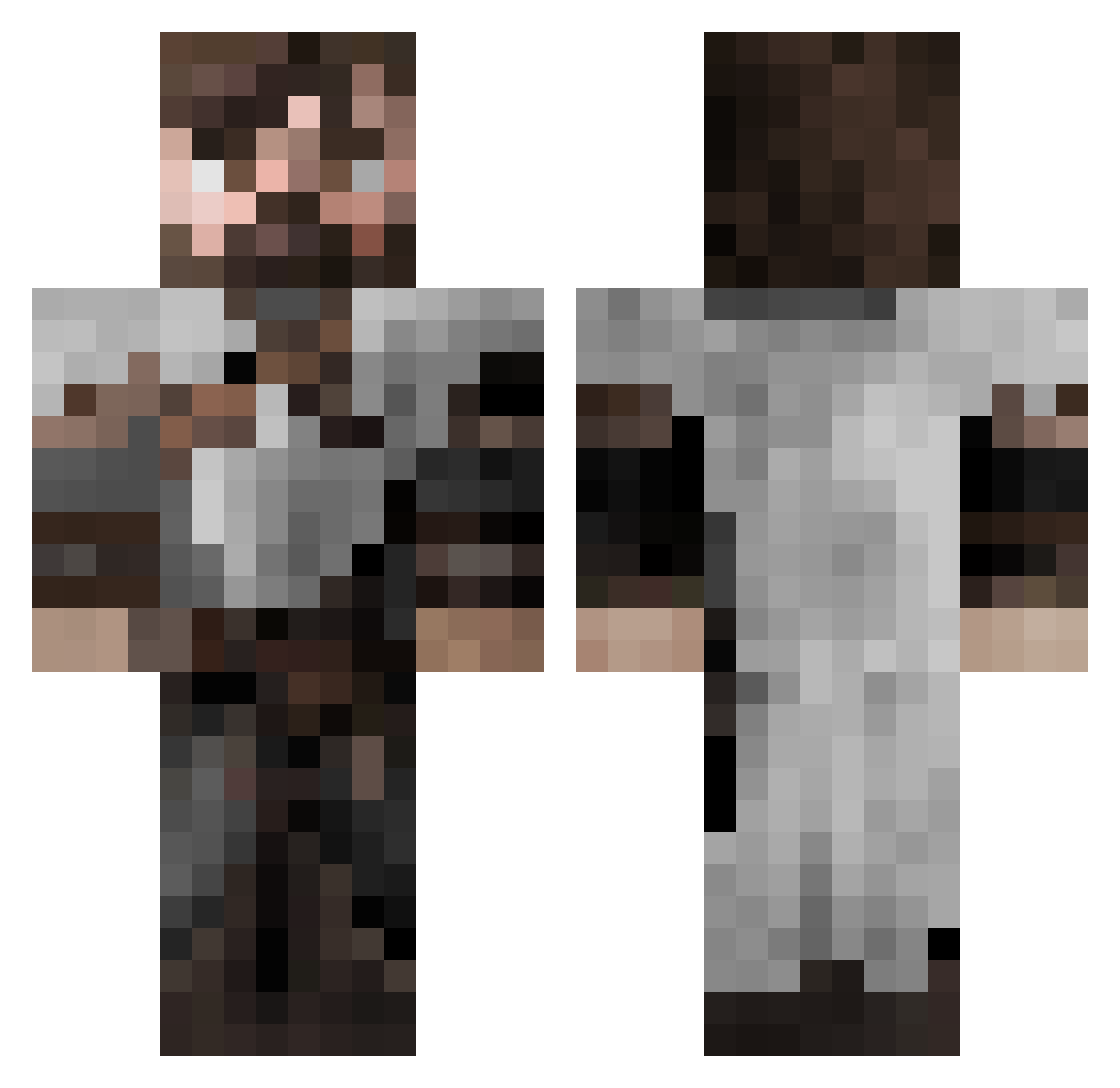
Current Minecraft skin of the player RogerTheMonkey45, loaded from the official Mojang API. Rotate the 3D model with your mouse or finger, then download the skin as a PNG file and use it in Minecraft: Bedrock Edition or Java Edition for free. When RogerTheMonkey45 changes their skin, this page updates automatically and the old skin stays in the history below.
Other players with this skin (553)
RogerTheMonkey45 was the 23rd player we have seen with this skin, first spotted on 28.07.2026. The same skin was seen on these players. Open a nickname to see their current skin and skin history.
 Tyrant51 Mariaos TheSuperOstrichh bookwyrm47
 JT2956 GiantCloud8 BigJohn042 Epexzi Popekmonster2 Tecklis pyramix1 syndicate329 Blastinn Killian32S Yaakal Skraffeur LotteRS_ bello743 rluuis17 APE_GANG_KING Settra1998 AdamTheJedi blooper108 GrumpyRat10 Ezra0000 Passi_XDDX Slik3 MoneyMartial Freiyrr n1Riper Knerzje82 MultiTastisch spradz UrsTrooly ReverendLust WolvesEmber Dolkstar SLIM_R3AP3R DysFunkt10nal Hermes811 WitheredCentaur bgkillas Somonulux CidMatters TruEcho777 Unbentzero Griffin08 Lucifurry Dragovick_ RoyceRollins EPTI JasherCarlyle EpicOosh mans_mans TaxTel SirBlackb1rd remzso GrubbyDubby magiction62 Nazar_303
More Crusader Minecraft skins
How to install the RogerTheMonkey45 skin
- Press the Download button above to save the skin as a PNG file.
- Minecraft: Bedrock Edition (PE): open the Dressing Room from the main menu (or tap your character → Edit Character), go to Classic Skins → Owned, press the + (new skin) button, choose the downloaded PNG and pick the Classic (Steve) model. Works on PC and mobile; consoles cannot import custom skins.
- Minecraft: Java Edition: open the Minecraft Launcher, go to the Skins tab, click New Skin, load the PNG, pick the Classic (Steve) model and press Save & Use. You can also upload it at minecraft.net → Profile → Change Skin.
The skin does not show up after import - what should I do?
Restart Minecraft and open the Dressing Room again - imported skins sometimes appear only after a restart. Also make sure you selected the imported skin and picked the Classic (Steve) model.
Which model should I choose, Classic or Slim?
This skin is designed for the Classic (Steve) model. If you pick the wrong model, the arms of the skin will look stretched or squeezed.
Is the skin of RogerTheMonkey45 free to download?
Yes. Press Download, save the PNG file and use it in Minecraft: Bedrock Edition or Java Edition - no payment or registration needed. The skin also works on multiplayer servers and Realms.
More skins
Looking for more? Go back to all Minecraft skins and check the top skins of the week, month and all time, or find any player's skin by nickname.