
Robbe1103 - Minecraft Skins & Skin History
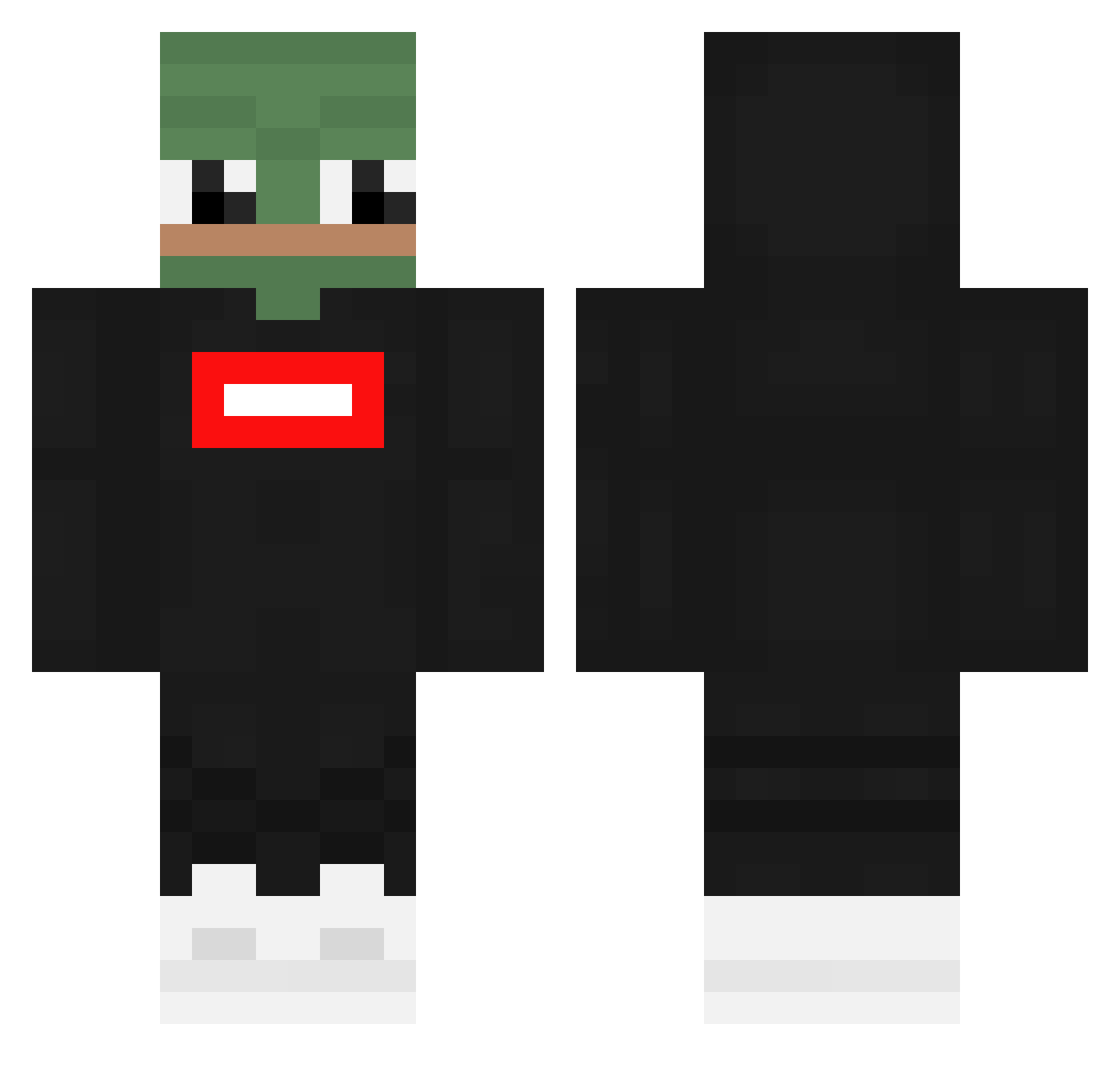
Current Minecraft skin of the player Robbe1103, loaded from the official Mojang API. Rotate the 3D model with your mouse or finger, then download the skin as a PNG file and use it in Minecraft: Bedrock Edition or Java Edition for free. When Robbe1103 changes their skin, this page updates automatically and the old skin stays in the history below.
Other players with this skin (360)
Robbe1103 was the 14th player we have seen with this skin, first spotted on 28.07.2026. The same skin was seen on these players. Open a nickname to see their current skin and skin history.
 GARLABAN Takohiki Kubsons15 n1klxss kubek08 ReaSilvia79 Rolnik2137 soomin0313 Champion9000 IchDenkeNicht Artinboiiiii nosretto yunggopnik Banan357 Smakelijk CozyChilo ajm61068 carlo_slc Crackinger ROADHouse702 TovakMC _hurricane__ Rialixx audiR8v12mp4 ferry06 Mig29s Mattisbali XLordRayX Jowaiting DaichiSxd Hbsanders Jnxi Lakiler_15 XMinoxxx peacehoneypunch DedLaugh PanJawel_III BougaBouga78 Emoniix DeF_Dennis Alonsito2012 SuperAyroni RIJSTBOI kwj3352 JoelSoep sloughyy GuluX AFKzCryptix ThijsgamingNL_ XxDemonGod6969xX Mytysz seEeqov MisterLatarka OhhMonsster kinimod112 knightofbl00d chaga_24 bpastugames1 EkzyyL typarasolu
More Pepe Minecraft skins
How to install the Robbe1103 skin
- Press the Download button above to save the skin as a PNG file.
- Minecraft: Bedrock Edition (PE): open the Dressing Room from the main menu (or tap your character → Edit Character), go to Classic Skins → Owned, press the + (new skin) button, choose the downloaded PNG and pick the Classic (Steve) model. Works on PC and mobile; consoles cannot import custom skins.
- Minecraft: Java Edition: open the Minecraft Launcher, go to the Skins tab, click New Skin, load the PNG, pick the Classic (Steve) model and press Save & Use. You can also upload it at minecraft.net → Profile → Change Skin.
The skin does not show up after import - what should I do?
Restart Minecraft and open the Dressing Room again - imported skins sometimes appear only after a restart. Also make sure you selected the imported skin and picked the Classic (Steve) model.
Which model should I choose, Classic or Slim?
This skin is designed for the Classic (Steve) model. If you pick the wrong model, the arms of the skin will look stretched or squeezed.
Is the skin of Robbe1103 free to download?
Yes. Press Download, save the PNG file and use it in Minecraft: Bedrock Edition or Java Edition - no payment or registration needed. The skin also works on multiplayer servers and Realms.
More skins
Looking for more? Go back to all Minecraft skins and check the top skins of the week, month and all time, or find any player's skin by nickname.