
RnZPwN - Minecraft Skins & Skin History
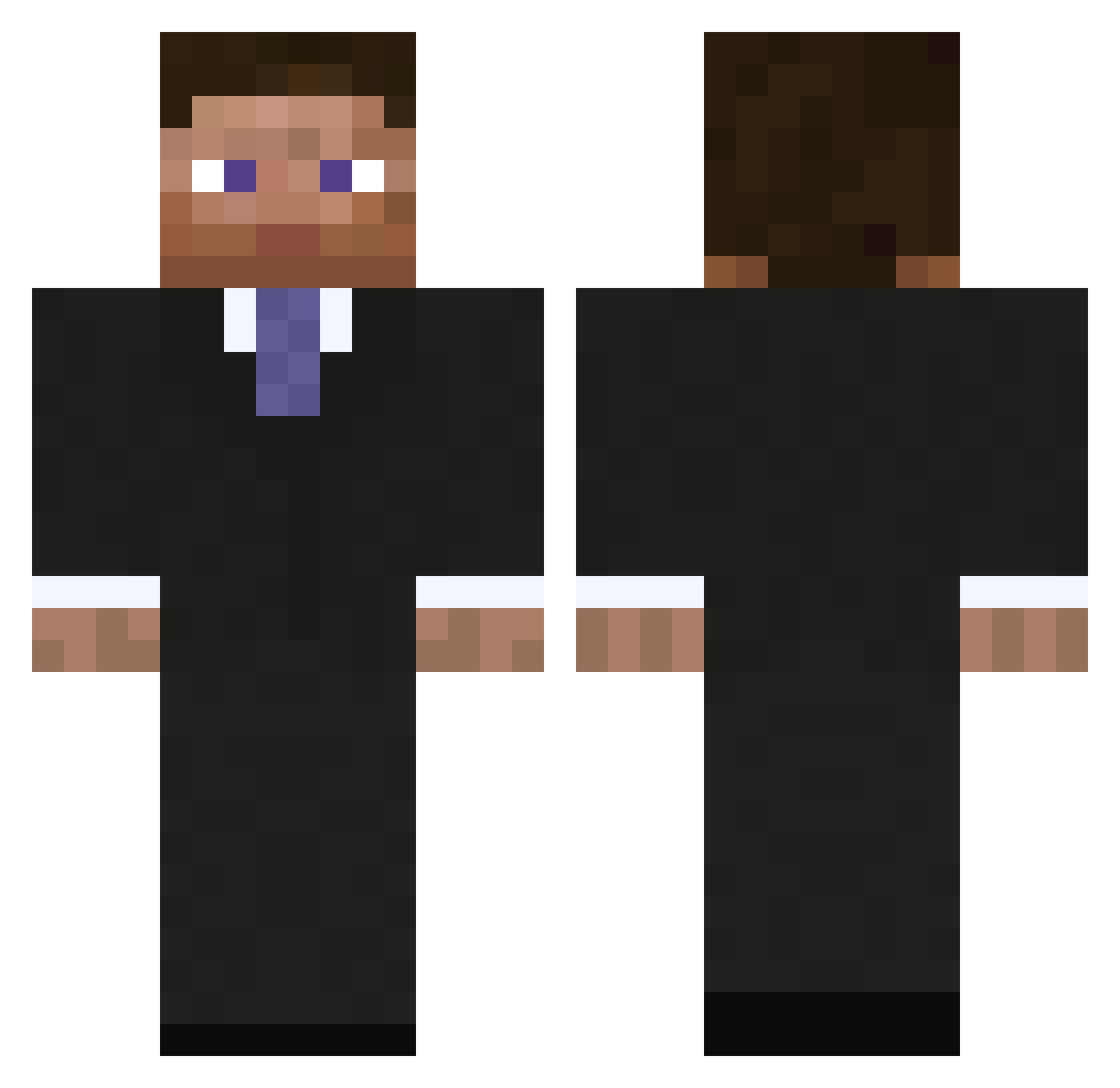
Current Minecraft skin of the player RnZPwN, loaded from the official Mojang API. Rotate the 3D model with your mouse or finger, then download the skin as a PNG file and use it in Minecraft: Bedrock Edition or Java Edition for free. When RnZPwN changes their skin, this page updates automatically and the old skin stays in the history below.
Other players with this skin (795)
RnZPwN was the 660th player we have seen with this skin, first spotted on 07.10.2026. The same skin was seen on these players. Open a nickname to see their current skin and skin history.
 J_garn PremiumTrial_ jinkun memob Wazaa_XP dadikpro meark00 _Dusty_ Rambu_tan Piet1887 mseba smoked_out JKLs JackWB dosenbiiir Thillboy24 listerrr apfelfabrik Bloodysseus Shacqn savebob25 mateuszopek TMXY AeroSe7en SirAussieGamer kunwon1 Lit_Helmut Dor2501 Chris_is_to_cool Coltkid123 Taggen97 woozie233 TheSuperBest gbitz mercass SanderSollid RealReax gypsophilavi beefyer Royski benjaminpower100 BackToSchool AnToiNiZaBe Mysil96 Isa_e_Mu karatemand123 MadRebel bigwwefans Silentacer StickeyCraft _DarkPredator_ dotnetfox fishy1233 landohb DarknightAUS sbvt123 VOLCANOOO123 Martisacra ChipMunks special115
More Businessman Minecraft skins
See all 5481 Businessman skins
How to install the RnZPwN skin
- Press the Download button above to save the skin as a PNG file.
- Minecraft: Bedrock Edition (PE): open the Dressing Room from the main menu (or tap your character → Edit Character), go to Classic Skins → Owned, press the + (new skin) button, choose the downloaded PNG and pick the Classic (Steve) model. Works on PC and mobile; consoles cannot import custom skins.
- Minecraft: Java Edition: open the Minecraft Launcher, go to the Skins tab, click New Skin, load the PNG, pick the Classic (Steve) model and press Save & Use. You can also upload it at minecraft.net → Profile → Change Skin.
The skin does not show up after import - what should I do?
Restart Minecraft and open the Dressing Room again - imported skins sometimes appear only after a restart. Also make sure you selected the imported skin and picked the Classic (Steve) model.
Which model should I choose, Classic or Slim?
This skin is designed for the Classic (Steve) model. If you pick the wrong model, the arms of the skin will look stretched or squeezed.
Is the skin of RnZPwN free to download?
Yes. Press Download, save the PNG file and use it in Minecraft: Bedrock Edition or Java Edition - no payment or registration needed. The skin also works on multiplayer servers and Realms.
More skins
Looking for more? Go back to all Minecraft skins and check the top skins of the week, month and all time, or find any player's skin by nickname.